3D Glassmorphism Threads Profile Identity Card
Create a premium, landscape Threads profile card using a design reference and a separate profile reference, with precise profile details and a polished glassmorphism layout.
Example outputs
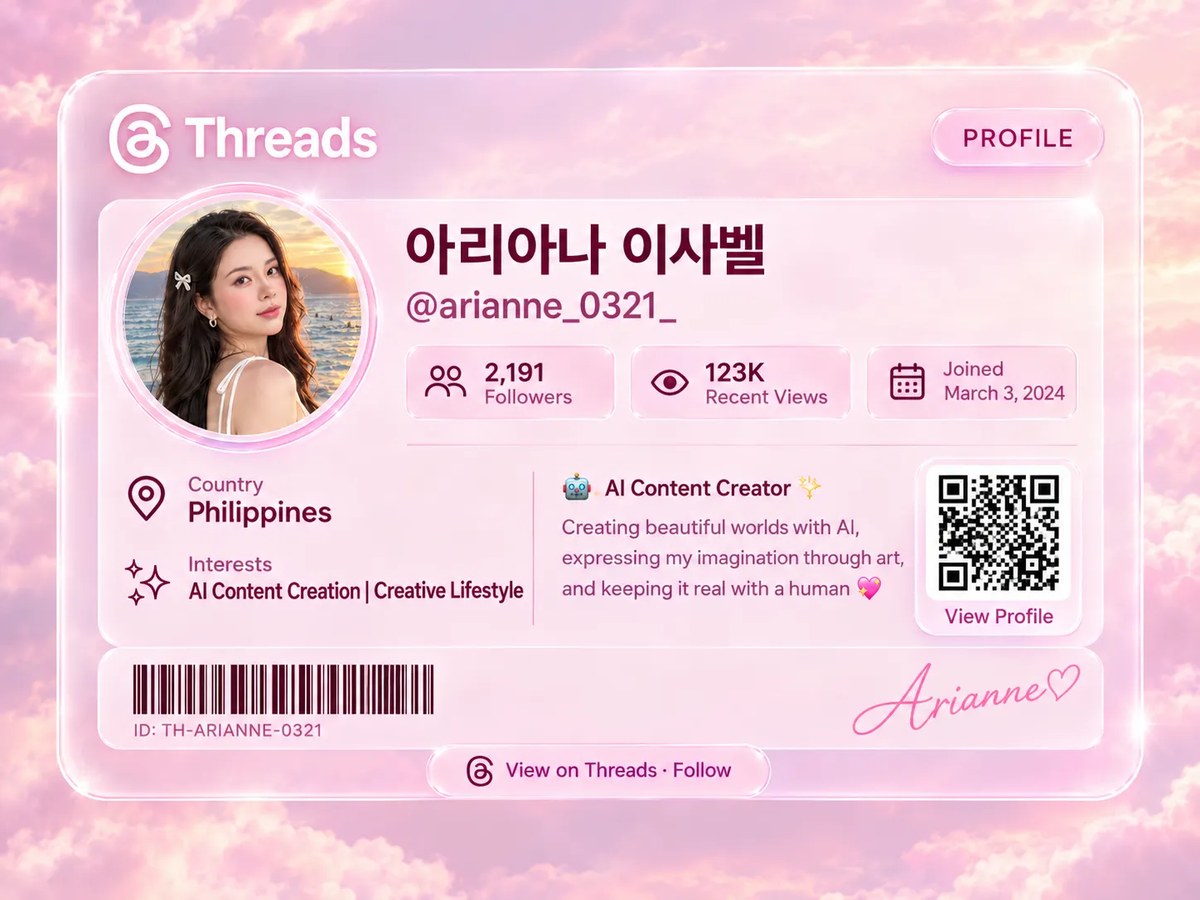
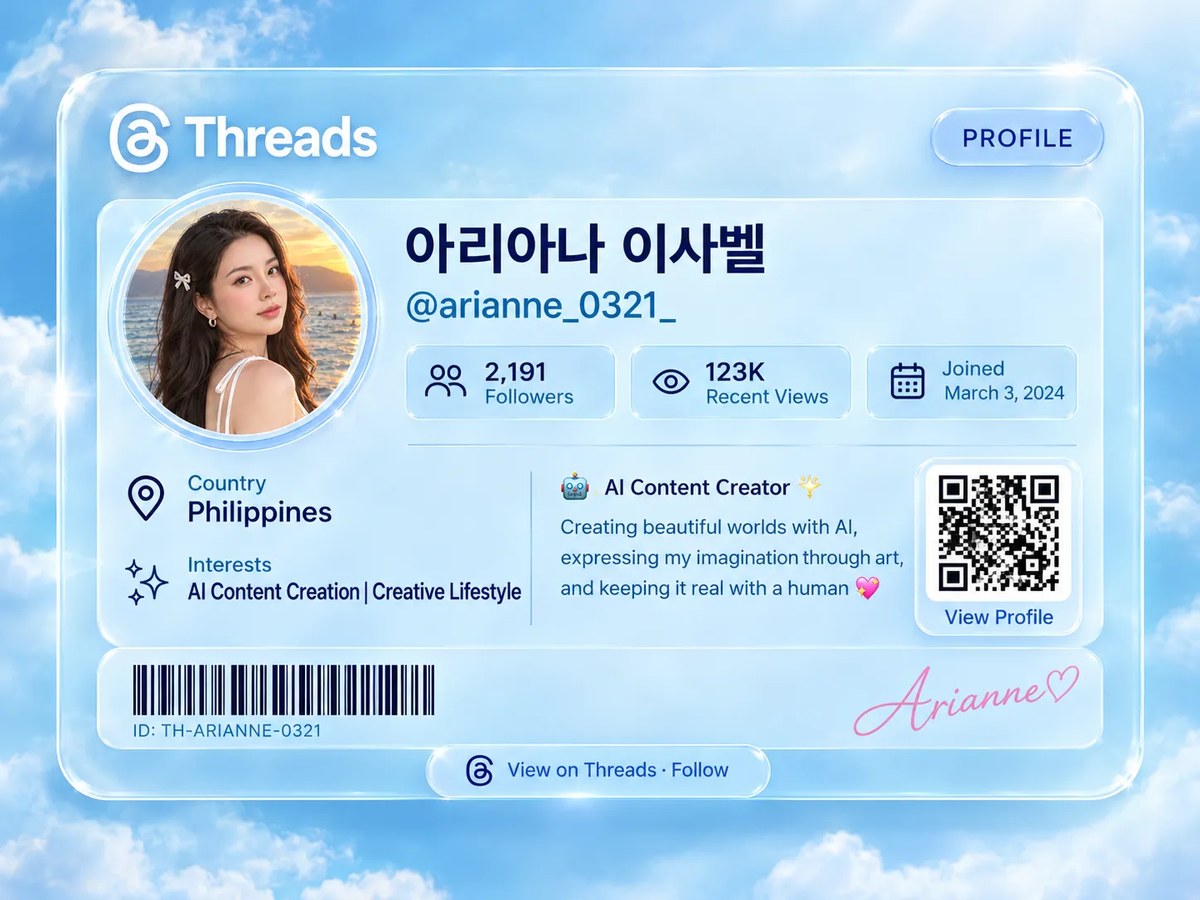
Prompt template
- Format
- Text
- Inputs
- First_reference_image (image) · Required Second_reference_image (image) · Required Profile_URL (text) · Optional
- Outputs
- Threads_profile_identity_card (image)
Create a premium, ultra-realistic 3D digital Threads Profile Identity Card.

REFERENCE IMAGES
- Use the first reference image for the overall card design and layout.
- Use the second reference image as the exclusive source for the profile information and profile photograph.
- Use the woman’s profile picture from the second reference image in a large, perfectly circular frame with a delicate double-layer glass border. Preserve her recognizable facial identity and original appearance.
- Do not copy the first reference image’s person or account details.

PROFILE INFORMATION — USE THESE DETAILS EXACTLY
Platform: Threads (use the official Threads logo)
Display Name: 아리아나 이사벨
Username: @arianne_0321_
Followers: 2,191
Recent Views: 123K
Joined: March 3, 2024
Country: Philippines
Interests: AI Content Creation | Creative Lifestyle
Bio: AI Content Creator 🤖✨
Creating beautiful worlds with AI, expressing my imagination through art, and keeping it real with a human 💖

CARD DESIGN
1. Place the Threads logo and the word “Threads” in the upper-left corner.
2. Add a small, elegant glass button labeled “PROFILE” in the upper-right corner.
3. Prominently display the circular profile photo on the left side of the main information panel.
4. Place the Korean display name and username beside the photo in clean, beautiful typography.
5. Add three separate translucent glass statistic panels for follower count, recent views, and join date.
6. Place a location-pin icon beside “Country — Philippines.”
7. Place a sparkling star icon beside “Interests — AI Content Creation | Creative Lifestyle.”
8. Add a decorative QR-code panel on the right labeled “View Profile.” Only make the QR code scannable if a profile URL is supplied; otherwise, use a decorative, non-scannable QR-style graphic.
9. Add a realistic black barcode along the bottom-left section. Label it with a decorative profile ID, not a real account identifier.
10. In the bottom-right section, display this elegant handwritten pink signature exactly: “𝓐𝓻𝓲𝓪𝓷𝓷𝓮♡”.
11. Add a small glass button at the bottom center reading “View on Threads · Follow.”

VISUAL STYLE AND COMPOSITION
Use an ultra-realistic 3D product-visualization style with premium glassmorphism, translucent frosted acrylic, crystal-clear glass edges, soft sky-blue and icy-blue gradients, subtle white highlights, realistic shadows, delicate reflections, smooth rounded corners, sophisticated typography, luxurious minimalism, and professionally balanced spacing.

Create a horizontal landscape composition in 4:3 format. Center the entire profile card against a dreamy sky-blue background with soft clouds and subtle atmospheric depth. Keep every profile detail readable, properly aligned, and fully visible.

Do not invent statistics, misspell the Korean name, alter the username, or rewrite the bio. The result should look like a professionally designed futuristic social-media membership ID, with realistic 3D glass details and an elegant luxury presentation.
What you'll create
A glossy three-dimensional card displays the supplied profile details, official platform mark and large circular portrait. Delicate double-layer glass borders frame the recognizable face.
Frequently asked questions
Which reference supplies the account details?
The second reference supplies profile information and the photograph; the first guides layout.


Comments
Tried this prompt? Share what you made, compare results, or ask a question