Slow-Shutter Portrait on a Snowy Road
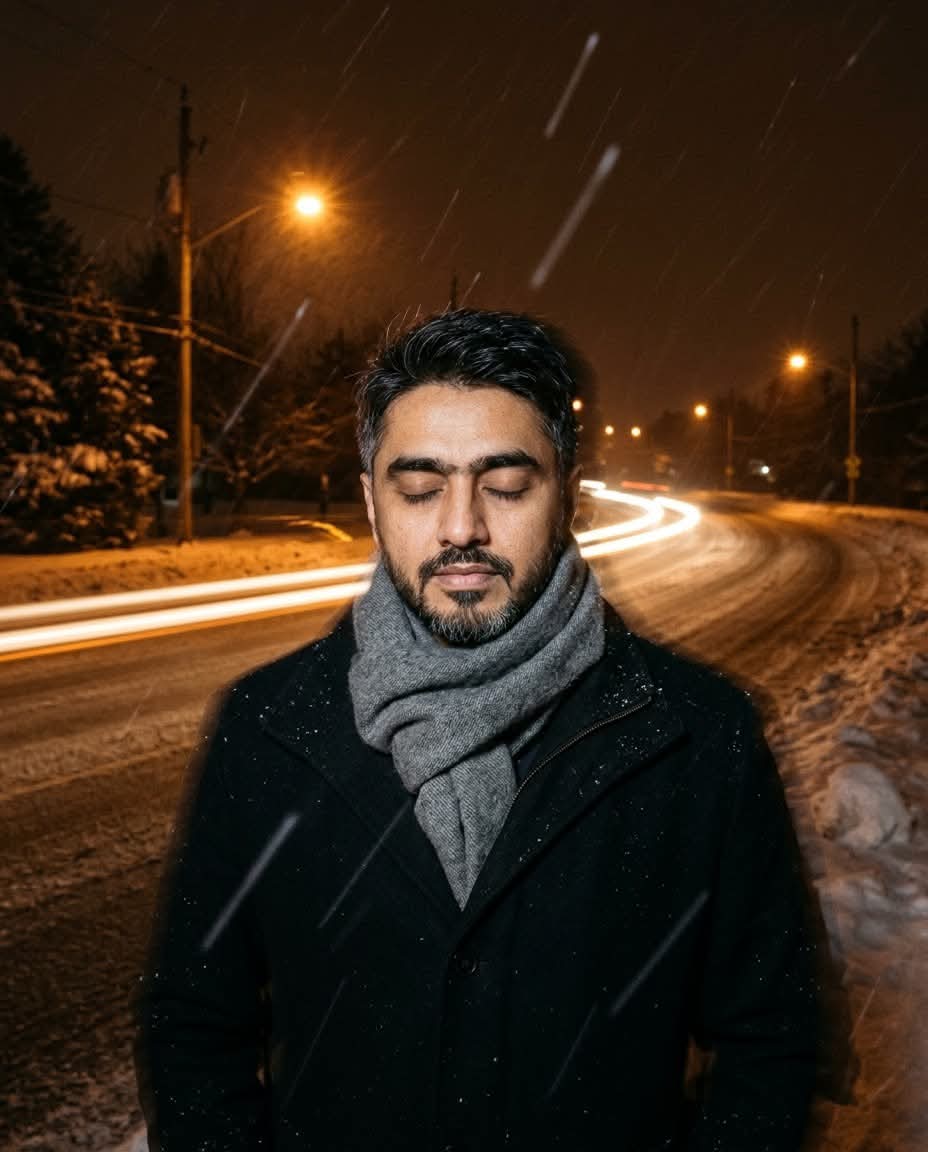
Create a realistic night portrait using the uploaded photo as an exact face reference, with dragged-shutter motion effects and warm streetlight streaks.
Example outputs
Prompt template
- Format
- Text
- Inputs
- Reference_photo (image) · Required
- Outputs
- Photographic_portrait (image)
Using my uploaded photo as the exact face reference, create a realistic 4:5 slow-shutter photo of me standing on a snowy road at night in a thick grey wool scarf, eyes closed.

Create a dragged-shutter look: keep me mostly sharp with strong ghosting, add long horizontal amber streetlight streaks, and render the falling snow as soft streaks. Use deep brown-orange tones, a wide-angle 20mm lens, film grain, and natural skin texture. Include no text or logos.
What you'll create
A scarf-wrapped subject stands with closed eyes on a snowy road at night. Horizontal amber streetlights and streaked snowfall surround a mostly sharp figure with intentional ghosting and warm dark film tones.
Frequently asked questions
Is a perfectly frozen subject requested?
No. The source combines a mostly sharp figure with strong ghosting.
What direction do the light trails run?
The amber streetlight streaks extend horizontally.



Comments
Tried this prompt? Share what you made, compare results, or ask a question