Photorealistic Gothic Close-Up Portrait
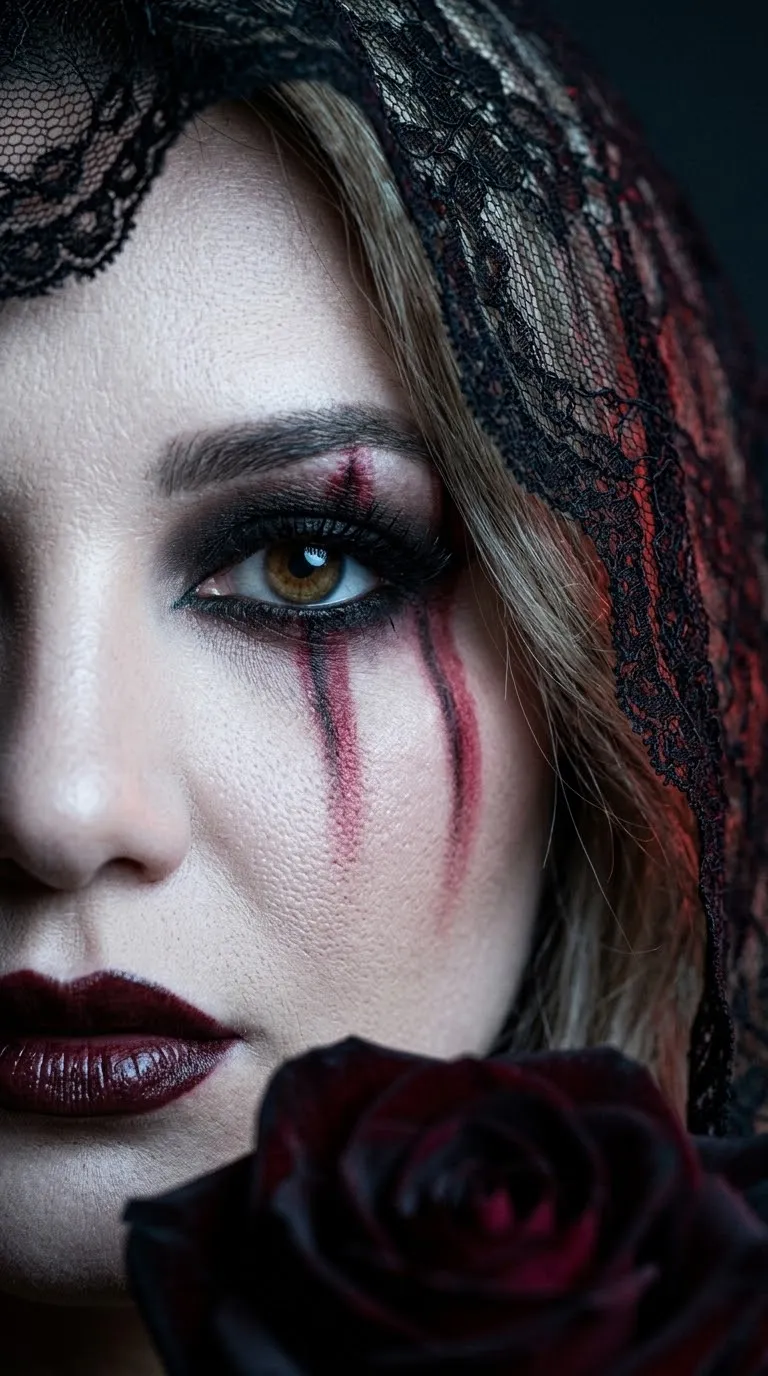
Create a dramatic, cinematic gothic editorial portrait with detailed makeup, lace, and macro photography.
Example outputs
Prompt template
- Format
- Text
- Outputs
- Gothicportrait (image)
Create an extreme close-up portrait of a gothic woman, framed to show half of her face. Keep one striking light brown eye in sharp focus, with porcelain-pale skin, black makeup featuring dark red vertical streaks, and glossy, dark burgundy lips. She wears a black lace veil, and a dark rose sits along the lower edge of the image.

Create a somber, mysterious, dramatic atmosphere using deep blacks, cool grays, and muted red tones. Render the skin, lace, and glossy surfaces with highly detailed textures. Use photorealism and a cinematic gothic aesthetic.

Lighting and camera: Use soft, cool side lighting from the left to accentuate the eye and skin texture. Add subtle, soft red backlighting from the right to highlight the makeup streaks and edge of the veil. Use deep shadows, high contrast, and a dark, blurred background. Shoot as a macro photograph with an 85 mm portrait lens, very shallow depth of field, an f/1.8 aperture, and focus on the eye. Use a vertical composition in 9:16 format.

Premium editorial style, crystal-clear sharpness, 8K, ultra-detailed, 85 mm lens, ISO 100.
What you'll create
A pale face emerges behind a black lace veil with a dark rose along the lower edge. Cool left-side light and subtle red backlight emphasize makeup streaks, glossy lips and shallow-focus eye detail.
Frequently asked questions
Which part is the sharp focal point?
One light brown eye remains sharply focused.
What colors dominate?
Deep black, cool gray and restrained red build the somber palette.



Comments
Tried this prompt? Share what you made, compare results, or ask a question