- Category
- Photography
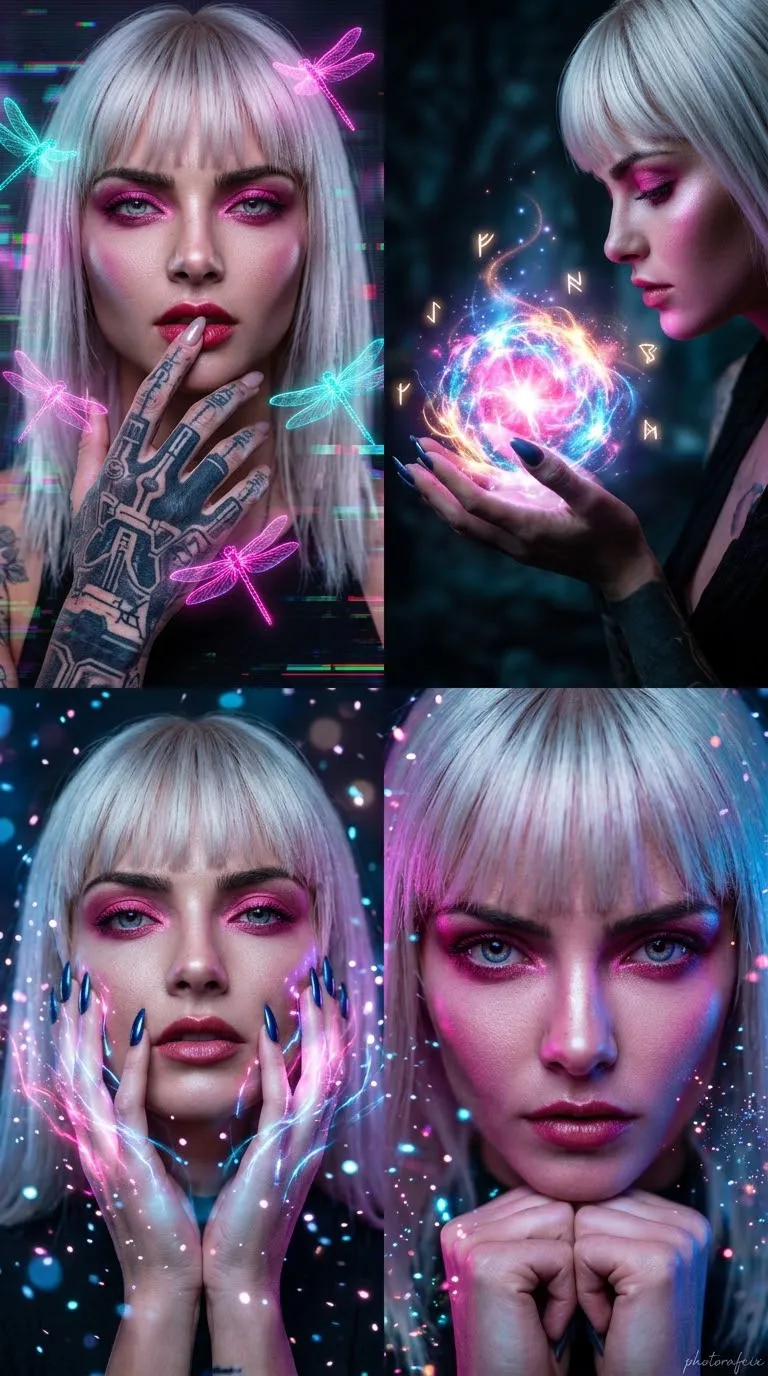
Cyberpunk Four-Panel Portrait Collage
Create a photorealistic, cinematic cyberpunk portrait collage of a woman in four distinct panels, preserving the face from the supplied reference image.
By Threads — Published on — Modified on
Example images
Prompt template
0 copies
- Format
- Text Parameterized
- Inputs
- Reference_image (image) · Required signature (text) · Optional · Default: Photorafcix
- Outputs
- Portrait_collage (image)
Replace the ${…} placeholders with your values
before using this prompt. See parameters
and defaults below.
Use the face from the supplied reference image and do not change it. Create a four-panel split-screen collage in a 9:16 aspect ratio, styled as professional cyberpunk fantasy photography.

Depict a glamorous woman with straight, platinum-blonde hair and bangs, intense pink eye makeup, and smooth, radiant skin.

Arrange the panels as follows:
1. Top left: Close-up portrait. Her left hand lightly touches her lips; dark tattoos are visible on the hand. Glowing neon-pink and cyan dragonflies fly around her, with a cyberpunk glitch atmosphere in the background.
2. Top right: Profile view. She holds a glowing magical energy sphere in her hands, surrounded by magical light trails against a dark, mystical background.
3. Bottom left: Medium close-up. Both hands, with long, glossy nails, frame her face. Add glowing pink and blue light effects and drifting particles of light.
4. Bottom right: Tight close-up portrait. Her hands are clasped beneath her chin; she gazes directly into the camera with an intense, mystical expression. Use neon lighting.

Use a hyper-realistic digital-art style, cinematic lighting, cinematic depth of field, sharp focus, and high resolution. Add the handwritten signature “${signature:Photorafcix}” in the bottom-right corner.
Parameters
Replace each placeholder with your own value, or use its default when one is provided.
${signature:Photorafcix}
signature
Default: Photorafcix






Comments — 0
Tried this prompt? Share what you made, compare results, or ask a question.