- Category
- Design & Image
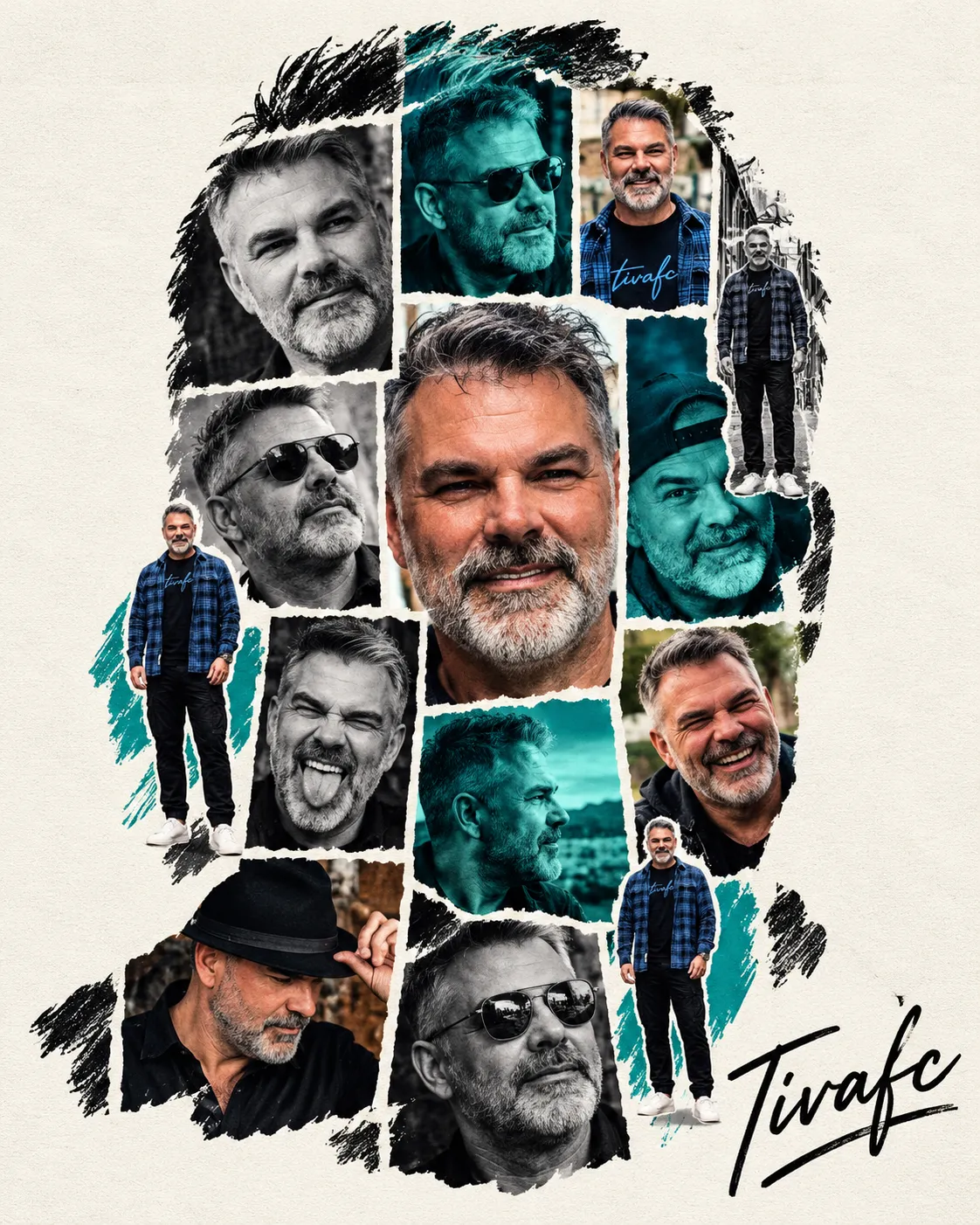
Minimalist Tiled Portrait Photo Collage
Create a precise portrait collage with alternating photo treatments, torn-paper borders, and an Instagram-ready 4:5 layout.
By Threads — Published on — Modified on
Example images
Prompt template
- Format
- Text Parameterized
- Inputs
- person_name (text) · Optional · Default: Damien signature_text (text) · Optional · Default: Tivafc
- Outputs
- Portrait_photo_collage (image)
Replace the ${…} placeholders with your values
before using this prompt. See parameters
and defaults below.
Create a minimalist montage featuring ${person-name:Damien} on an off-white background with a halftone texture. Make a large, front-facing portrait silhouette filled with a precise geometric grid of multiple photos of the same person. Alternate black-and-white images, cyan-green-tinted shots, and full-color images, separating them with white torn-paper-style borders. Add several small, overlapping full-body photo cutouts of the person over the grid, and include the name ${signature-text:Tivafc} in black signature-style lettering. Preserve the exact portrait silhouette, grid arrangement, cyan-green accents, photo placement, typographic hierarchy, negative space, and overall composition. Use a strict 4:5 aspect ratio for an Instagram post (1080 × 1350 px).Parameters
Replace each placeholder with your own value, or use its default when one is provided.
${person-name:Damien}
person-name
Default: Damien
${signature-text:Tivafc}
signature-text
Default: Tivafc



Comments — 0