- Category
- Design & Image
- Tags
- person chibi photo-editing
Photo with Chibi Doodles
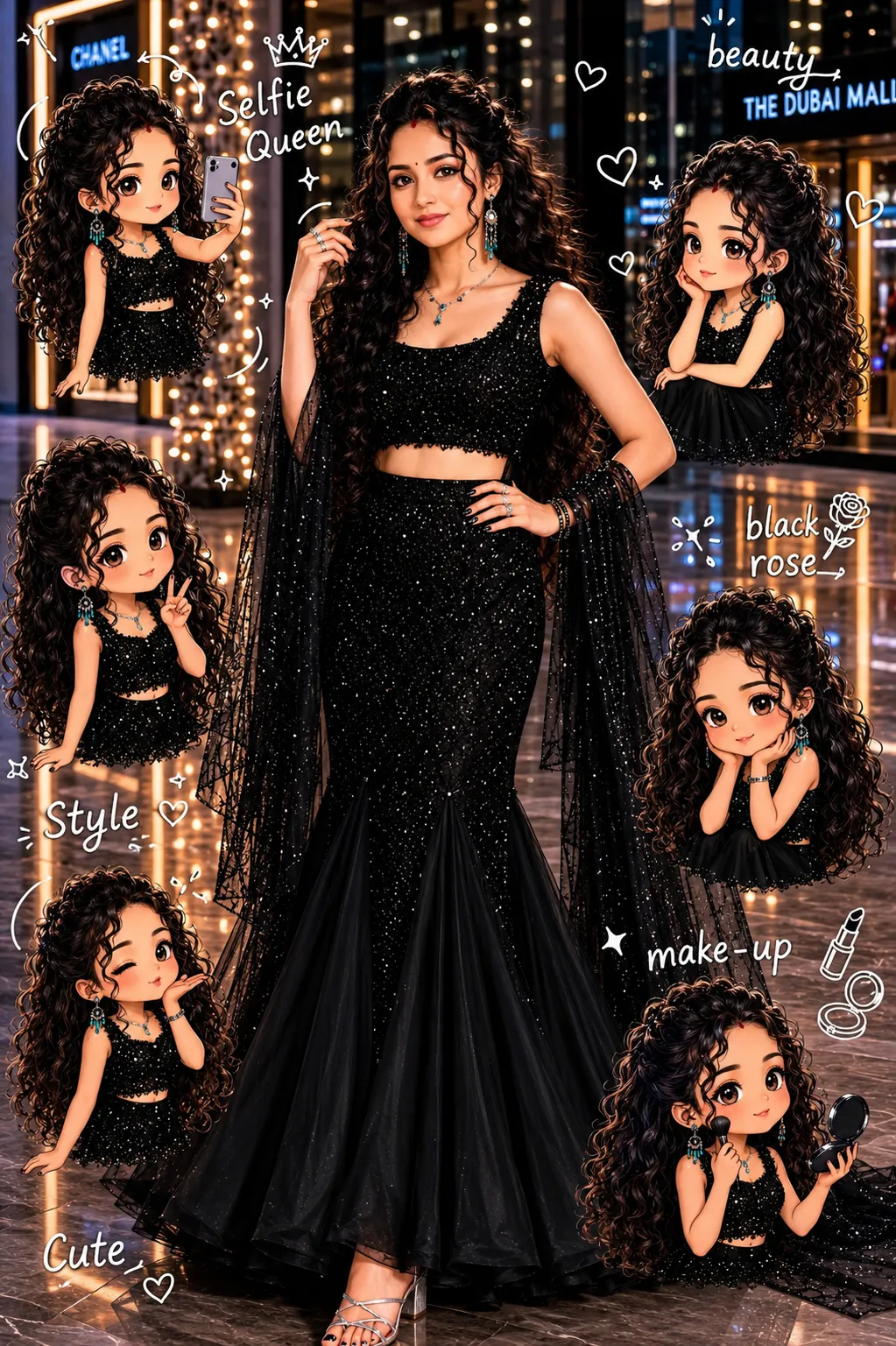
Use a real-face reference photo to create a warm, softly lit image with mini chibi versions of the subject and handwritten doodle phrases.
By Threads — Published on
Example images

Prompt template
- Format
- Text Parameterized
- Inputs
- Reference_photo (image) · Required Doodle_phrases (text) · Optional · Default: beauty, selfie Queen, black rose, make-up, cute
- Outputs
- Edited_image (image)
Replace the ${…} placeholders with your values
before using this prompt. See parameters
and defaults below.
Use the provided real-face photo as the reference. Keep the same background and preserve the subject’s original facial features and aesthetic. Use warm, soft, clean lighting with subtle shadows. Surround the image with several mini chibi characters in a cute 4D style, based on the subject. Add these phrases around the image in a casual doodle-style handwritten font: ${doodle-phrases:beauty, selfie Queen, black rose, make-up, cute}.Parameters
Replace each placeholder with your own value, or use its default when one is provided.
${doodle-phrases:beauty, selfie Queen, black rose, make-up, cute}
doodle-phrases
Default: beauty, selfie Queen, black rose, make-up, cute
Comments — 0