- Category
- Design & Image
- Model
- google-flow
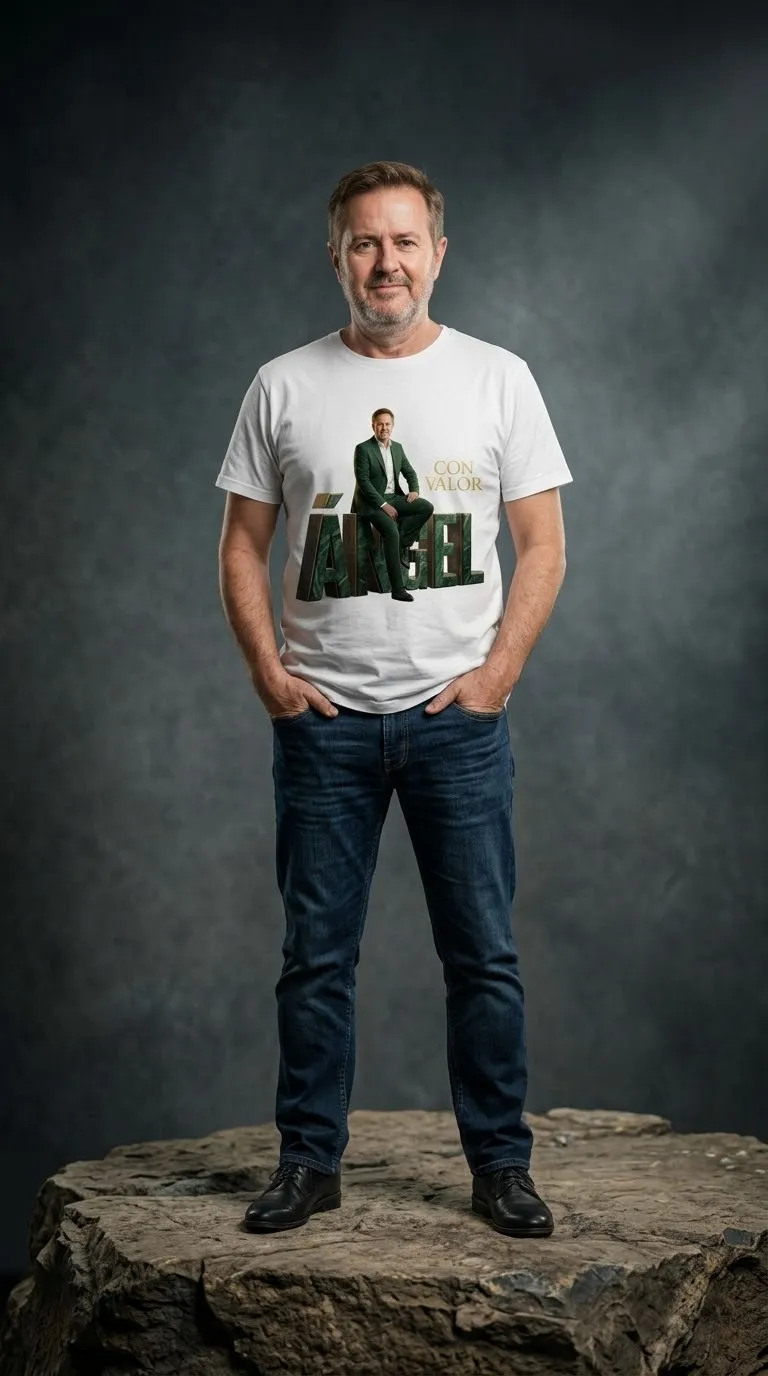
Photorealistic 3D Name Portrait Composite
Create a vertical photo-based portrait composite that preserves the subject’s face and combines 3D name lettering, a translucent background portrait, and custom text.
By Threads — Published on — Modified on
Example images

Prompt template
- Format
- Text Parameterized
- Inputs
- Reference_photo (image) · Required name (text) · Optional · Default: ÁNGEL phrase (text) · Optional · Default: CON VALOR color (text) · Optional · Default: green
- Outputs
- Portrait_composite (image)
Replace the ${…} placeholders with your values
before using this prompt. See parameters
and defaults below.
Using the provided photo, create a vertical 3:4 portrait while preserving my face. Show me wearing an elegant suit and seated on my name, ${name:ÁNGEL}, rendered as 3D letters. Add a large semi-transparent portrait in the background and place the phrase ${phrase:CON VALOR} on the right. Use ${color:green} tones, soft lighting, and elegant typography. Give the image a realistic photographic finish.Parameters
Replace each placeholder with your own value, or use its default when one is provided.
${name:ÁNGEL}
name
Default: ÁNGEL
${phrase:CON VALOR}
phrase
Default: CON VALOR
${color:green}
color
Default: green






Comments — 0