- Category
- Design & Image
Photorealistic Animal City Fist-Bump
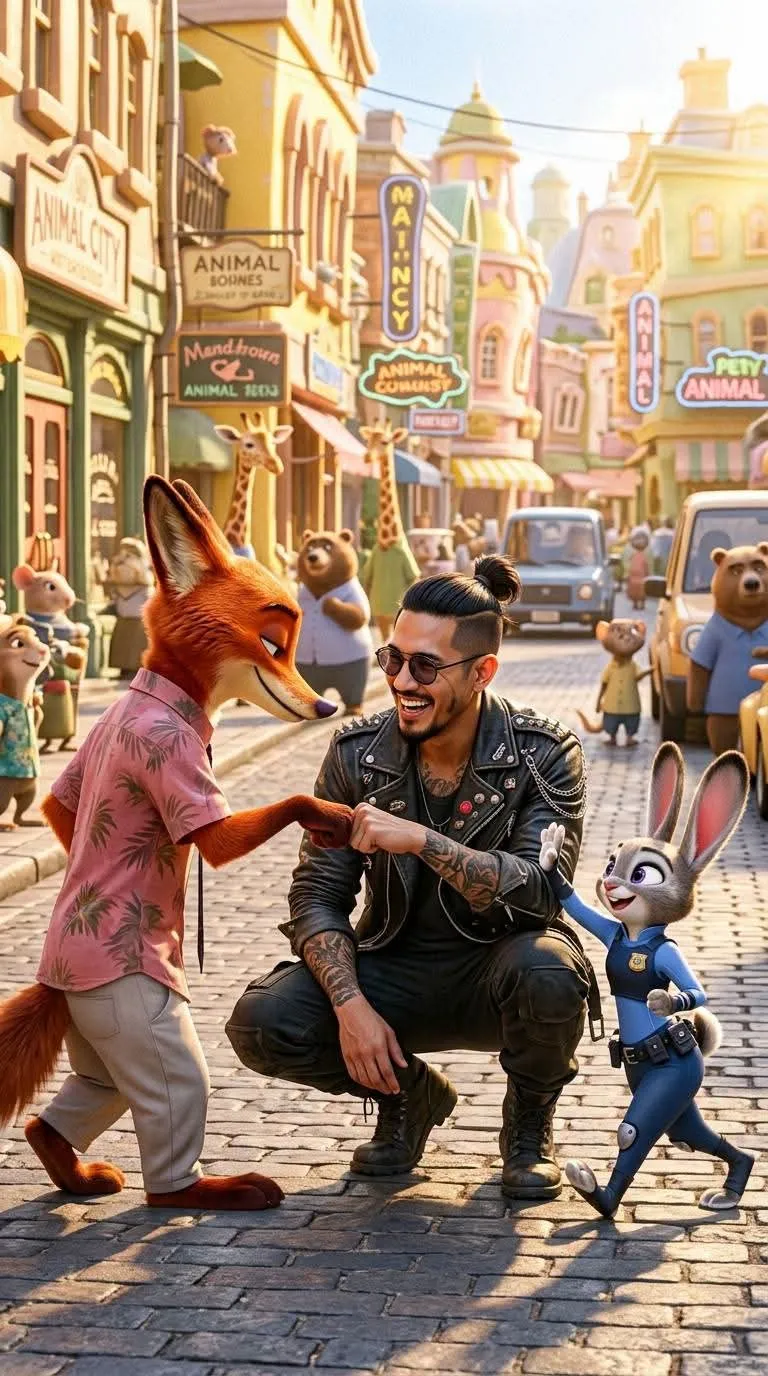
Create a cinematic, photorealistic image of a man fist-bumping a rabbit and a fox in a vibrant fantasy animal city.
By Threads — Published on — Modified on
Example images
Prompt template
- Format
- Text Parameterized
- Inputs
- Reference_image (image) · Required aspect_ratio (text) · Optional · Default: 4:5
- Outputs
- Generated_image (image)
Replace the ${…} placeholders with your values
before using this prompt. See parameters
and defaults below.
Create a vertical, cinematic, ultra-hyperrealistic photograph in a ${aspect-ratio:4:5} aspect ratio. Depict a vibrant, fantasy-style “animal city” against a bright yellow background, with a comic-book-inspired aesthetic rendered in full photorealism. Aim for 8K visual fidelity and extraordinary micro-detail: realistic skin pores and micro-pores, natural skin texture, subtle skin imperfections, fine vellus hair (peach fuzz), individual hair strands, and realistic eyes.

Include two original anthropomorphic animals: a small grey female rabbit with long ears wearing a blue police uniform, and a tall orange fox wearing a pink shirt, a tropical-print tie, and light-colored trousers. They are engaged in a playful fist-bump or paw-bump gesture with a man based on the provided reference image. The man has a high samurai-style topknot, a goatee, dark round-rimmed tinted glasses, and extensive arm tattoos. Dress him in an urban, casual outfit suited to the animal city: a black leather jacket adorned with spikes and chains, a black T-shirt, dark tactical pants, and boots.

Place the man at the center in a dynamic crouched pose, actively interacting with both animals: he extends one hand for a high-five with the rabbit and a paw-bump with the fox. He is smiling. Use a slightly low camera angle and bright, cheerful lighting reminiscent of an animated film, while rendering every detail with complete photorealism.
Parameters
Replace each placeholder with your own value, or use its default when one is provided.
${aspect-ratio:4:5}
aspect-ratio
Default: 4:5




Comments — 0