- Category
- Photography
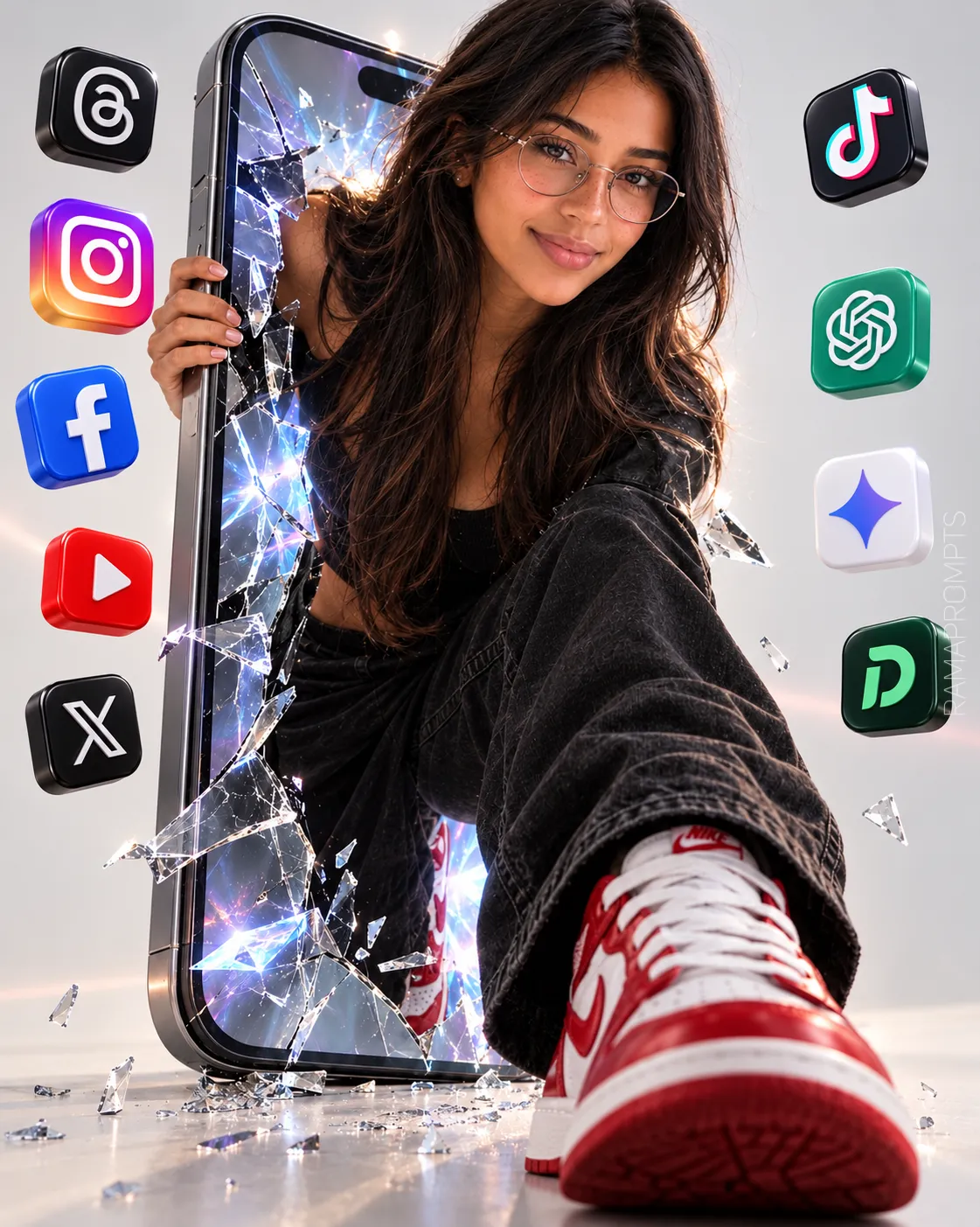
Photorealistic Fashion Editorial: Woman Emerging from a Cracked Smartphone
Create a polished, surreal fashion-campaign image of a woman emerging from a giant shattered smartphone, preserving her appearance from a reference image.
By Threads — Published on — Modified on
Example images
Prompt template
0 copies
- Format
- Text Parameterized
- Inputs
- reference_image (image) · Required signature_text (text) · Optional · Default: RAMAPROMPTS aspect_ratio (text) · Optional · Default: 4:5
- Outputs
- fashion_editorial_image (image)
Replace the ${…} placeholders with your values
before using this prompt. See parameters
and defaults below.
Create a photorealistic, surreal fashion-editorial image in a bright, simple studio. A giant smartphone stands upright, with a woman emerging from inside its cracked screen: her upper body is outside the screen, one hand holds the phone’s edge, and one leg stretches toward the camera. Use forced perspective to emphasize her white-and-red sneaker.

Show realistic cracks and reflections in the shattered screen around her body, with small pieces of glass falling to the floor. Behind the screen, add a luminous glow like energy from the digital world. Include a small number of colorful 3D social-media icons—Threads, Instagram, Facebook, YouTube, X, TikTok, ChatGPT, Gemini, and Dolla—floating at different depths without covering her face or body.

Use a slightly low camera angle, controlled studio lighting, reflections on the glass, soft floor shadows, and subtle pastel tones in the icons. The overall look should be a clean, modern, premium, playful advertising campaign, not a cartoon. Avoid excessive objects, gold elements, additional text, plastic-looking skin, and distorted hands.

Place a subtle signature in the lower-right corner, vertically oriented with a 90-degree rotation. Set the text to ${signature-text:RAMAPROMPTS} in Calibri Light, white, low-opacity semi-transparent, and medium-sized.

Use the provided reference image and preserve the subject’s facial features, eye color, and hair length, cut, and color. Use an aspect ratio of ${aspect-ratio:4:5}.
Parameters
Replace each placeholder with your own value, or use its default when one is provided.
${signature-text:RAMAPROMPTS}
signature-text
Default: RAMAPROMPTS
${aspect-ratio:4:5}
aspect-ratio
Default: 4:5


Comments — 0