- Category
- Photography
Photorealistic Woman in a Wildflower Field
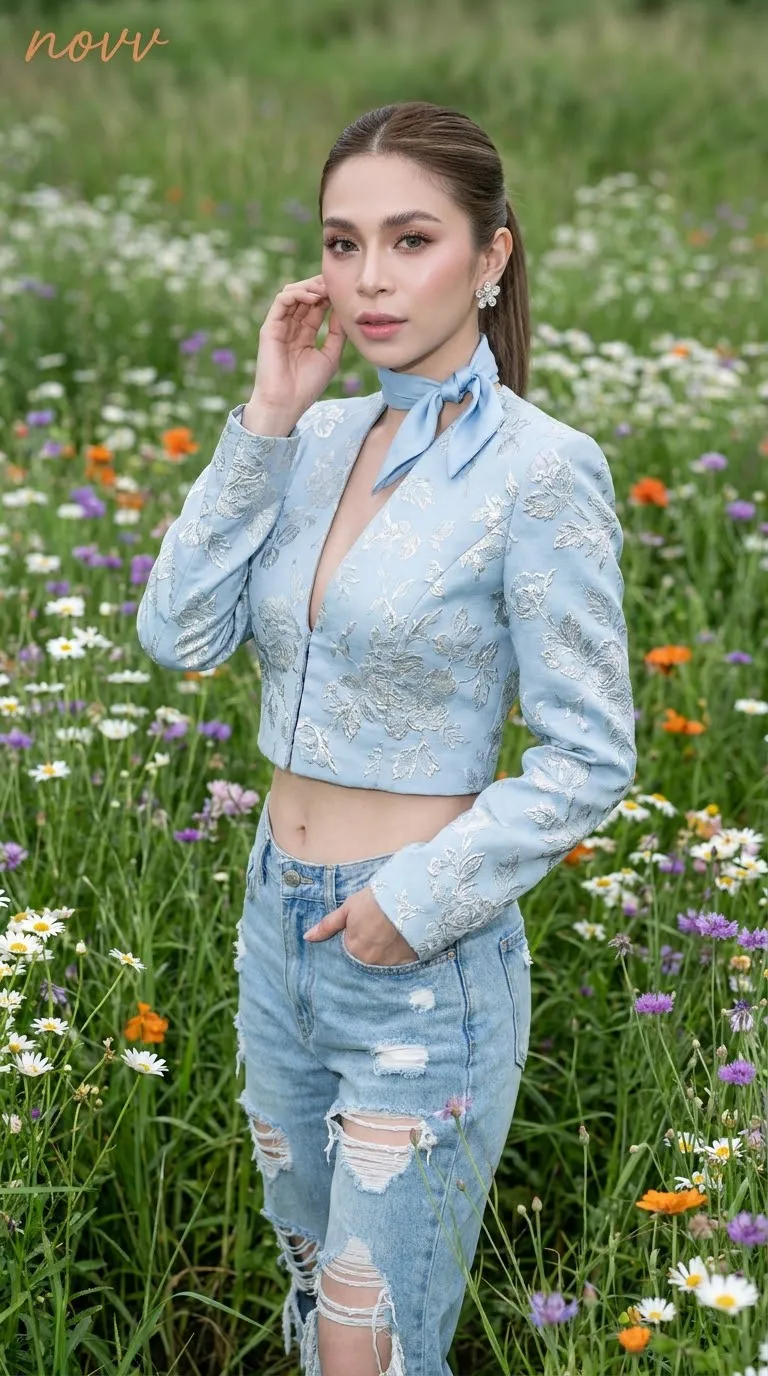
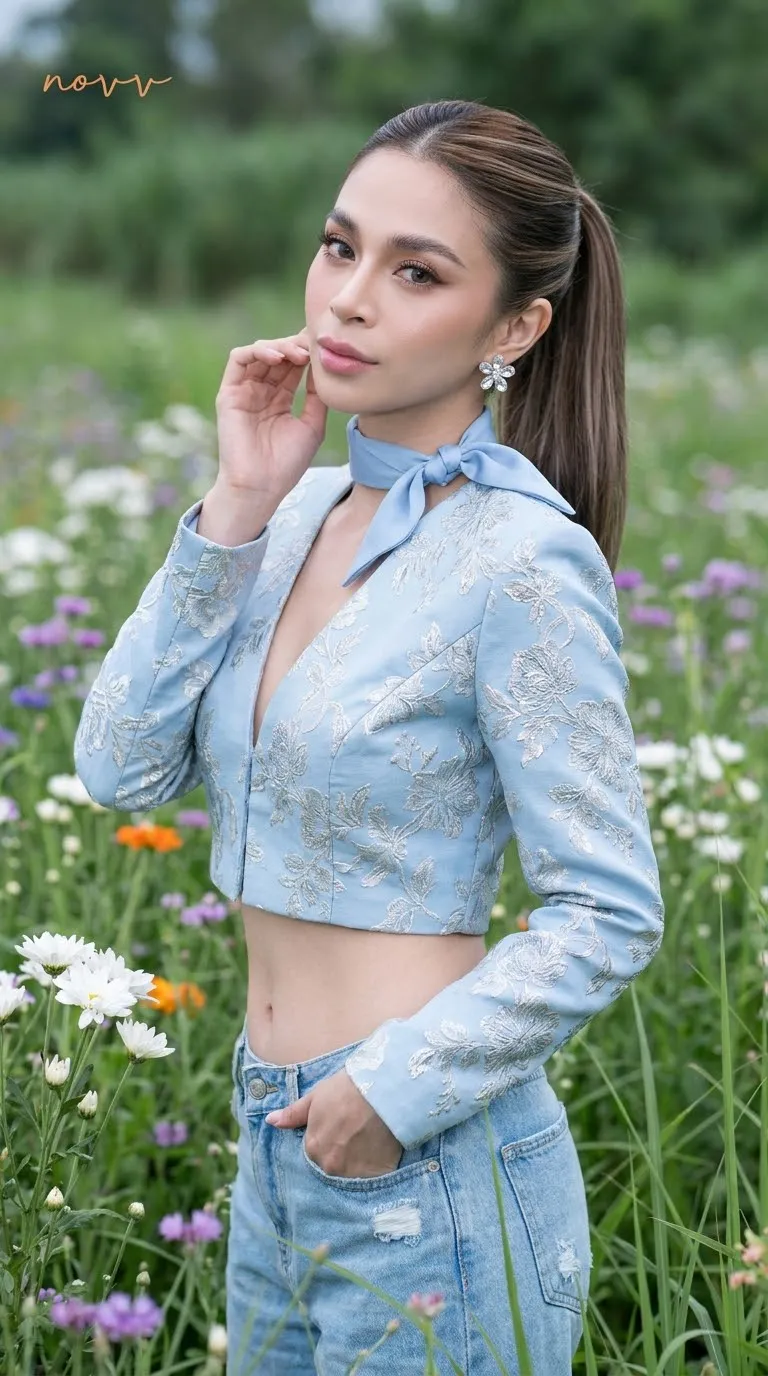
Create an ultra-photorealistic, vertical portrait of a woman in a wildflower field, with detailed styling, direct flash, and a subtle cursive watermark.
By Threads — Published on — Modified on
Example results
Example images

Prompt template
0 copies
- Format
- Text Parameterized
- Inputs
- Reference_image (image) · Required watermark (text) · Optional · Default: novv
- Outputs
- Portrait (image)
Replace the ${…} placeholders with your values
before using this prompt. See parameters
and defaults below.
Create an ultra-photorealistic portrait of a woman standing in a field of wildflowers, surrounded by white, purple, and orange blooms and tall, lush green grass. Frame her from mid-thigh to head, with the camera at eye level and strong focus on her face, makeup, hair, and clothing details.

Her hair is in a sleek ponytail. She stands at an angle with relaxed shoulders, her head slightly tilted toward the camera. One hand gently touches her earlobe; the other is tucked into her pants pocket. She looks directly at the camera with a calm expression and a slight smile.

Makeup: Douyin-style luminous porcelain skin, brushed-up brows, taupe-brown eyeshadow, thin eyeliner with a subtle wing, long naturally curled lashes, rose-beige blush, and pink lips.

She wears a powder-blue cropped structured jacket in floral jacquard with a deep V-neck and long sleeves. Render the jacquard texture and silver embroidery in very sharp detail. Pair it with light-blue, low-rise denim pants with several severe tears that reveal part of her torso. Add crystal flower earrings and a small piece of powder-blue silk tied around her neck.

Add the watermark “${watermark:novv}” in thin, connected Latin cursive lettering, small and minimal, in transparent orange, almost invisible, in the upper-left corner.

Use cool green tones, direct flash, creamy background blur, and shallow depth of field. Simulate a DSLR with an 85 mm f/1.8 lens. Show realistic skin pores and fabric texture, high dynamic range, 8K detail, and an ultra-photorealistic result. Do not change the reference subject’s face or identity. Use a 9:16 aspect ratio.
Parameters
Replace each placeholder with your own value, or use its default when one is provided.
${watermark:novv}
watermark
Default: novv



Comments — 0
Tried this prompt? Share what you made, compare results, or ask a question.