Dark Neo-Noir Leopard-Print Fashion Portrait
Create a photorealistic, dark studio fashion portrait while preserving the identity in a required face reference image.
Example outputs
Prompt template
- Format
- Text
- Inputs
- Face_reference_image (image) · Required
- Outputs
- Fashion_editorial_portrait (image)
STRICT FACE IDENTITY LOCK: Preserve the exact facial identity from the uploaded face reference image. Maintain identical facial structure, eyes, eyebrows, nose, lips, jawline, facial proportions, and all unique facial characteristics. Do not modify, reshape, beautify, or reinterpret the face. The reference face must remain unchanged even when obscured by extremely dark shadows.

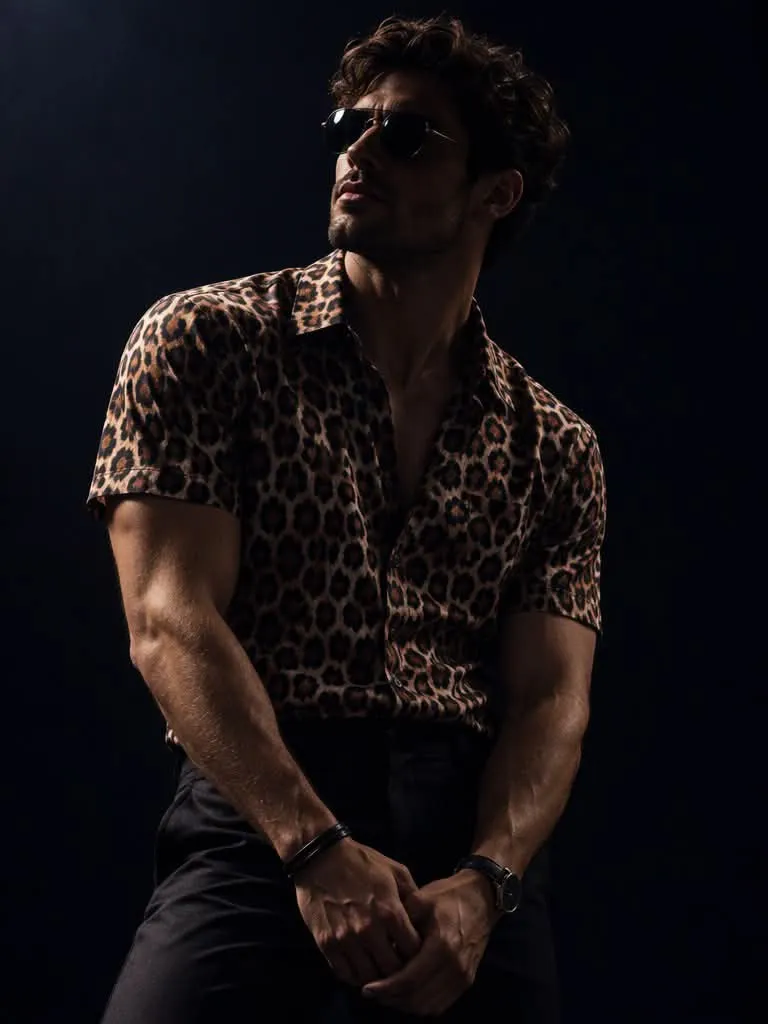
Create an ultra-photorealistic cinematic neo-noir fashion editorial portrait inspired by premium Midjourney aesthetics. Show a stylish young man standing in a completely dark photography studio, wearing a fitted short-sleeve leopard-print shirt with rich brown, muted cream, and deep midnight navy patterns, dark narrow trousers, and subtle black wrist accessories. He wears small round reflective sunglasses with thin metallic frames.

COMPOSITION: Use a medium portrait composition, framed from the upper thighs upward. His body leans slightly sideways, with both arms extended downward and his hands loosely positioned together in front of his waist. Twist his shoulders slightly for a dynamic fashion pose. Tilt his head upward and turn it toward the upper-left corner of the frame.

CAMERA: Use an 85mm portrait lens, medium-format fashion photography, shallow depth of field, and realistic fabric microtexture.

LIGHTING: Use a strong noir-style shadow pattern with very low facial exposure. Keep the face mostly obscured in darkness, with only subtle hints of the jaw, cheek, and mouth visible; approximately 85% of the face should be submerged in deep cinematic darkness. Do not brighten the face. Use an extremely powerful directional spotlight positioned high above and slightly to the left. Illuminate selected parts of the shoulders, upper arms, and leopard-print fabric with sharp creamy-white highlights. Show only narrow highlights revealing fragments of the nose, lips, beard, and jawline, with strong reflections on the sunglasses. Do not use frontal fill lighting or balanced facial exposure. Do not soften the shadows or introduce beauty lighting. Preserve maximum identity consistency and prioritize dramatic lighting over facial visibility.

BACKGROUND: Use a minimalist, almost-black midnight navy studio background. Include no visible objects or distracting elements.

COLOR GRADING: Use creamy ivory highlights, muted bronze and dark chocolate leopard patterns, deep midnight navy blacks, and subtle warm skin reflections.

QUALITY: Aim for ultra-photorealism, 8K resolution, and 300 DPI print-ready output. Include realistic skin pores, detailed textile fibers, and professional cinematic color grading. Use a premium Midjourney-inspired rendering style.

--ar 2:3 --stylize 250 --quality 2
What you'll create
A young man in a fitted leopard-print shirt and narrow dark trousers leans subtly sideways in a dark studio. Small round reflective glasses and hands held loosely near the waist define the upper-thigh portrait while deep shadows preserve his reference identity.
Frequently asked questions
Can dark shadows justify changing the face?
No. The original facial structure and distinctive features remain fixed.
What colors form the leopard pattern?
Rich brown, muted cream and deep midnight navy make up the specified print.
Comments
Tried this prompt? Share what you made, compare results, or ask a question