Iris Color Match Collage
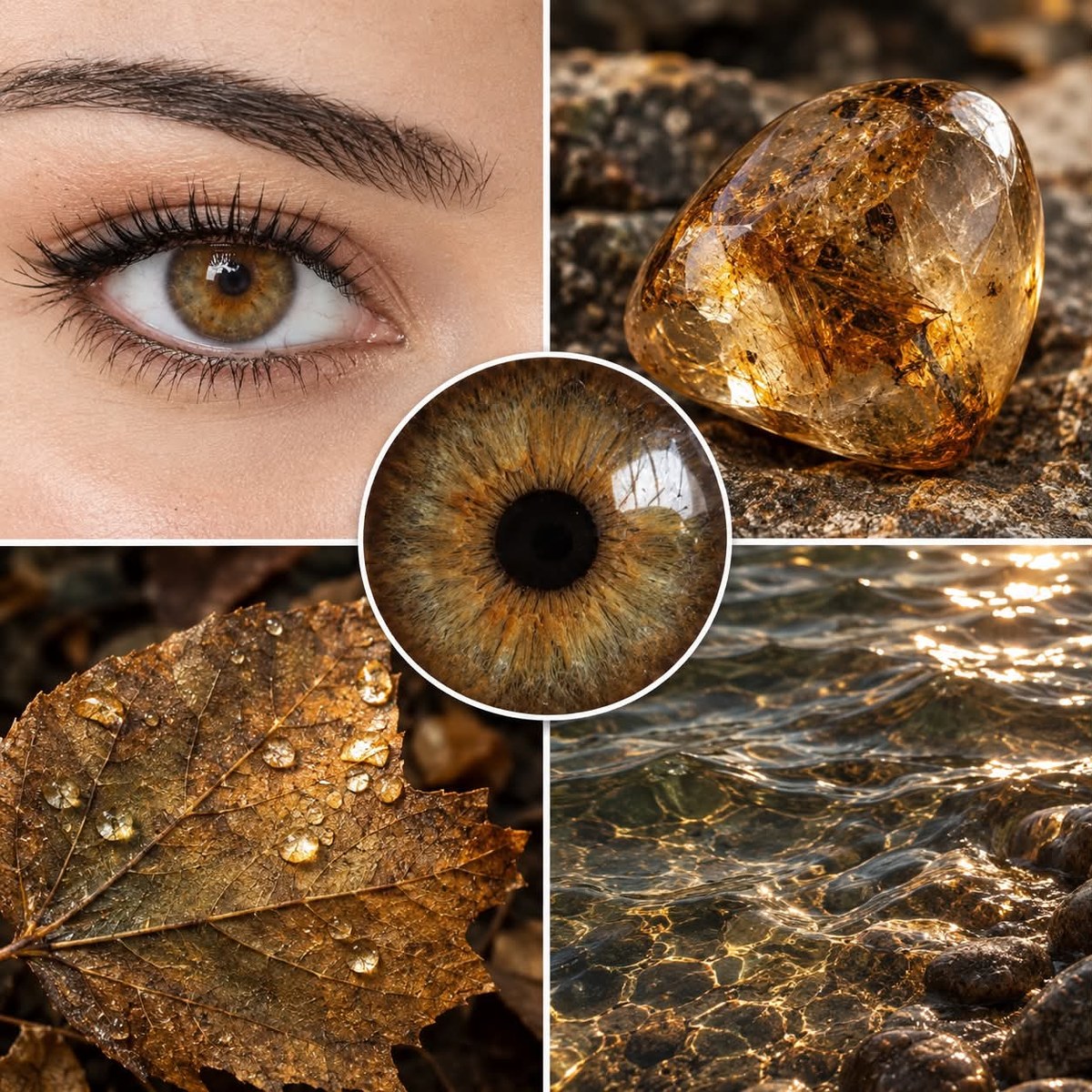
Analyze an uploaded eye photo and create a square collage of real-world items that closely match its iris color.
Example outputs
Prompt template
- Format
- Text
- Inputs
- Eye_photo (image) · Required
- Outputs
- Color_match_collage (image)
Analyze the uploaded eye photo. Identify the dominant iris color around the pupil, its undertones (warm or cool), saturation, and color transitions. Then select four different real-world items that most closely resemble this color. They may come from categories such as nature, food, minerals, plants, animals, the sky, the sea, wood, fabric, stone, or similar categories. Do not select more than one item from the same category; aim for as much variety as possible. Create a square 2×2 collage featuring the four selected items.What you'll create
A square 2×2 arrangement presents four real-world objects matching an iris’s dominant color, undertones and transitions. Category variety gives the shared color multiple natural and material interpretations.
Frequently asked questions
Can two items come from the same category?
No. The source limits each category to one item.
Is the result a portrait collage?
No. The four selected real-world items form the final collage.






Comments
Tried this prompt? Share what you made, compare results, or ask a question