Original Photo and Cel-Shaded Anime Comparison
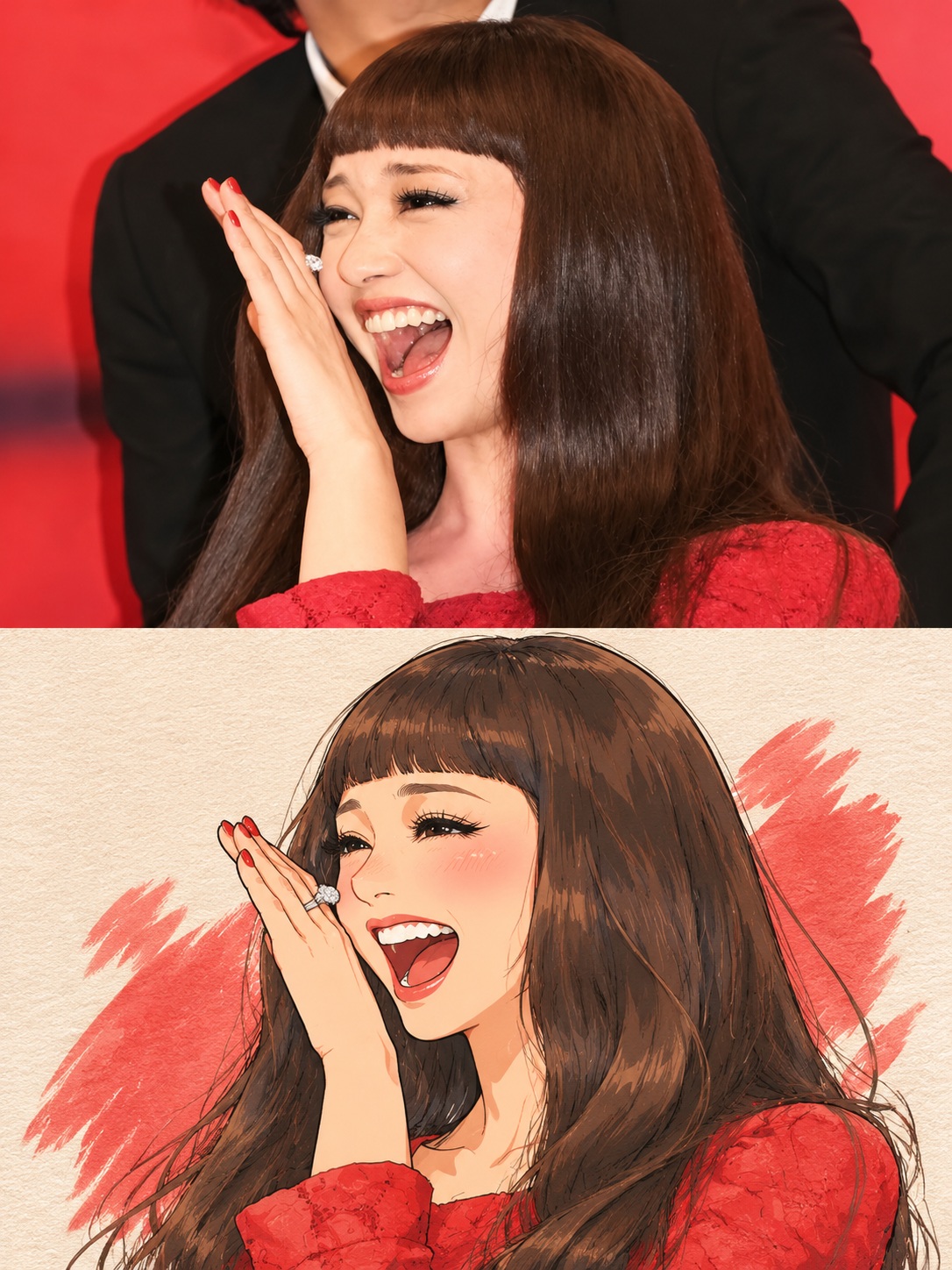
Create a vertical 3:4 comparison image pairing the unchanged reference photo with a faithful cel-shaded anime illustration of the same moment.
Example outputs
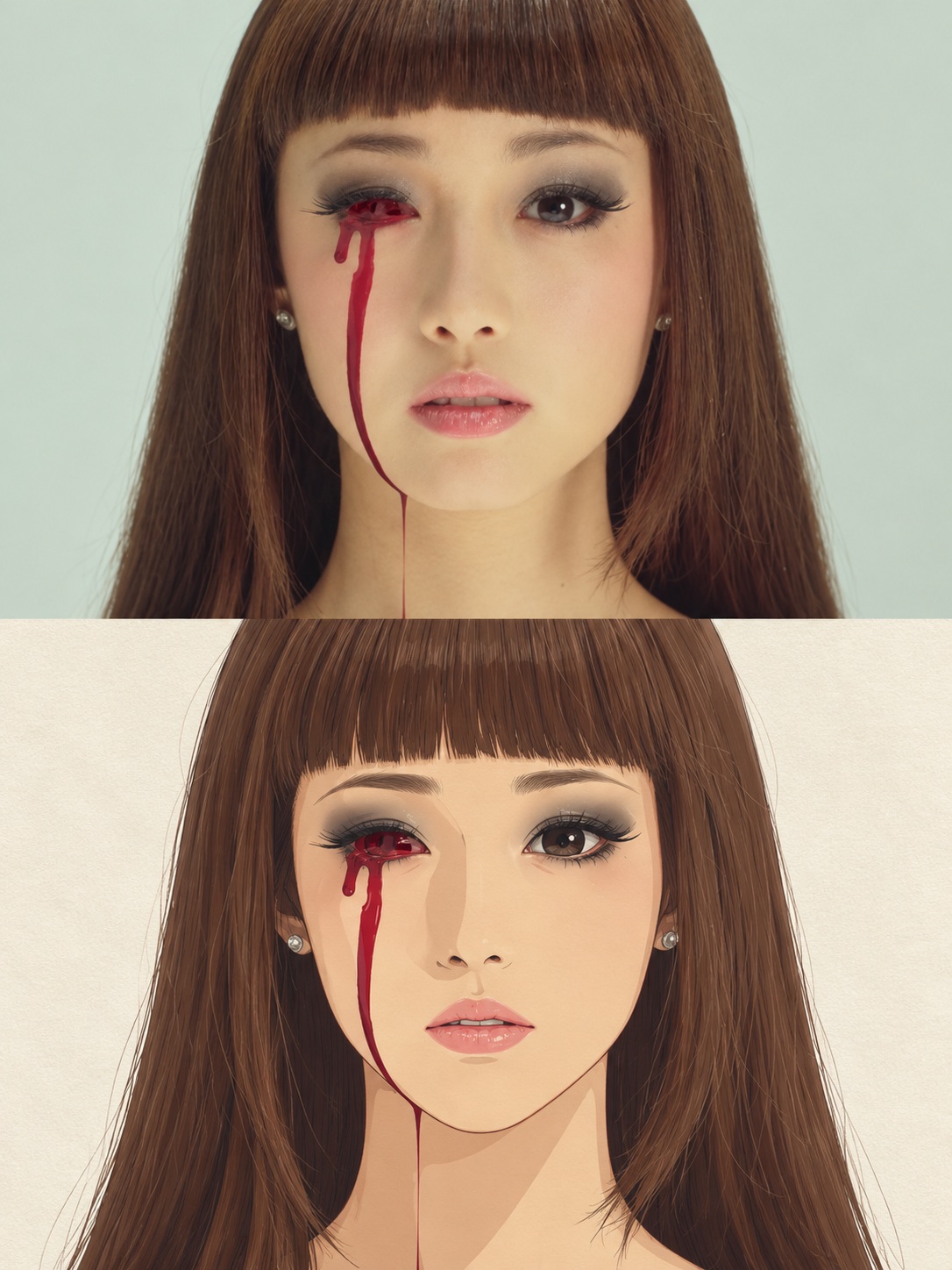
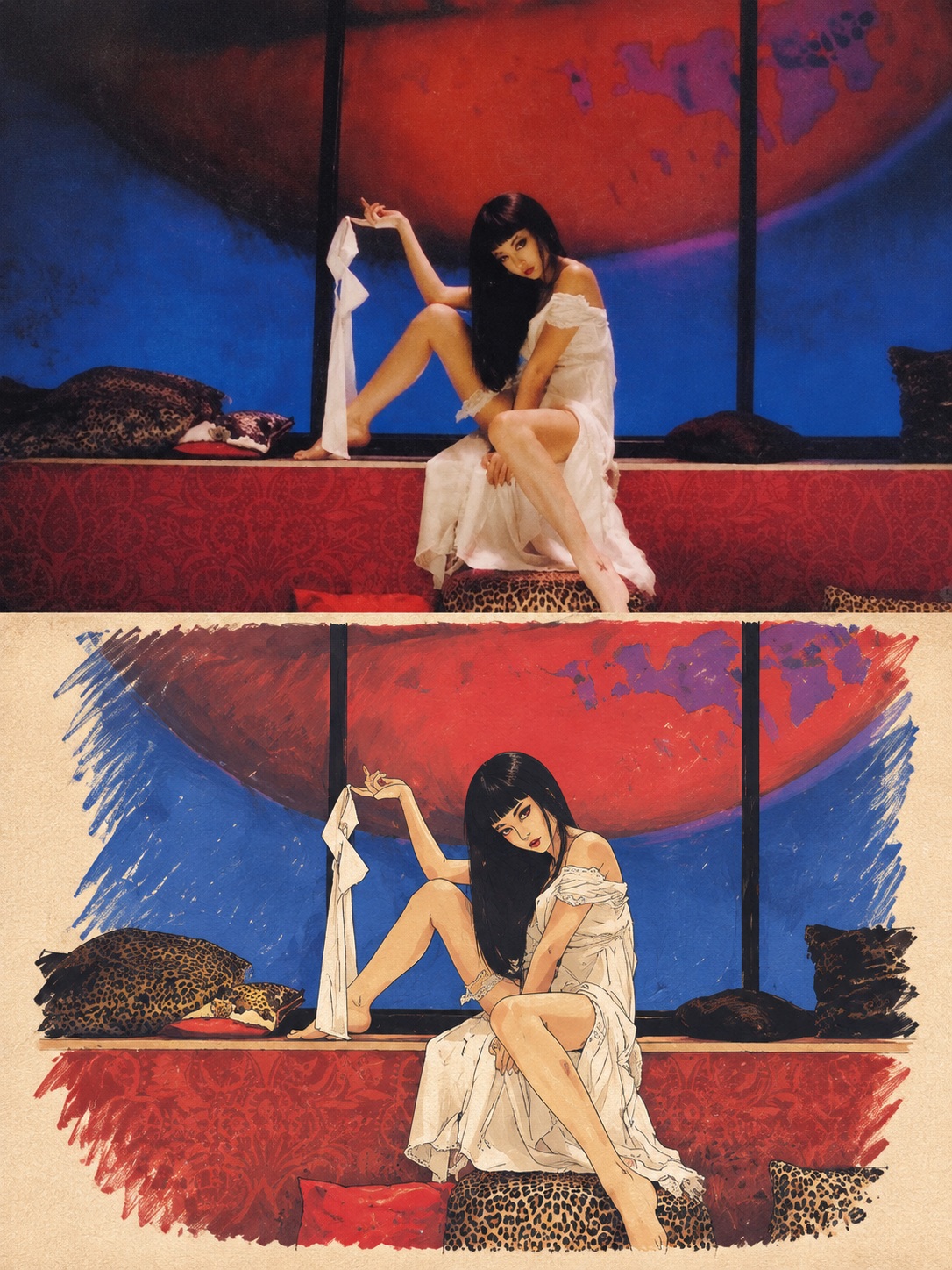
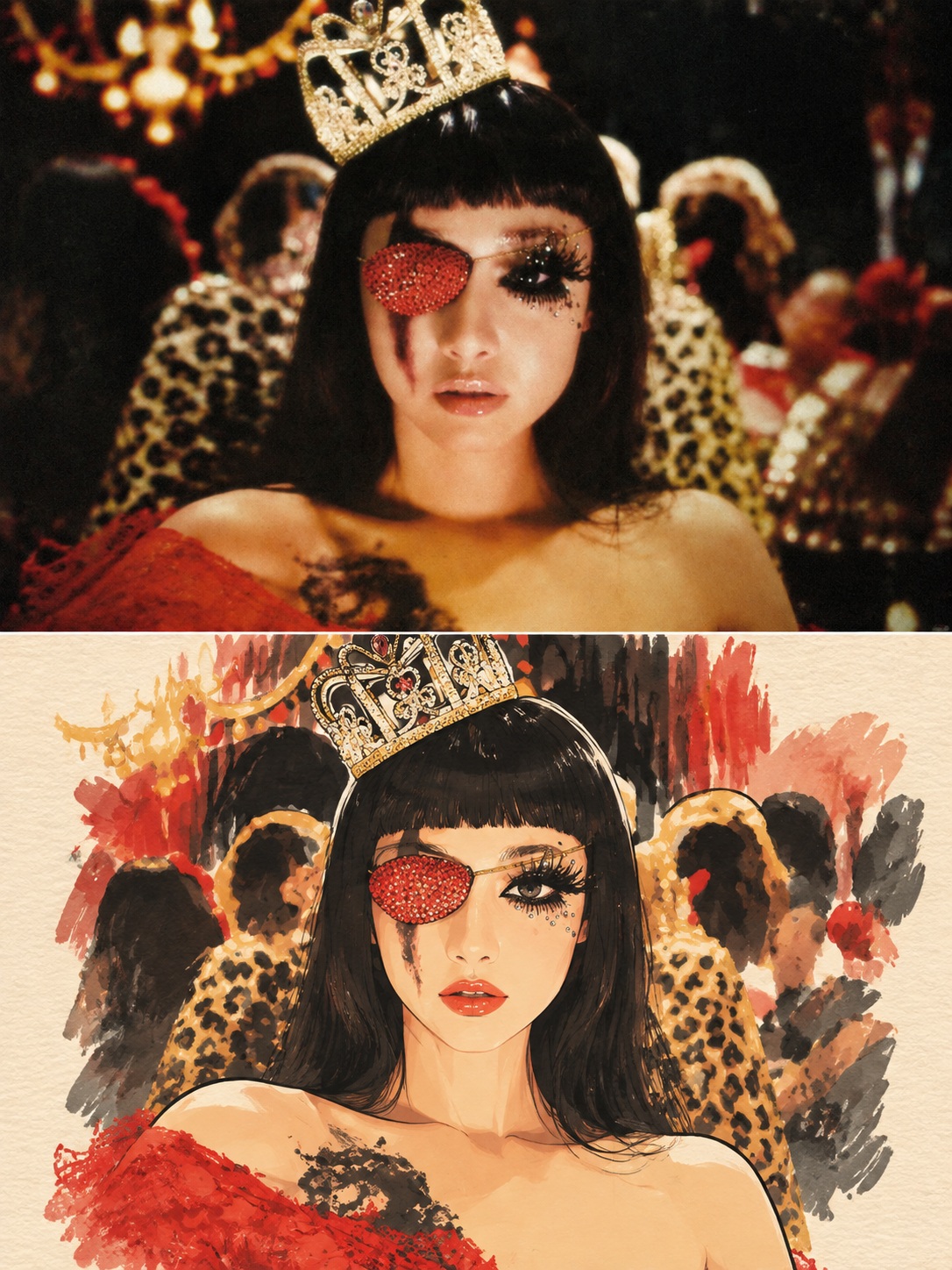
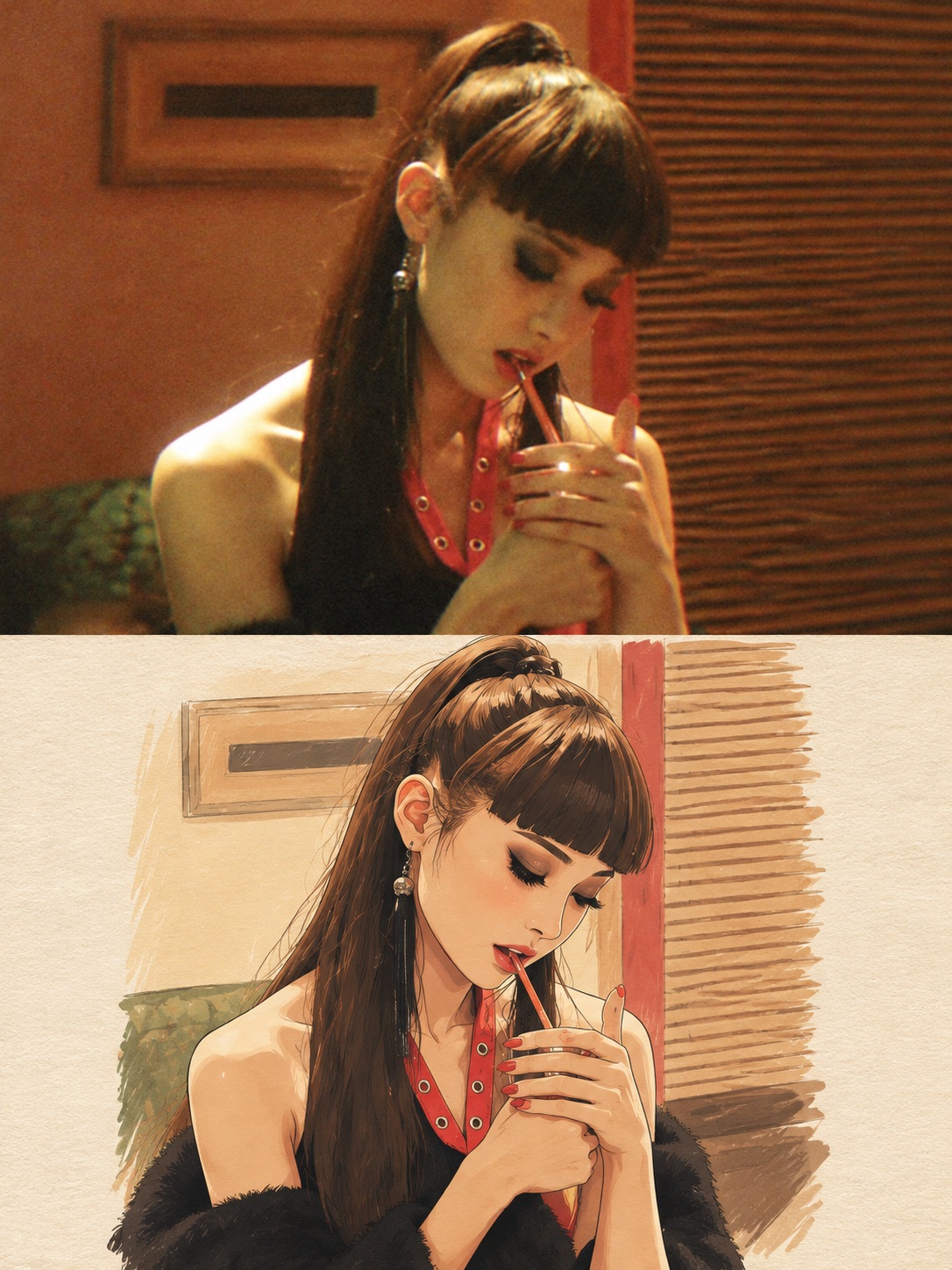
Prompt template
- Format
- Text
- Inputs
- Reference_photo (image) · Required
- Outputs
- Comparison_image (image)
Using only the single uploaded photo as the visual reference, create one 3:4 portrait comparison image with two stacked panels. Do not mix images, create a collage from multiple photos, or reference characters or scenes from other sources.

Layout:
- Divide the image into two equal-height panels, each occupying exactly 50% of the canvas.
- Make both panels the same width and place them directly together, with no gap or frame.
- Keep all content within its panel; nothing may cross the center line.

Top panel — original photo:
- Fill the entire top panel with the original photo, extending to all four edges.
- Only enlarge the photo proportionally and crop nonessential outer background as needed.
- Keep the people, their number, poses, expressions, hairstyles, clothing, accessories, objects, spatial relationships, natural lighting, and original colors completely unchanged.
- Do not redraw, beautify, add, remove, or place text over anything in this panel.

Bottom panel — cel-shaded anime illustration:
- Create a 2D animated-comic illustration based on the same moment shown in the photo.
- Faithfully preserve the people’s face shapes, hairstyles, apparent ages, body types, clothing, actions, expressions, gaze directions, and relationships to key objects.
- Keep proportions natural. Avoid oversized eyes, pointed chins, or making the people look childlike.
- Use crisp, fine linework with darker outlines and slightly more defined outer contours. Apply a base color, one clear layer of shadows, and a small amount of highlights.
- Follow the original photo’s light direction for shadows, and derive the colors from the photo while preserving its main color relationships.
- Do not use watercolor, gouache, colored-pencil texture, heavy brushstrokes, airbrushed gradients, or 3D effects.
- Simplify the background while retaining only key elements needed to convey the setting. Use a consistent warm-white, finely textured art-paper background, with a subtle, clean paper grain. Make the illustration appear naturally drawn on the paper and leave a moderate amount of visible paper around it.
- Keep the people and main subject from appearing too large: they should occupy approximately 55%–70% of the bottom panel’s width. Show the full action and keep proportions natural.

Final effect: a clean, detailed, polished 2D cel-shaded anime comic with a sense of everyday storytelling.

Do not add extra people, unrelated elements, text, dialogue bubbles, logos, or watermarks. Avoid a photographic-filter look, plastic-looking skin, random noise, and dirty or heavily marked paper texture.
What you'll create
A vertical image pairs the unchanged original above a matching illustrated interpretation below. Equal edge-to-edge halves meet seamlessly without content crossing their center line.
Frequently asked questions
May other reference images be mixed in?
No. The single uploaded photograph is the only visual source.
Can the upper photo be beautified or redrawn?
No. Only proportional scaling and nonessential background cropping are allowed.




Comments
Tried this prompt? Share what you made, compare results, or ask a question