Riverside Golden-Hour Smartphone Portrait
Create a realistic, social-media-style smartphone photo of a young woman by a river at sunset.
Example outputs
Prompt template
- Format
- Text
- Outputs
- Photographic_portrait (image)
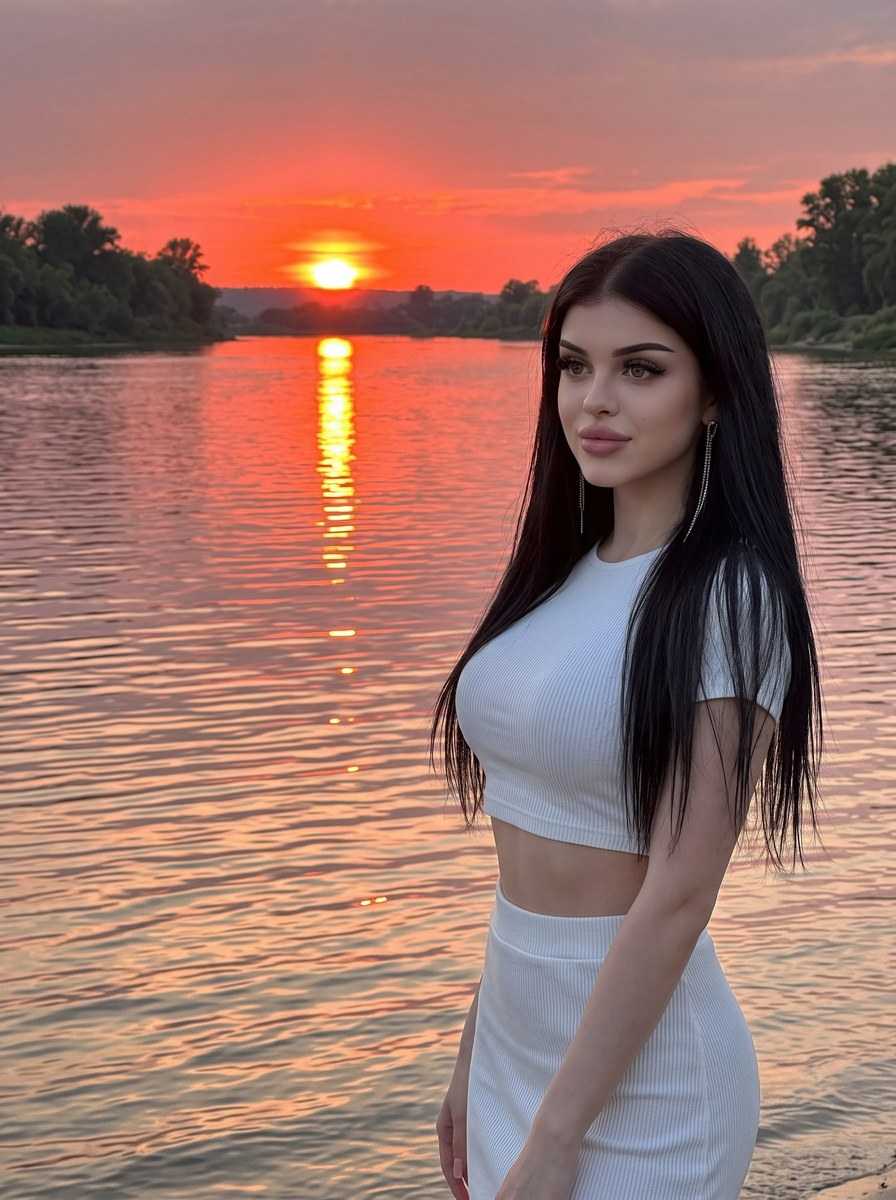
Create a vivid, atmospheric social-media-style photograph shot on a smartphone. Show a young woman with thick, shiny, long, straight hair standing in the right foreground beside a river at sunset. She wears a fitted white ribbed-knit outfit consisting of a cropped top that reveals her midriff and a matching skirt. Her body is turned slightly to the side, and she looks to the left of the camera with a soft, calm expression. She wears long silver chain earrings.

In the background, a wide, rippling river reflects a fiery orange and pink sky. The sun sits low above the horizon, creating a bright vertical reflection on the water. Dark silhouettes of trees and the riverbank are visible along the horizon. Use soft golden-hour lighting with warm orange and red tones. Compose the vertical image using the rule of thirds, balancing the woman and the landscape. Preserve natural skin and hair texture and a realistic color palette for an everyday, candid feel.

Render with the image quality of an iPhone 16 Pro, high detail in the skin and fabric, and slightly reduced exposure. Use a 3:4 aspect ratio. Do not use blur or background blur.
What you'll create
A woman stands in the right foreground looking left of the camera. Orange-pink water reflections and distant dark trees balance the vertical frame without losing environmental detail.
Frequently asked questions
Is background blur requested?
No. Blur and background blur are explicitly excluded.
What compositional rule is used?
The rule of thirds balances the subject with the river landscape.





Comments
Tried this prompt? Share what you made, compare results, or ask a question