Low-Light Angel-Wings Snapshot
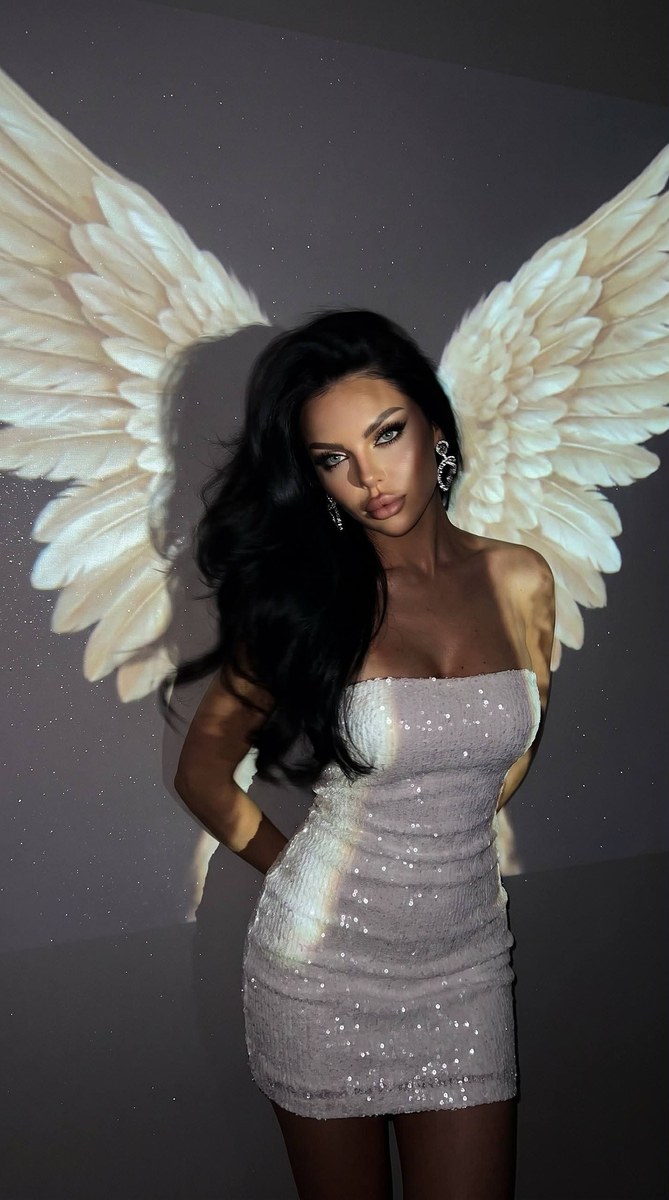
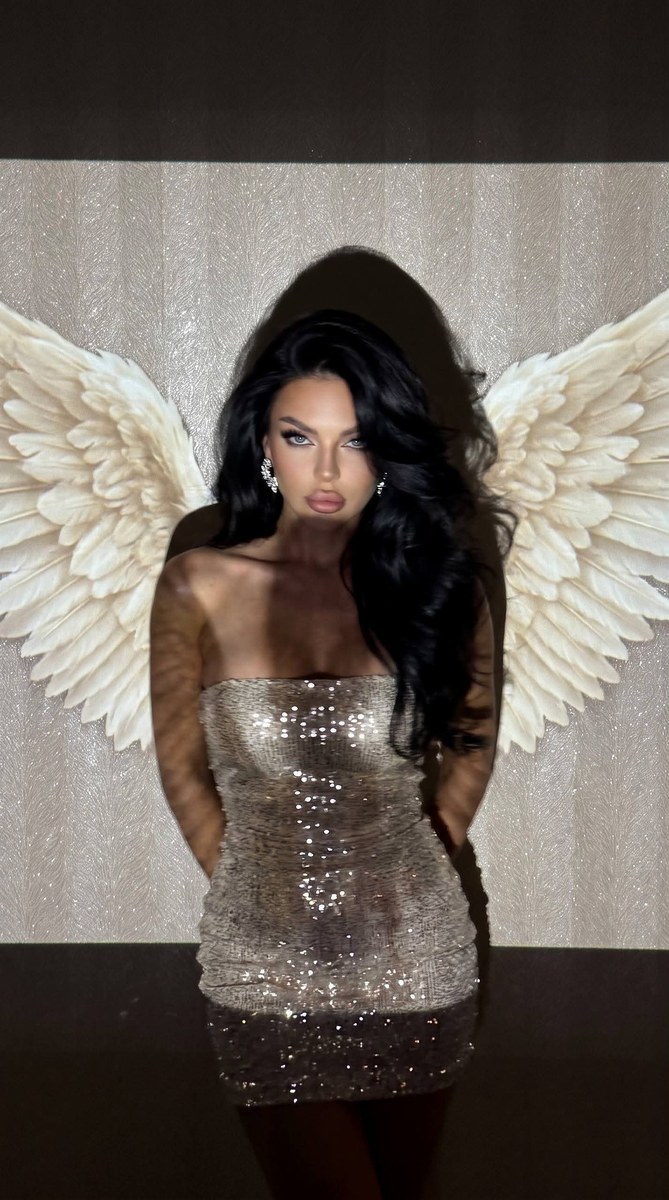
Create a spontaneous, early-2000s-style low-light portrait of the same person, with projected angel wings, a glittering outfit, and natural motion blur.
Example outputs
Prompt template
- Format
- Text Parameterized
- Inputs
- Reference_photo (image) · Required aspect_ratio (text) · Optional · Default: 9:16
- Outputs
- Photograph (image)
Use the same girl as in the reference image. Create a vertical photograph with an aspect ratio of ${aspect-ratio:9:16}. It should have the aesthetic of a spontaneous early-2000s snapshot, taken unedited in a dark room with a projector.

Frame her from the hips to just above the head. Position the camera opposite her at chest height, facing her directly. Place her in the center, standing very close to the wall. Turn her torso slightly to one side, with both arms behind her back and her hands completely outside the frame. Let her shoulders draw slightly back and her upper body angle subtly toward the lens. Tilt her head slightly to one side and downward. She looks directly at the camera with a calm, captivating expression.

Give her makeup the effect of expressive evening photography: smooth matte-velvet skin, light contouring, nude-brown eyeshadow, long, thick black lashes with a foxy effect, elongated eyeliner, and defined eyebrows. Her lips are nude pink, softly lined, with a satin finish.

Her hair is very long, thick, silky, and voluminously blow-dried, with a deep side part, large soft waves, and curled ends. Sweep it to one side, with some strands loosely framing her face. Make it slightly tousled and motion-blurred to create a spontaneous-snapshot effect.

She wears a fitted white strapless corset mini dress, completely covered in very fine, expensive-looking glitter. The tiny glitter gives the dress a luxurious shimmer. Let the dress catch individual projector rays and sparkle delicately. Add large earrings set with shining stones.

The wall behind her has expensive wallpaper with a fine, silvery shimmer. Its surface should sparkle delicately, as if fine glitter were embedded in the wallpaper’s texture. Do not make the wall mirror-like or excessively bright.

The projector casts enormous white angel wings onto the wall. Stretch the wings horizontally from the line of her shoulders almost to the edges of the frame. Make them look luxurious and natural, with clearly defined, large, rounded individual feathers. Add a soft pearlescent glow across the feathers, with a few areas shimmering slightly. The wings must look like a flat light projection on the wall, not real physical wings. They appear behind her shoulders, creating an angelic silhouette. Make the large, dark outline of her head clearly visible on the wall.

Use a very dark exposure. The projector, casting a creamy-white projection, is the only prominent light source. It creates uneven, bright patches of light on the white dress, hair, and wall. Let parts of her face, neck, and upper body fall into deep, irregular shadows. Individual flecks in the wallpaper and crystals on the dress catch the light and produce small points of sparkle. Keep the wings as the composition’s main luminous accent.

The photograph should feel like a spontaneous snapshot taken on an iPhone 16 Pro Max in a dark room, without flash or post-processing. Use pronounced natural motion blur: blur the contours of her hair, some areas of her face, shoulders, and clothing. Add slight motion softness, gentle mobile-camera sharpness, coarse digital grain, and noticeable digital noise in the shadows. Keep the exposure imperfect, with slightly blown highlights and deep black areas. Authentic handheld motion blur, realistic low-light smartphone quality, early 2000s snapshot aesthetic, soft mobile sharpness, visible digital noise, no HDR.
Replace the ${…} placeholders with your values
before using this prompt. See parameters
and defaults below
Parameters
Replace each placeholder with your own value, or use its default when one is provided
${aspect-ratio:9:16}
aspect-ratio
Default: 9:16
What you'll create
A reference-based figure stands close to a wall beneath projected wings, arms behind the back. A lowered head tilt and direct gaze share a dark-room snapshot treatment with handheld blur, noisy shadows and imperfect highlights.
Usage instructions
Provide the reference photo of the person whose appearance should be retained. The aspect ratio can be changed from its default of 9:16; the projected wings, dark exposure, and motion blur are central to the requested composition.
Frequently asked questions
Is HDR part of the intended finish?
No; the source explicitly excludes it.



Comments
Tried this prompt? Share what you made, compare results, or ask a question