Winter Selfie in a Snowy Forest
Create a realistic winter selfie while preserving the face and identity shown in a reference image.
Example outputs
Prompt template
- Format
- Text
- Inputs
- Reference_image (image) · Required
- Outputs
- Winter_selfie (image)
Preserve the exact facial features, proportions, and identity from the reference image. Do not change the face shape, eyes, nose, mouth, skin texture, or facial expression; the face must match the reference image exactly.

Create a realistic winter selfie outdoors on a frosty day, with the aesthetic of an iPhone 17 Pro photo and natural, diffused daylight. Use a waist-up portrait, shot at arm’s length from slightly above eye level. The person looks directly into the camera with a relaxed, confident expression.

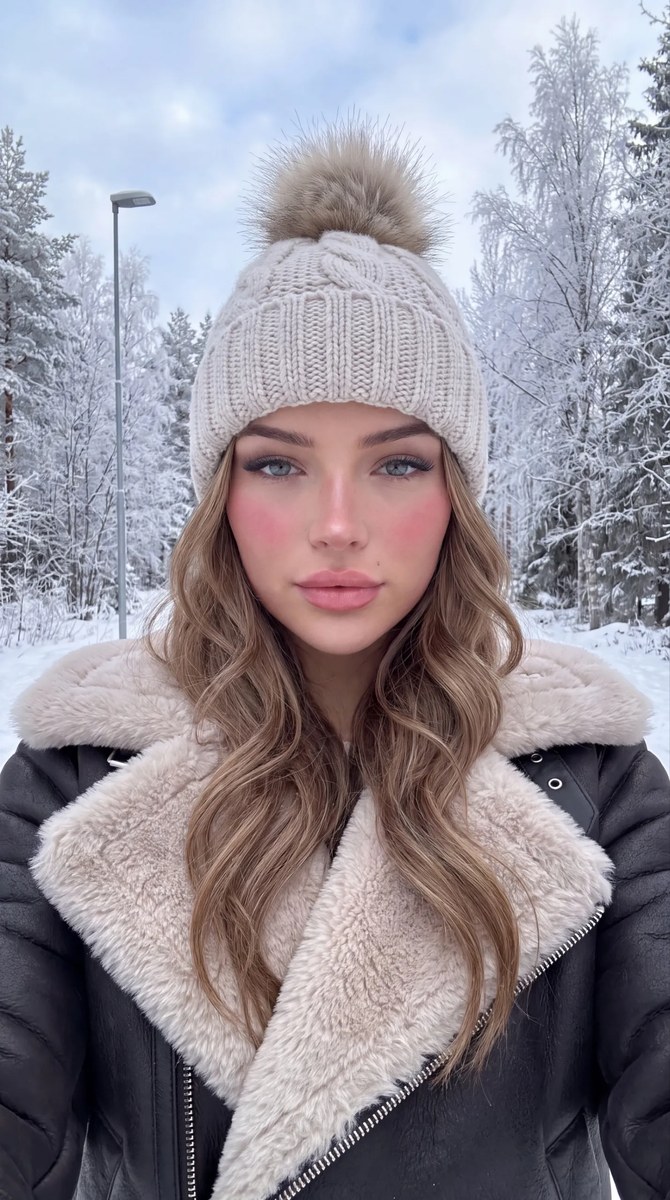
Appearance: neat daytime makeup, a light flush on the cheeks from the cold, defined eyes with emphasized lashes, and nude matte lipstick. A light-colored chunky-knit hat with a fluffy fur pom-pom covers the head. Long, loose hair falls over the collar of the outerwear.

Clothing: a stylish dark winter aviator shearling coat with a large collar and lapels trimmed in light-colored fluffy faux fur.

Background and atmosphere: a snowy winter forest with tall trees and branches covered in fluffy frost and snow; part of a streetlamp is visible beneath an overcast sky. Make the image look natural, with characteristic flagship smartphone camera digital noise and detailed snow and clothing textures. Use a 9:16 aspect ratio.
What you'll create
The subject faces a slightly elevated arm’s-length camera beneath a chunky light knit hat. Dark shearling, pale fur lapels and a cold flush appear among snow-laden branches and a partly visible lamp.
Frequently asked questions
What light is specified?
Natural diffused daylight on an overcast frosty day.




Comments
Tried this prompt? Share what you made, compare results, or ask a question