Second World Photo Collage
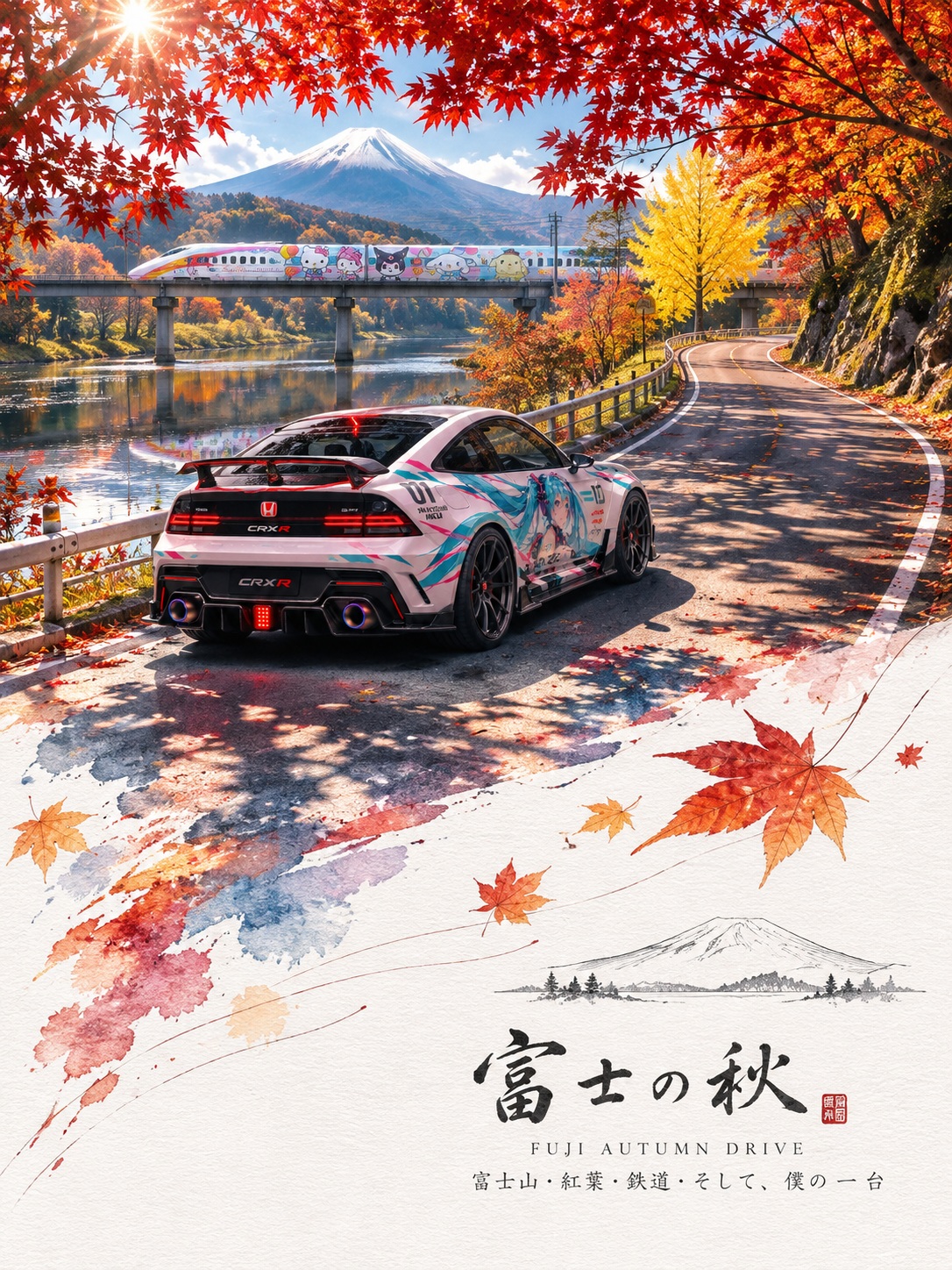
Transform a landscape, portrait, or pet photo into a vertical collage that preserves the original photograph above and extends its visual elements into a minimalist paper world below.
Example outputs

Prompt template
- Format
- Text
- Inputs
- Source_photo (image) · Required
- Outputs
- Second_World_poster (image)
Turn the provided landscape, portrait, or pet photo into a continuous “Second World” poster on a 3:4 vertical canvas, divided strictly horizontally into two equal halves. The top half is reality; the bottom half is the extended “Second World.” Make both halves feel like one complete scene.

Top half: Strictly preserve the original photo’s realism. Keep the subject, pose, spatial relationships, color atmosphere, and natural lighting exactly as they are. Do not redesign, redraw, replace, or rearrange anything. Only necessary proportional cropping is allowed.

Continuity (highest priority): Find a structure in the original image that naturally reaches the center dividing line, such as a road, coastline, water flow, reflection, tree branch, beam of light, architectural detail, or body movement. It must cross the boundary and continue smoothly into the bottom half. The “Second World” starts directly from the photo: the same scene passes through the seam, with only its physical laws changing. Keep the person intact and coherent; do not cut them off abruptly, and make any transition gradual.

Transition edge: You may use an irregular torn-paper edge at the center division, but it must follow the flow of the source structure rather than serve as mere decoration. Elements from the source photo may touch, align with, break through, or extend beyond the torn edge. Do not apply the same torn-paper outline mechanically to every image.

Bottom half: Use white cold-pressed paper with a delicate fiber texture and generous white space. Extend the source structure using collage elements and minimalist lines.
What you'll create
The top retains the source scene while the lower half follows a structure crossing the middle boundary. White fiber-textured paper and sparse linework support a scene-specific torn-edge extension.
Frequently asked questions
Is any decorative torn outline acceptable?
No. Its form should emerge naturally from the source structure.
Can the original subject be rearranged?
No. The upper photo’s subjects and relationships remain unchanged.










Comments
Tried this prompt? Share what you made, compare results, or ask a question