Warm Photo-to-Illustration Before-and-After Comparison
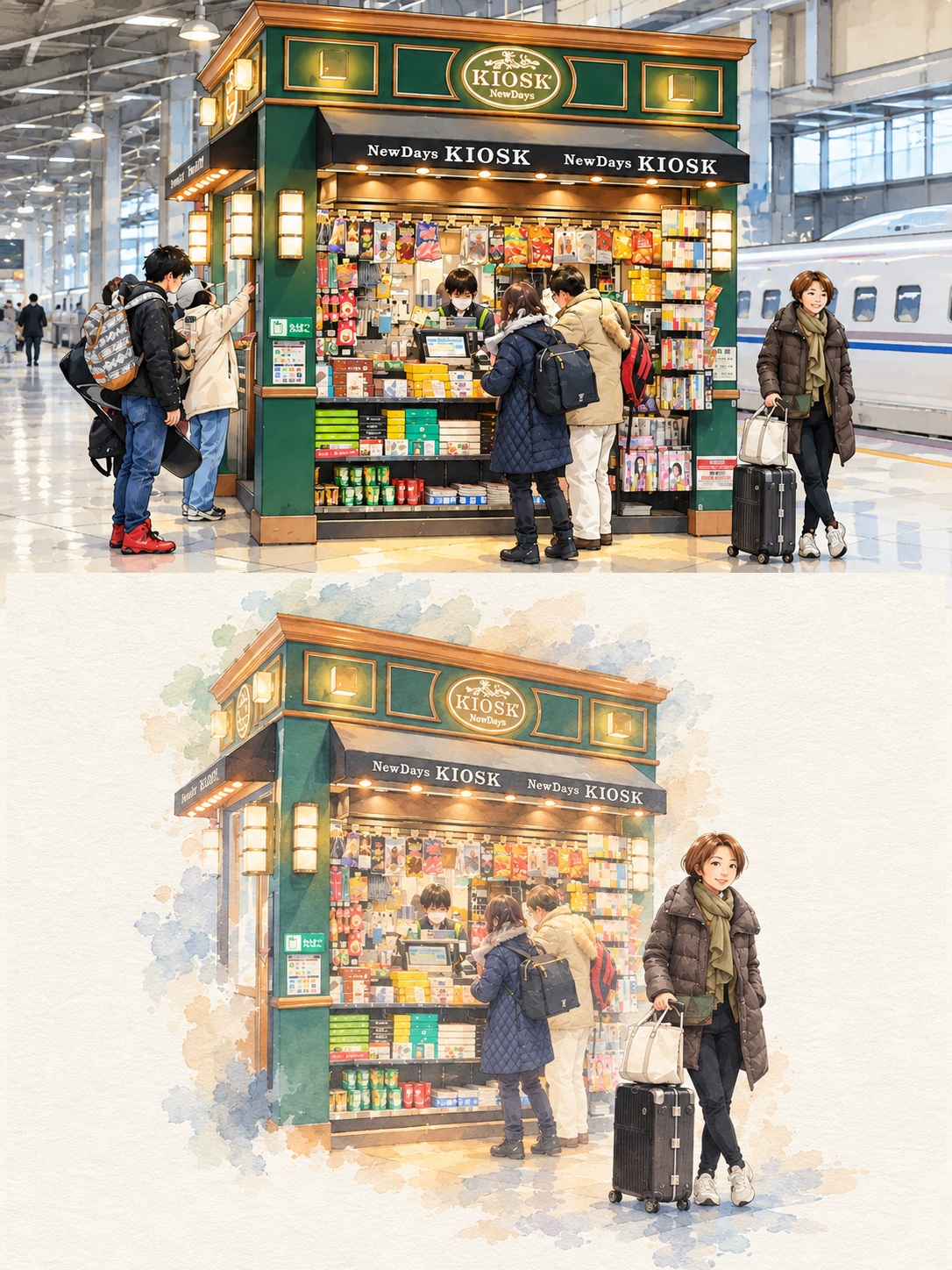
Create a vertical comparison that pairs an unchanged photo with a soft, minimalist watercolor-paper illustration of its key subject and scene details.
Example outputs
Prompt template
- Format
- Text
- Inputs
- Uploaded_photo (image) · Required
- Outputs
- Before_and_after_comparison_image (image)
Create a 3:4 vertical before-and-after comparison image.

Top half: Show the uploaded photo unchanged, full width, cropped as a horizontal rectangle.

Bottom half: Create a minimalist hand-painted illustration on off-white watercolor-paper texture, depicting only the photo’s key focus: the person in the same pose, outfit, hairstyle, and expression, plus one or two of the scene’s most defining elements. Omit everything else and leave it as blank paper. Use a soft, semi-realistic digital gouache style with rosy blush, muted pale tones, and blue-gray shadows. Use no hard outlines, and let the edges fade softly into the paper. Center the subject with plenty of empty space.

Do not make the illustration photorealistic. Do not add borders or gaps between the two halves, text, or a date stamp.
What you'll create
The unchanged upper photograph pairs with a simplified lower portrait retaining pose and outfit. Muted blush and blue-gray shadows fade gently into broad blank paper.
Frequently asked questions
Are hard black outlines requested?
No. Edges soften into the paper.
Can a date stamp be added?
No. Text and date stamps are excluded.




Comments
Tried this prompt? Share what you made, compare results, or ask a question