Monochrome Close-Up Portrait with Windblown Hair
Create a cinematic, unretouched black-and-white studio portrait using a reference photo to preserve the subject’s appearance.
Example outputs
Prompt template
- Format
- Text Parameterized
- Inputs
- reference_photo (image) · Required aspect_ratio (text) · Optional · Default: 9:16
- Outputs
- portrait_image (image)
Create a cinematic photograph shot on an iPhone 15 Pro, in a ${aspect-ratio:9:16} aspect ratio. Use the uploaded reference photo and preserve the person’s face and appearance exactly, without changing their facial features. Change only the pose, clothing, lighting, and scene.

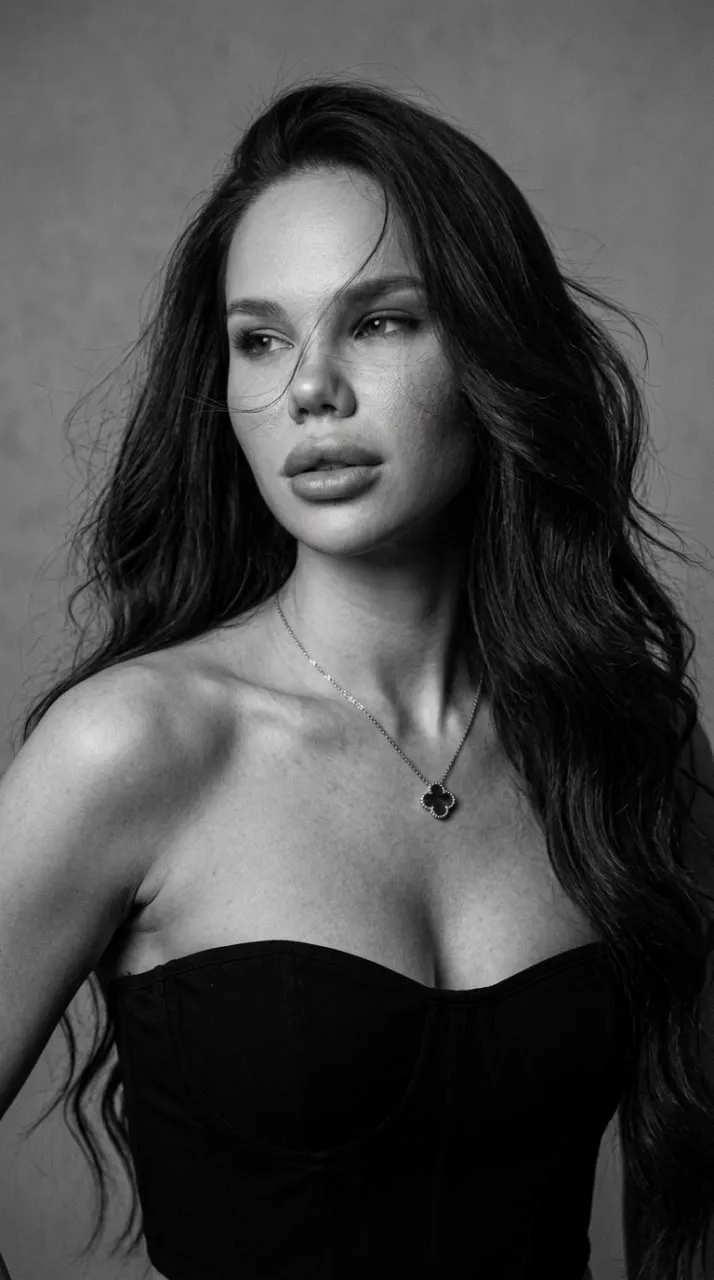
Frame a close-up portrait. Tilt the head slightly to the left, with the gaze directed to the left and the lips slightly parted. The person has loose, dark hair extending below the waist, with a few strands blown across one side of the face and a subtle, natural wind-swept movement. Keep the arms lowered alongside the body. Create an elegant S-shaped silhouette, bare shoulders, exposed collarbones, and an elongated neck.

Dress the person in a close-fitting black strapless corset, with slight natural fabric creases at the seams. Add a thin chain necklace with a clover pendant set with a black stone; let the metal catch a subtle glint.

Use a minimal, neutral-gray seamless studio background with no details. Keep the background sharp and unblurred. Use directional studio lighting from the side to gently shape the face, emphasize the skin’s natural relief and the pendant’s natural metallic sheen, and create soft tonal transitions from light to shadow. Use reduced exposure so the skin appears slightly darkened. Use close portrait framing with shallow spatial compression, and build the composition around the face and shoulder line.

Apply black-and-white monochrome processing with visible grain. Preserve natural skin texture, including pores and slight facial asymmetry; do not smooth the skin. The result should look like a raw, unretouched candid photograph with natural film grain and true-to-life monochrome grading.
Replace the ${…} placeholders with your values
before using this prompt. See parameters
and defaults below
Parameters
Replace each placeholder with your own value, or use its default when one is provided
${aspect-ratio:9:16}
aspect-ratio
Default: 9:16
What you'll create
Side lighting shapes a leftward gaze and shoulder line against a sharp neutral-gray backdrop, with visible pores, slight asymmetry and raw photographic grain.
Frequently asked questions
Is the studio background blurred?
No. The source explicitly keeps the seamless gray background sharp and unblurred.


Comments
Tried this prompt? Share what you made, compare results, or ask a question