Surreal Studio Embrace
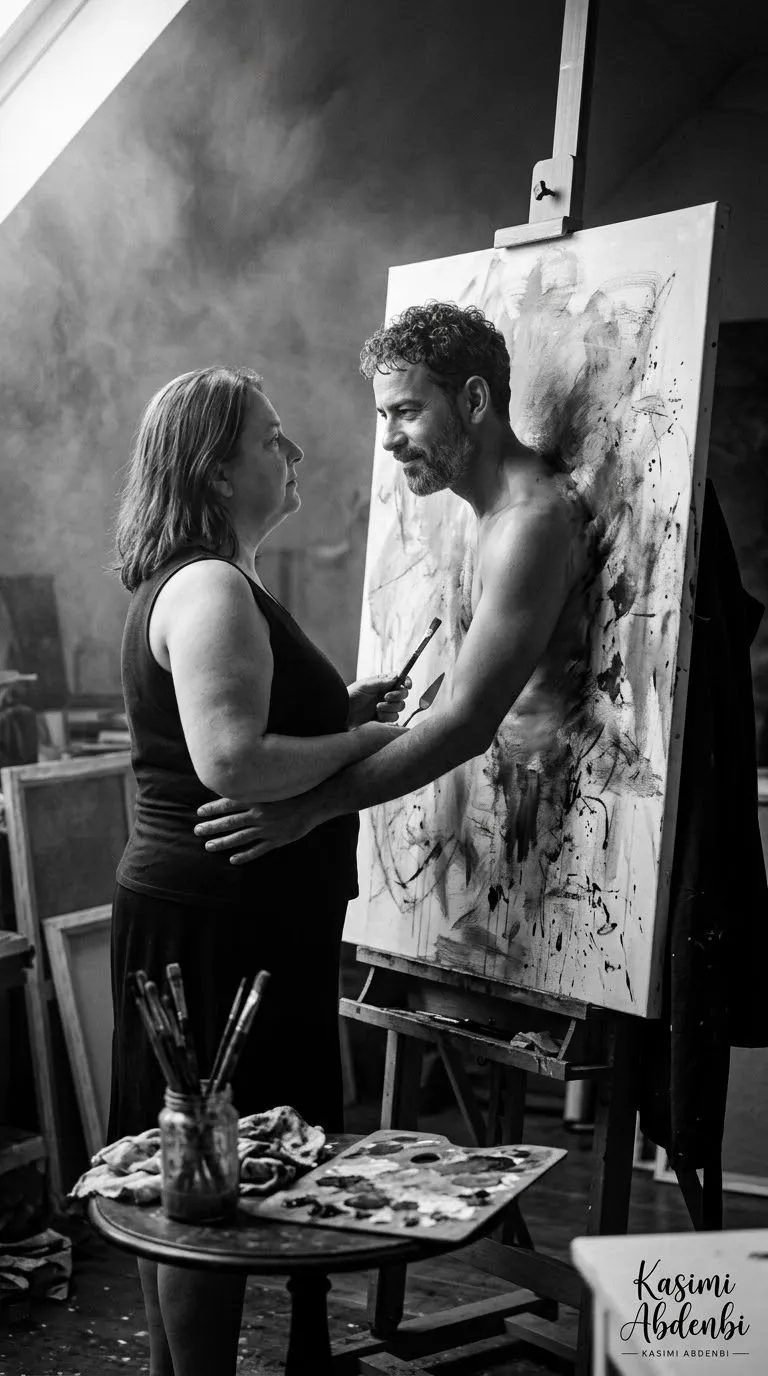
Create a moody, photorealistic black-and-white studio scene in which a painted figure steps out of his portrait to embrace a woman.
Example outputs
Prompt template
- Format
- Text Parameterized
- Inputs
- Woman_reference_image (image) · Required Male_figure_reference_image (image) · Required aspect_ratio (text) · Optional · Default: 9:16
- Outputs
- Generated_image (image)
Create a black-and-white surreal, photorealistic scene using image 1 as the reference for the woman and image 2 as the reference for the male figure in the portrait. Show the woman standing in an artist’s studio, facing a life-size painted portrait on an easel. The painted male figure appears to push through the canvas, wrapping an arm around her waist in a tender, impossible embrace, as if stepping into reality.

Soft, smoky light from the upper left creates dramatic chiaroscuro, with strong rim highlights on their hair and shoulders and deep, velvety shadows in the background. Show visible oil and charcoal texture on the canvas, with subtle brushstrokes and smudges where the painted man meets the fabric of the painting. The woman wears a simple sleeveless top and skirt; she has brown hair and an expression that is equal parts calm and mesmerized. She holds a brush and palette knife. In the foreground, a small round table holds a jar of brushes and a paint-stained wooden palette. Include a tall wooden easel with a dark coat draped over one side, scattered studio dust particles, and atmospheric haze.

Create an intimate, moody, slightly eerie romantic tone with a cinematic 35mm film aesthetic, fine grain, shallow depth of field, wide aperture, a low three-quarter angle, meticulous detail in skin, fabric, and paint textures, a high-contrast tonal range, and a noir-inspired composition. --ar ${aspect-ratio:9:16}
Replace the ${…} placeholders with your values
before using this prompt. See parameters
and defaults below
Parameters
Replace each placeholder with your own value, or use its default when one is provided
${aspect-ratio:9:16}
aspect-ratio
Default: 9:16
What you'll create
Two reference-guided identities meet across a portrait on an easel as the painted man wraps an arm around the woman. Oil-charcoal textures, smoky upper-left light and deep shadows blend painting with photographic reality.
Generation settings
Aspect ratio: 9:16
Usage instructions
Provide two reference images: image 1 for the woman and image 2 for the male figure in the portrait. The prompt places the painted figure crossing from the canvas into the studio scene; adjust the aspect ratio or the chiaroscuro description to change the framing or mood.
Frequently asked questions
Is the man simply standing beside the easel?
No. He appears to push through the canvas into the studio.
Does the scene use full color?
No. It is black-and-white.


Comments
Tried this prompt? Share what you made, compare results, or ask a question