Photorealistic South Asian Woman Portrait
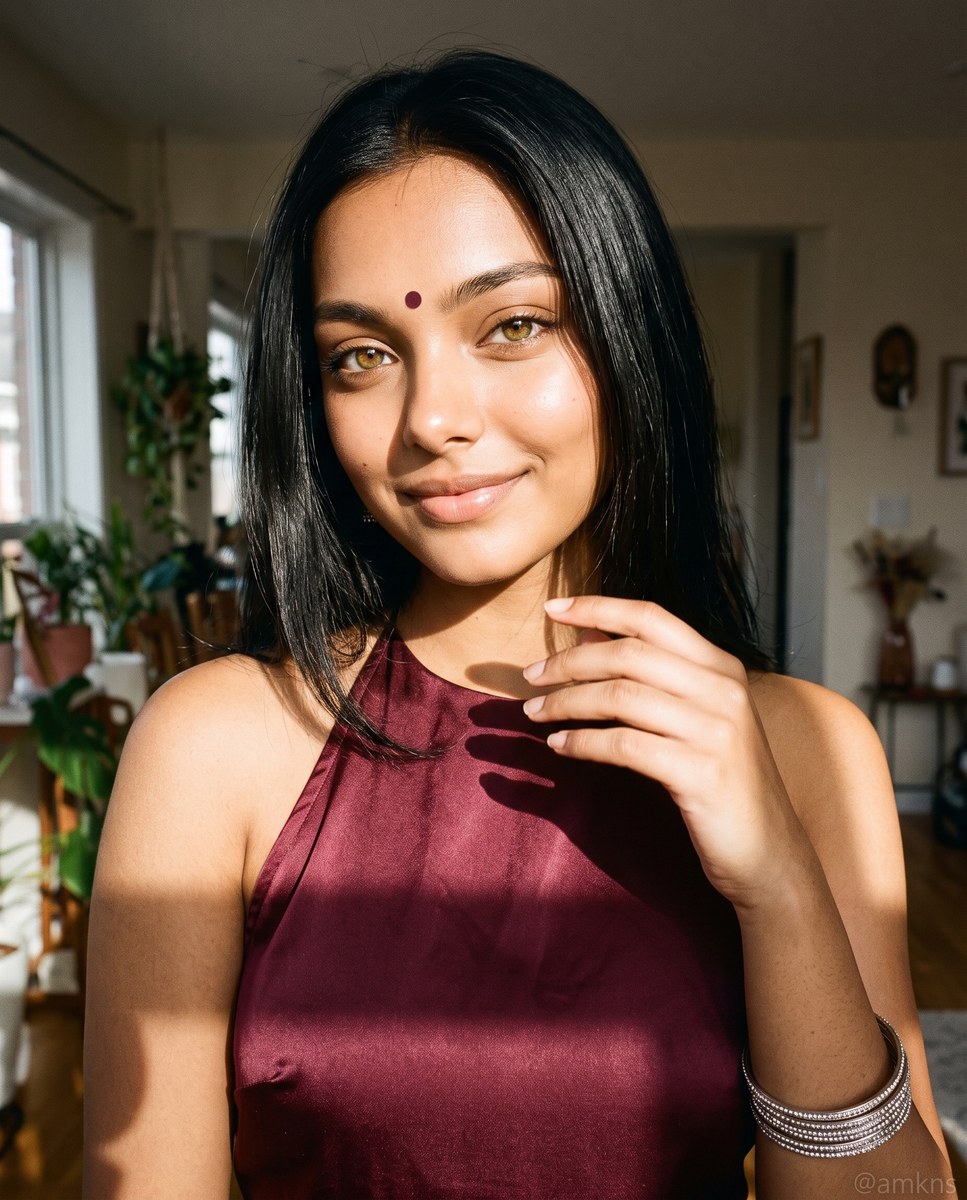
Create a photorealistic portrait based on a reference image, with specified clothing, pose, and dramatic indoor sunlight. The watermark text can be customized.
Example outputs
Prompt template
- Format
- Text Parameterized
- Inputs
- reference_image (image) · Required watermark (text) · Optional · Default: @amkns
- Outputs
- Portrait (image)
Portrait of ${reference-image} as a young South Asian woman, straight dark hair, small bindi. Burgundy satin halter dress, silver bangles on right wrist. Hand raised gently, soft smile. Strong indoor sunlight from left, hard shadow on chest. Blurred room background. Aesthetically integrated "${watermark:@amkns}" watermark at the bottom. Photorealistic, 8K. --ar 4:5

Negative Prompt:
ugly, deformed, poorly drawn, extra limbs, bad anatomy, unwanted text, low resolution, blur, missing watermark
Replace the ${…} placeholders with your values
before using this prompt. See parameters
and defaults below
Parameters
Replace each placeholder with your own value, or use its default when one is provided
${reference-image}
reference-image
Required
${watermark:@amkns}
watermark
Default: @amkns
What you'll create
This prompt creates a photorealistic portrait of a young South Asian woman in a burgundy satin halter dress, with a soft smile and one hand gently raised. Strong sunlight from the left casts a hard shadow against her chest, while a blurred room and an integrated watermark complete the composition
Generation settings
Advanced settings
- Negative prompt
- ugly, deformed, poorly drawn, extra limbs, bad anatomy, unwanted text, low resolution, blur, missing watermark
Usage instructions
Frequently asked questions
What does the reference image control?
Use the supplied reference image as the basis for the portrait, following the prompt’s specified appearance and styling
Can I change the watermark?
Yes. Replace the watermark value while keeping it integrated at the bottom of the portrait






Comments
Tried this prompt? Share what you made, compare results, or ask a question