Autumn Maple-Leaf Selfie
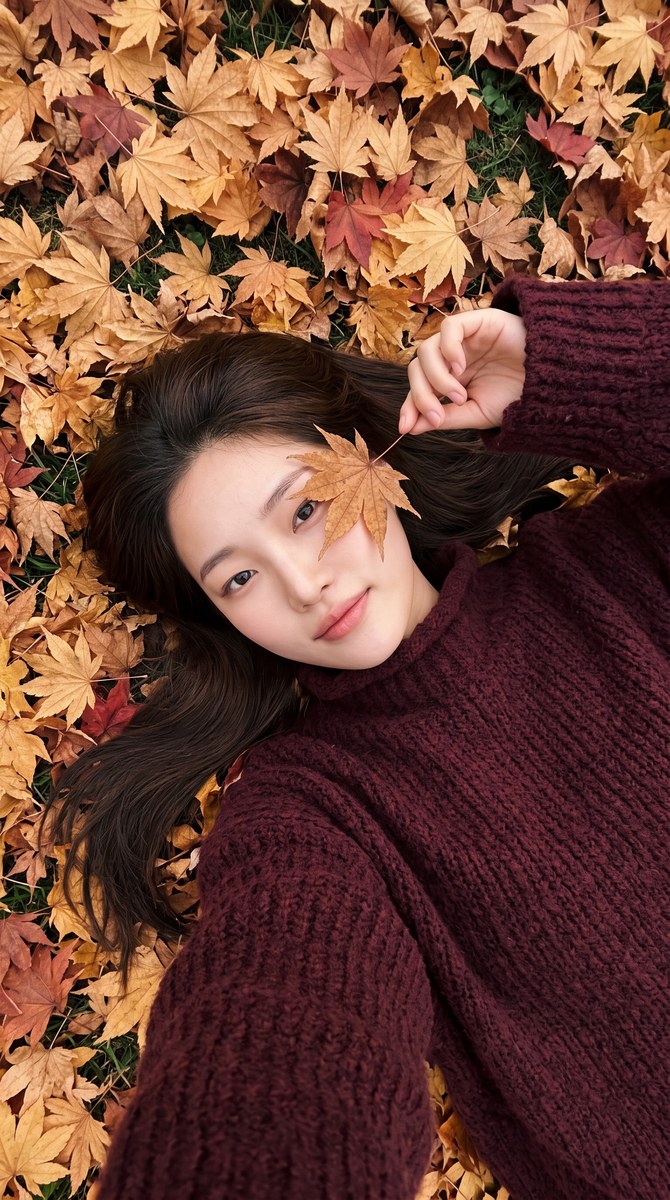
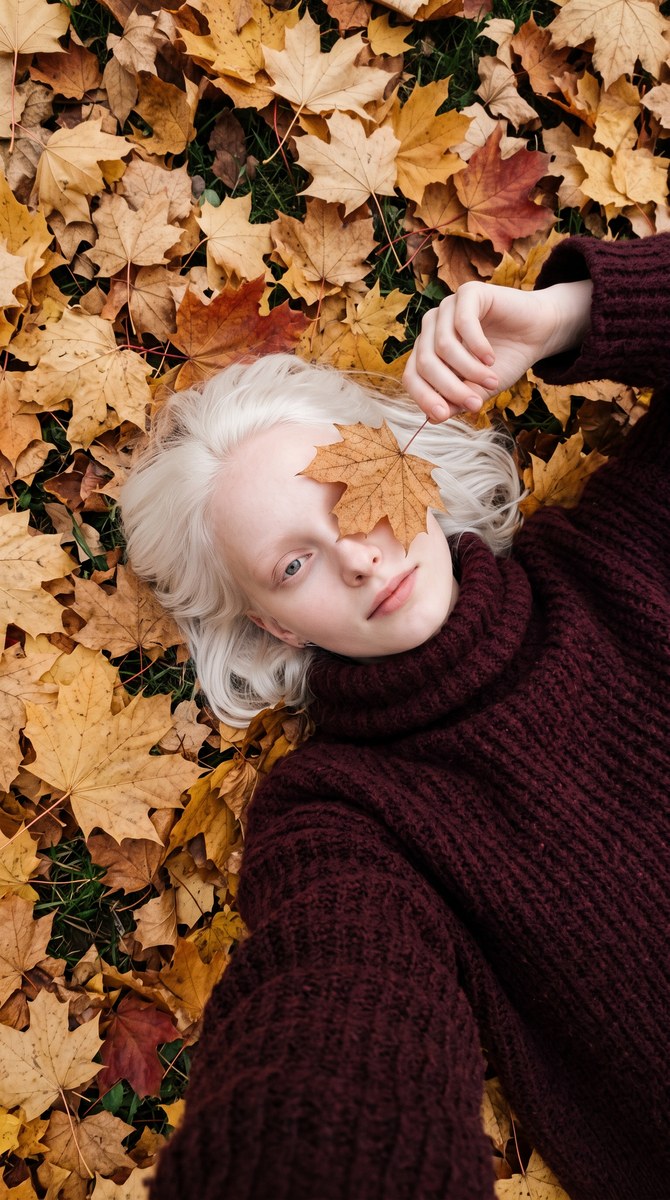
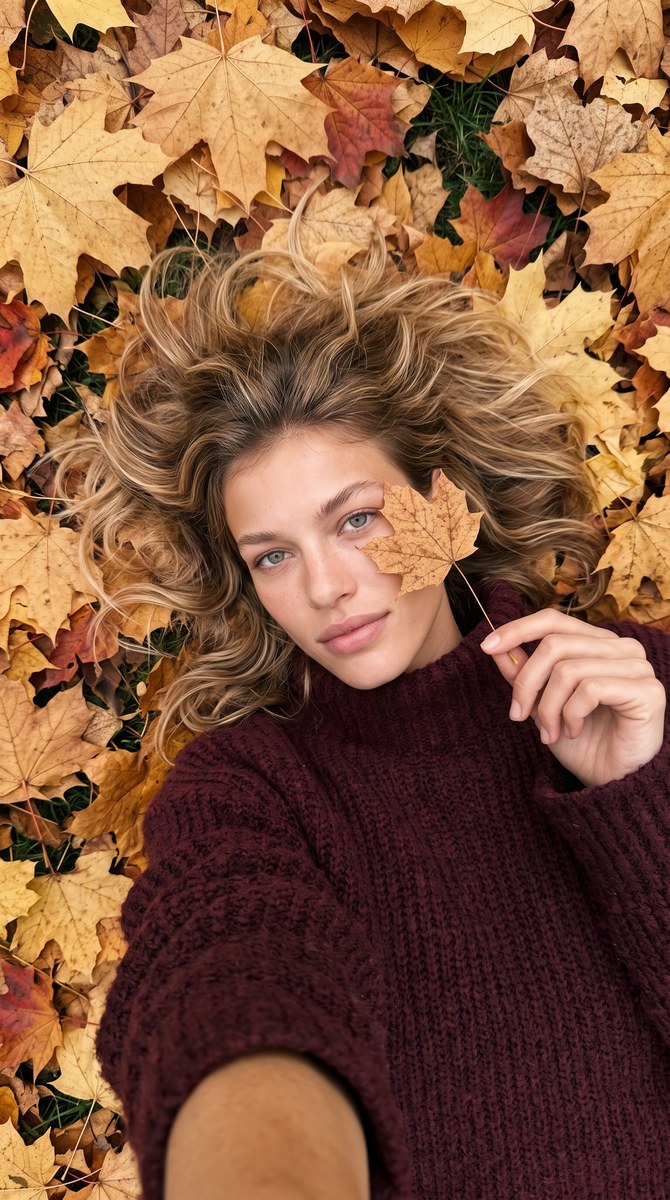
Create a photorealistic overhead selfie of a woman lying among autumn maple leaves, with a leaf partly covering one eye and a chunky burgundy sweater.
Example outputs
Prompt template
- Format
- Text Parameterized
- Inputs
- Reference_image (image) · Required aspect_ratio (text) · Optional · Default: 9:16 sweater_color (text) · Optional · Default: dark burgundy
- Outputs
- Generated_image (image)
Create a photorealistic selfie in ${aspect-ratio:9:16} vertical format, based on the provided reference image. Use the reference as the exact source for the subject’s identity, appearance, body proportions, and facial details. Keep her hair color, length, and texture identical to the reference, adapting only its natural arrangement to suit the scene.

The subject is lying on her back on a dense carpet of maple leaves in golden, ochre, caramel, red, and brown shades, some of them dry. Use an overhead angle, as though she is taking the photo herself. One hand gently holds a dry maple leaf by its thin stem near her face. She peers at the camera with one eye from behind the leaf; the leaf partially covers one eye without concealing her entire face.

The subject fills most of the frame diagonally. She wears a voluminous oversized sweater in ${sweater-color:dark burgundy}, with a very chunky, textured knit, a soft high collar, and wide sleeves.

Her expression is calm, gentle, and confident, with a subtle hint of a smile. Her gaze is directed straight into the lens. Render the skin, hair, fabric, and knit with exceptional realism.

Fill the entire surrounding area with real autumn leaves, with barely visible patches of dark green grass here and there.

Use soft, natural daylight and an overcast autumn atmosphere, without harsh shadows.

Camera and rendering: shot on iPhone 17 Pro; luxurious natural skin tones with subsurface scattering; low-contrast commercial grading; subtle organic film grain; sharp yet natural rendering; premium high-end fashion beauty aesthetic; hyper-realistic medium-format quality; expensive 2026 SOOC vibe.
Replace the ${…} placeholders with your values
before using this prompt. See parameters
and defaults below
Parameters
Replace each placeholder with your own value, or use its default when one is provided
${aspect-ratio:9:16}
aspect-ratio
Default: 9:16
${sweater-color:dark burgundy}
sweater-color
Default: dark burgundy
What you'll create
A subject in a chunky oversized sweater lies diagonally across a dense carpet of gold, ochre and burgundy leaves. One dry leaf partially covers an eye while the other meets the camera.
Frequently asked questions
Can the sweater color change?
Yes; sweater-color defaults to dark burgundy.



Comments
Tried this prompt? Share what you made, compare results, or ask a question