Half-Lit Macro Portrait from a Reference Photo
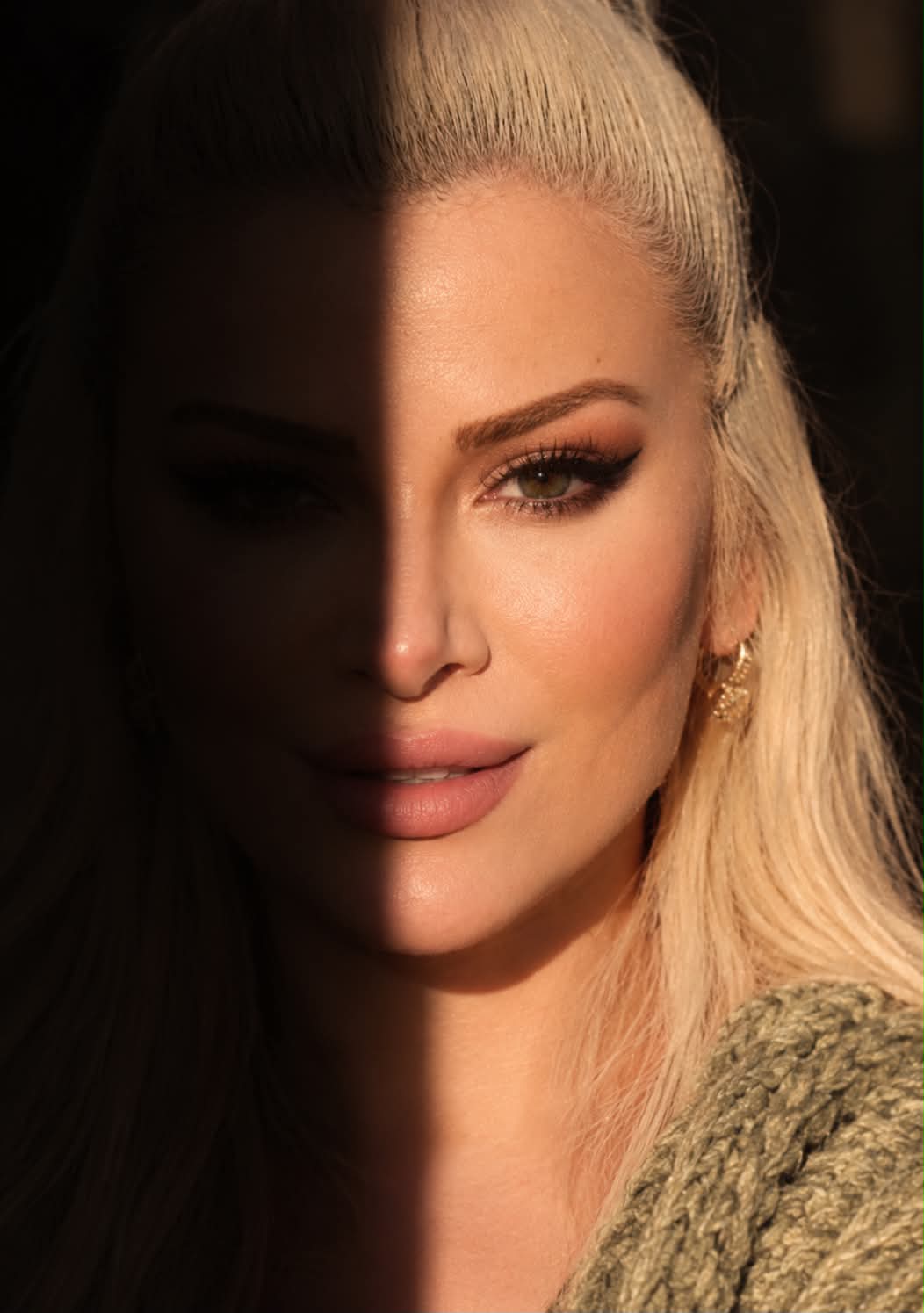
Create a dramatic vertical macro portrait that uses the provided photo as a facial reference.
Example outputs
Prompt template
- Format
- Text
- Inputs
- Reference_photo (image) · Required
- Outputs
- Portrait_image (image)
Use the face in the provided reference photo as the subject. Create a very tight, vertical macro portrait at eye level. A hard-edged vertical block of shadow covers the left half of the face, leaving it in darkness. The right half is lit directly by warm, natural light resembling golden hour. The visible right eye is green or hazel and looks directly into the camera; the left eye is not visible. The right eyebrow is thick, natural, and well-shaped. The forehead, cheek, and chin have smooth, lightly tanned skin with natural pores and visible texture. Eyelashes are defined and lightly mascaraed. The bridge of the nose is smooth, with a subtle highlight on the tip. The lips are slightly parted, with only a hint of teeth visible; they are a natural nude-coral shade with a matte-satin finish and a slight sheen. Do not change the subject’s hair. Show a textured, coarse-knit, faded olive-green sweater collar or shawl over the right shoulder, catching the light. Keep the background completely dark and indistinct.What you'll create
An eye-level face fills the frame, revealing one green-or-hazel eye, natural pores and a faded olive knit collar against complete darkness.
Frequently asked questions
Are both eyes visible?
No. The left eye is hidden in the shadowed half.




Comments
Tried this prompt? Share what you made, compare results, or ask a question