Cinematic Water-Droplet Macro Portrait
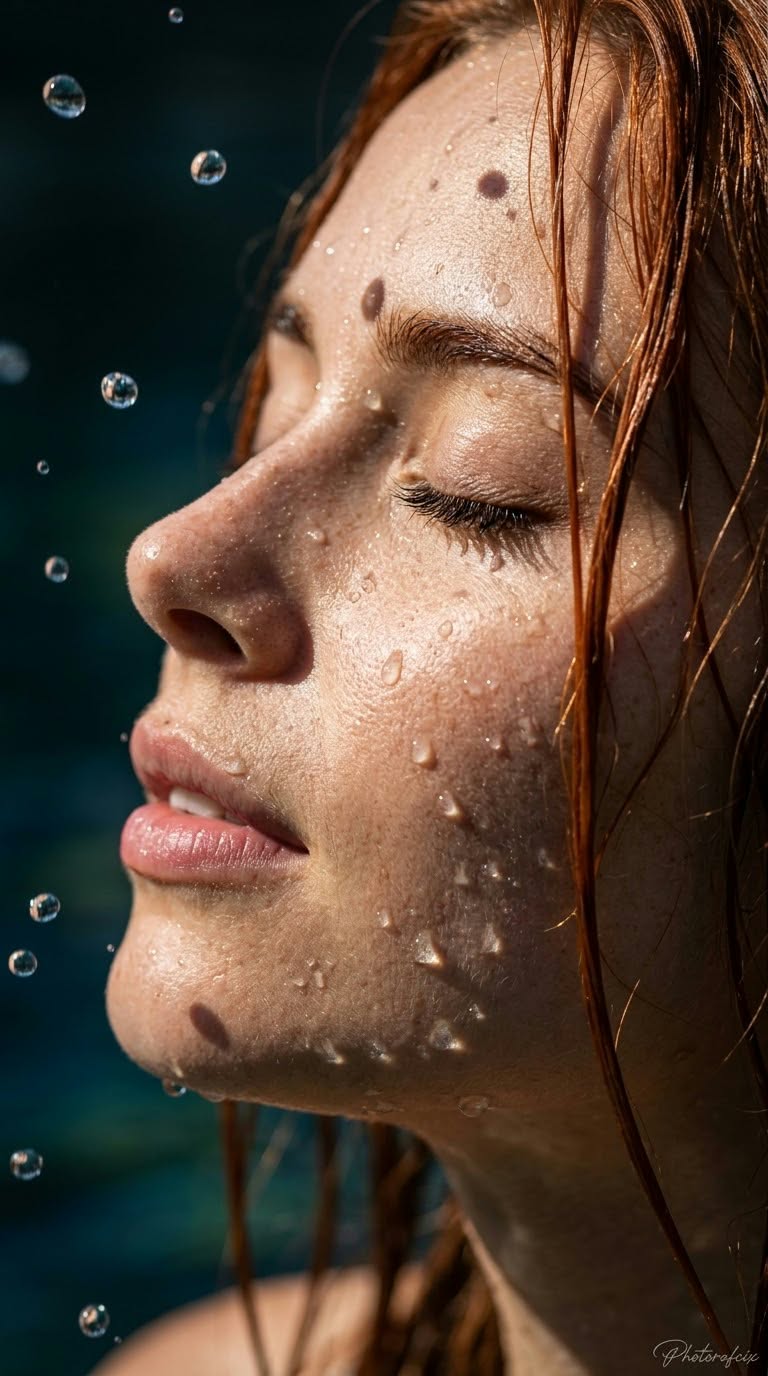
Create a hyper-realistic, cinematic close-up portrait using a reference face and dramatic water details. The handwritten signature is customizable.
Example outputs
Prompt template
- Format
- Text Parameterized
- Inputs
- Reference_image (image) · Required signature (text) · Optional · Default: Photorafcix
- Outputs
- Portrait (image)
Use the face from the provided reference image and do not change it. Create a vertical 9:16 image with strong perspective and a cinematic look.

Composition: An extreme close-up of a woman’s face, viewed at a slight angle in profile, with her head tilted slightly back. Fine, wet strands of copper-red hair cling to her face. Her eyes are closed, her eyelashes are prominent, and her lips are slightly parted; her expression is calm and peaceful, as if she is enjoying the water. Cover her face and hair with numerous water droplets, with sharply focused droplets suspended in the air.

Use hard, directional lighting, with bright reflections on the droplets and skin. Illuminate one side of her face and leave the other in shadow. Use a dark, blurred bokeh background in blue and green tones. Very shallow depth of field; 100mm macro lens, f/2.8 aperture. Extremely high resolution and sharp detail, with clearly visible skin texture, pores, and freckles, and crisp reflections inside the water droplets. Cinematic, hyper-realistic, high contrast.

Add the handwritten signature “${signature:Photorafcix}” in the extreme lower-right corner of the image.
Replace the ${…} placeholders with your values
before using this prompt. See parameters
and defaults below
Parameters
Replace each placeholder with your own value, or use its default when one is provided
${signature:Photorafcix}
signature
Default: Photorafcix
What you'll create
This prompt creates an extreme close-up portrait of a woman with wet copper-red hair, closed eyes, and water droplets across her face and hair. Dramatic directional lighting, a dark blue-green bokeh background, and sharp skin and droplet detail establish the cinematic, hyper-realistic look.
Usage instructions
Frequently asked questions
What should the reference image control?
Use it for the woman’s face, which the prompt instructs the model not to change.
Can I change the signature?
Yes. Replace the default “Photorafcix” with the exact handwritten signature text you want.



Comments
Tried this prompt? Share what you made, compare results, or ask a question