Golden Macro Portrait with Engraved Earring
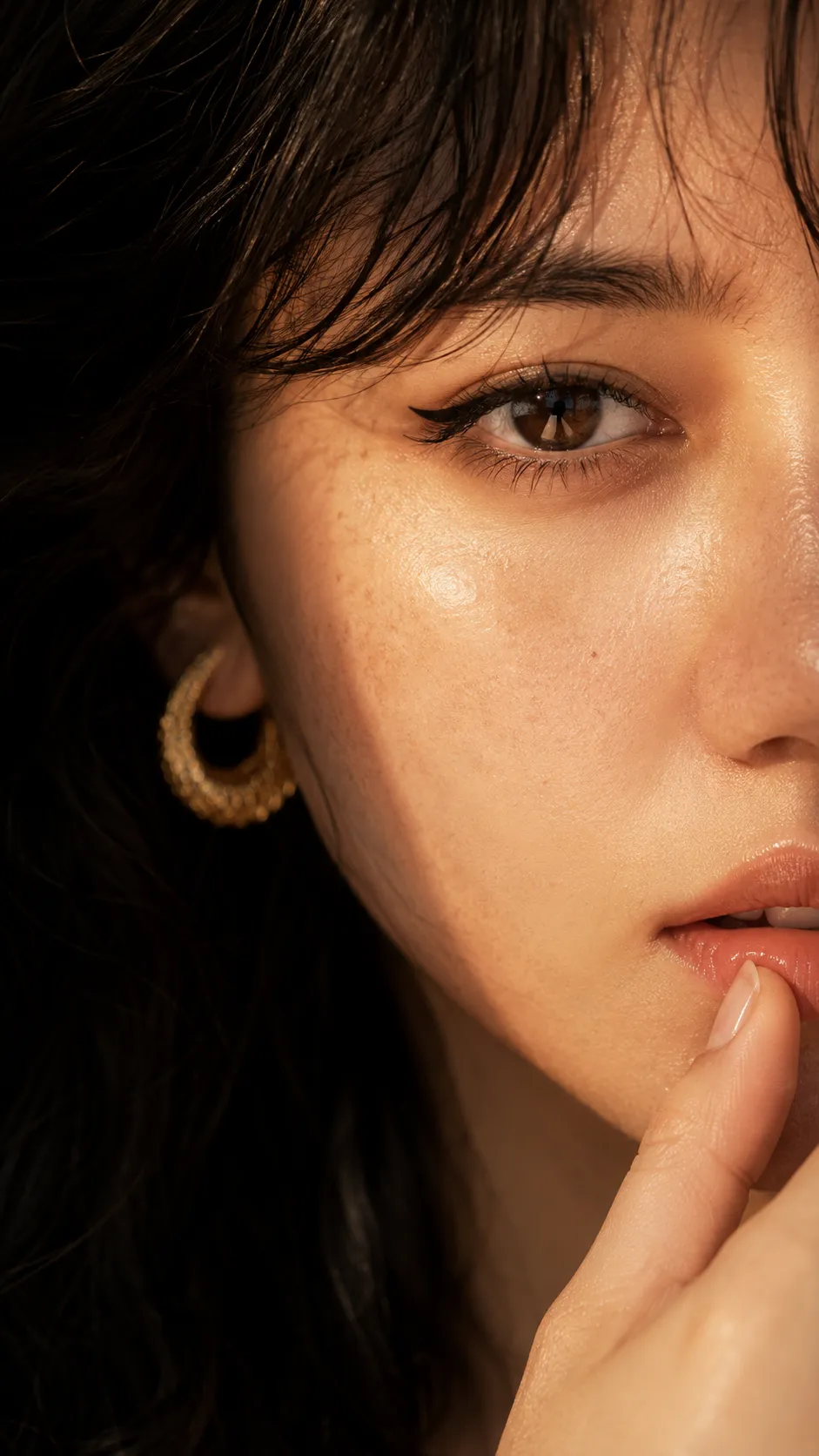
Create an extreme close-up RAW portrait using a reference image for the pose and crop, with warm golden light and realistic skin texture.
Example outputs
Prompt template
- Format
- Text Parameterized
- Inputs
- reference_image (image) · Required earring_inscription (text) · Optional · Default: Lorang nugra
- Outputs
- portrait (image)
Use ${reference-image} ONLY for the exact pose and crop: an extreme close-up of half the face, one eye with winged liner, a fingertip touching the lower lip, a gold earring visible, and a dark background. Transform it into a real RAW photograph of an adult Indonesian woman with fair, luminous skin, glossy natural lips, sharp iris detail with a window reflection, fine peach fuzz catching golden light, and soft manicured nails. Show realistic macro skin with pores, tiny imperfections, and natural eyebrows; no skin smoothing, beauty filter, or CGI look. Engrave “${earring-inscription:Lorang nugra}” discreetly on the gold earring. Use 85mm macro f/2.8, warm amber highlights, deep cocoa shadows, and a strong visual punch. 9:16, 16K UHD. No visible text.Replace the ${…} placeholders with your values
before using this prompt. See parameters
and defaults below
Parameters
Replace each placeholder with your own value, or use its default when one is provided
${reference-image}
reference-image
Required
${earring-inscription:Lorang nugra}
earring-inscription
Default: Lorang nugra
What you'll create
A woman’s single eye, glossy mouth and peach-fuzz detail fill an intimate crop. Amber highlights, cocoa shadows and a tiny earring inscription reinforce the photographic jewelry-beauty treatment.
Usage instructions
Provide a reference image for the pose and crop; it should show the intended close-up framing. The prompt uses that image only for those elements, while specifying the portrait’s details directly. Change the earring inscription to customize the hidden engraving.
Frequently asked questions
Is the reference used as an identity lock?
No. It is used only for pose and crop.
Where is the personalized text?
Discreetly engraved on the gold earring.




Comments
Tried this prompt? Share what you made, compare results, or ask a question