Two-Frame Sunlit Close-Up Portrait
Create a photorealistic vertical collage of two intimate close-up selfies, using a reference photo to preserve the subject’s facial features and appearance across both frames
Example outputs
Prompt template
- Format
- Text Parameterized
- Inputs
- Reference_photo (image) · Required lip_color (text) · Optional · Default: dusty rose
- Outputs
- Portrait_collage (image)
Create a portrait without changing the subject’s facial features. Use the reference photo to preserve the subject’s appearance, keeping it consistent across both frames.

Create a high-quality, photorealistic vertical collage of two photographs stacked one above the other. Both are very close iPhone 16 selfies with subdued exposure.

Makeup and grooming: flawless makeup, lips in ${lip-color:dusty rose}, a light tan, and dark square-shaped nails. Hair is long, thick, smooth, and pulled into a sleek ponytail. The expression is relaxed and languid, with closed lips and a calm gaze. The subject wears soft, milky-colored knitwear that is barely visible in the frame.

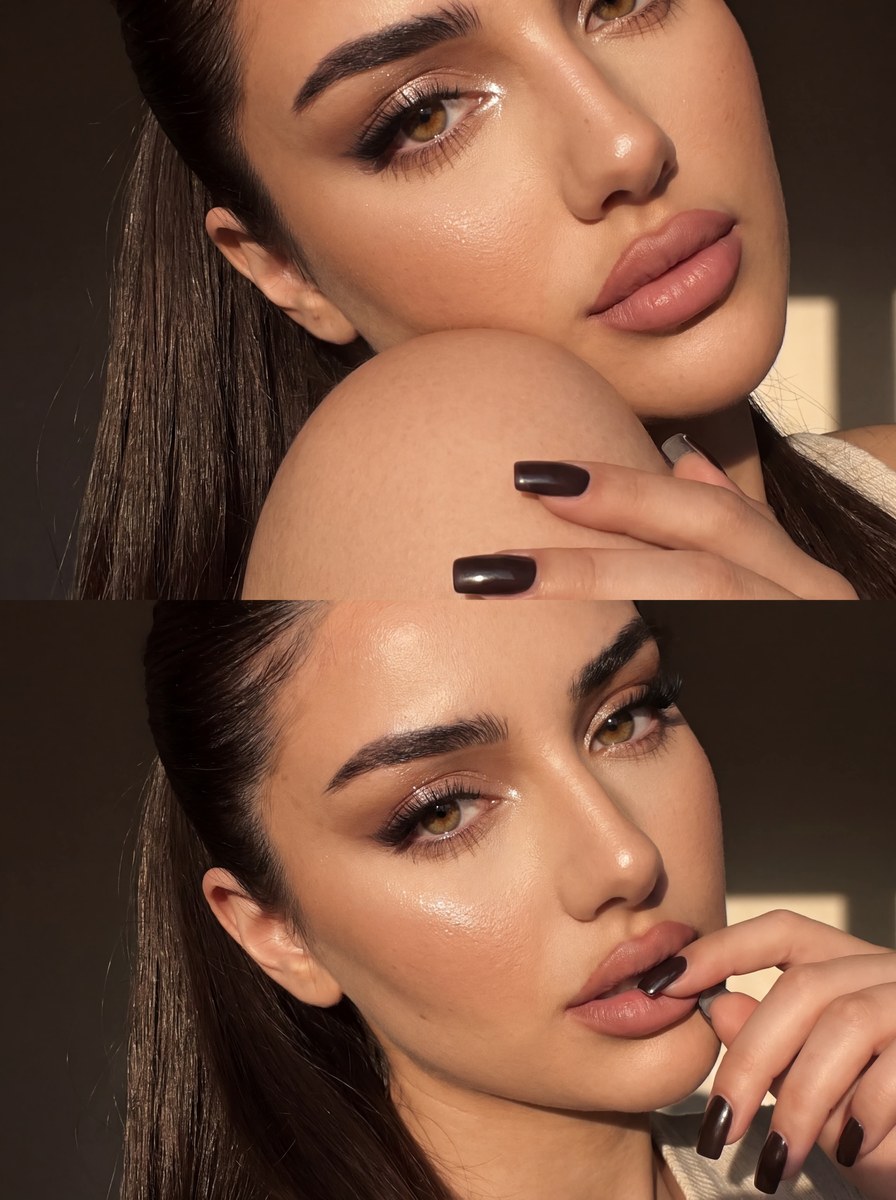
Top photo: an extreme macro close-up, with the face heavily cropped by the edges of the frame. Show one eye, an eyebrow, part of the nose, a cheek, and the lips. The subject presses her cheek against her own shoulder.

Bottom photo: a slightly tilted macro close-up of the face, showing both eyes, the nose, and the lips. The subject’s hands are near her face, with one finger touching her lip.

Keep the background completely hidden by the tight cropping. Use a bright, narrow beam of sunlight from the side, creating expressive highlights in the eyes and on the skin and hair, with deep, natural shadows across the face. Keep the overall image subdued in brightness.

Use slightly dark exposure, warm natural color grading, gentle mobile-sharpening, fine grain, and barely noticeable blur at the edges. No flash or studio retouching. Aim for maximum photorealism and maintain the same appearance in both frames.
Replace the ${…} placeholders with your values
before using this prompt. See parameters
and defaults below
Parameters
Replace each placeholder with your own value, or use its default when one is provided
${lip-color:dusty rose}
lip-color
Default: dusty rose
What you'll create
This prompt creates a vertical collage of two close-up selfies with different crops and poses. It specifies warm side lighting, muted exposure, and a natural, subtly grainy photographic finish
Usage instructions
Provide a clear reference photo, which the prompt uses to preserve facial features and keep the subject’s appearance consistent between frames. The two stacked crops and poses are specified; adjust the lipstick shade or other named appearance details if you want to change the look
Frequently asked questions
What should stay consistent between the two frames?
The subject’s appearance should remain the same in both frames, with facial features preserved from the reference photo



Comments
Tried this prompt? Share what you made, compare results, or ask a question