Javanese Kebaya Portrait at Golden Hour
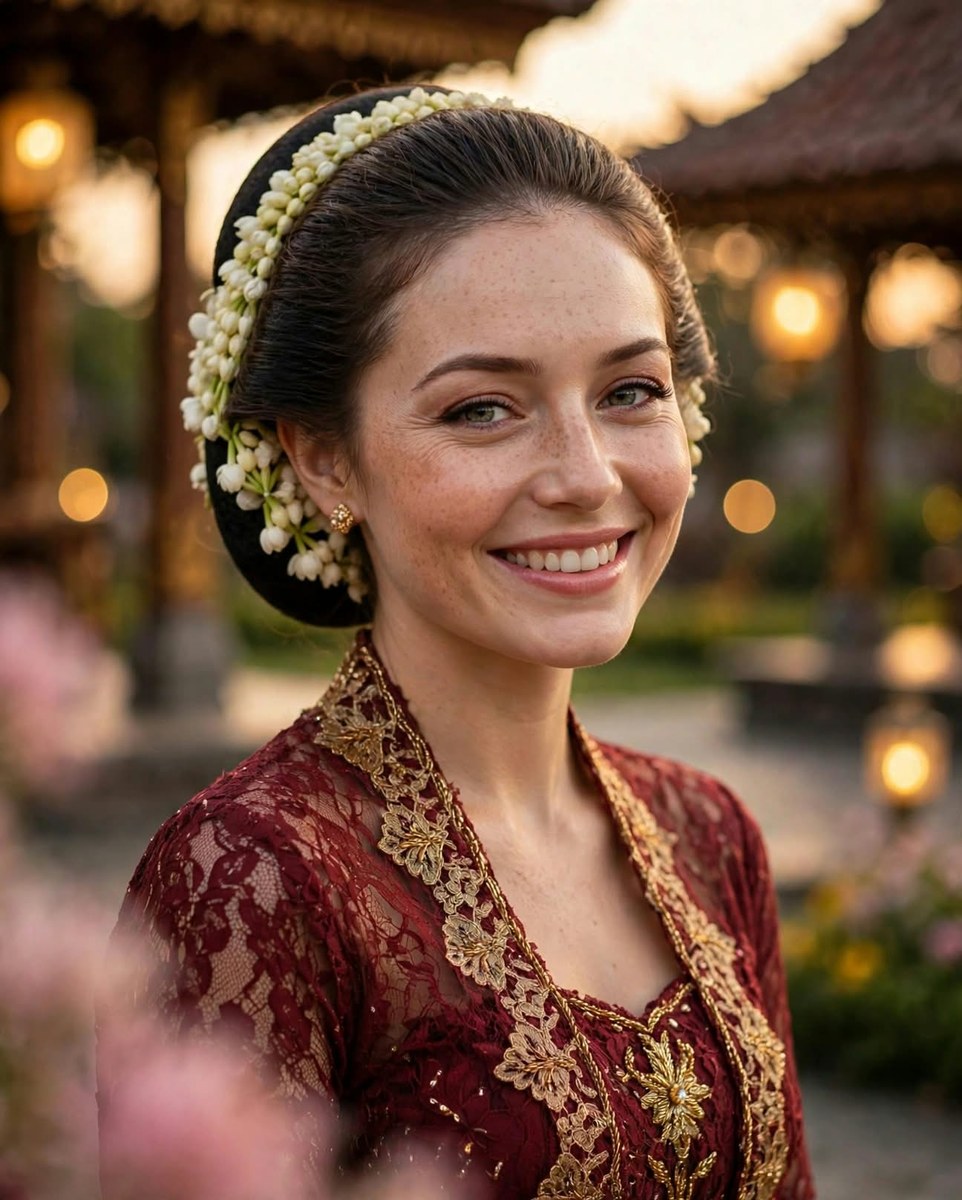
Create a photorealistic portrait of a smiling woman in traditional Javanese attire, with warm golden-hour lighting and creamy bokeh.
Example outputs
Prompt template
- Format
- Text Parameterized
- Inputs
- Reference_photo (image) · Required kebaya_color (text) · Optional · Default: maroon aspect_ratio (text) · Optional · Default: 4:5
- Outputs
- Portrait (image)
Create an ultra-realistic 8K portrait of a young woman wearing a traditional Javanese ${kebaya-color:maroon} kebaya with gold embroidery. Preserve the face from the reference image identically. Give her green-hazel eyes and freckles, and show her smiling elegantly. Style her hair in a Javanese sanggul with jasmine ronce melati. Place her in a pendopo palace garden at dusk, like an elegant Javanese princess, with lantern lights. Use golden-hour sunset lighting, warm lights, and blurred pink flowers in the foreground. Keep the subject sharply focused against a creamy, dreamy background with extreme blur, shallow depth of field, and circular bokeh balls. Use photorealistic skin texture.

Lens: 85mm. Aperture: f/1.2.

FLUX descriptors: creamy bokeh, circular bokeh, bokeh lights background, shallow depth of field f1.2, dreamy blur, foreground bokeh, background bokeh, golden bokeh.

Negative prompt: sharp background, deep depth of field, deformed face, different face, illustration, over-sharpened background, no bokeh.

Parameters: --ar ${aspect-ratio:4:5} --style raw --v 6.0 --stylize 250 --q 2
Replace the ${…} placeholders with your values
before using this prompt. See parameters
and defaults below
Parameters
Replace each placeholder with your own value, or use its default when one is provided
${kebaya-color:maroon}
kebaya-color
Default: maroon
${aspect-ratio:4:5}
aspect-ratio
Default: 4:5
What you'll create
A smiling woman in a maroon kebaya with gold embroidery stands in a palace garden at dusk. A traditional sanggul and jasmine ornaments frame her face, while lanterns and blurred pink foreground flowers form soft circles of light. Warm sunset illumination and very shallow depth of field keep the portrait dreamy and focused.
Generation settings
Advanced settings
- Negative prompt
- sharp background, deep depth of field, deformed face, different face, illustration, over-sharpened background, no bokeh.
- Stylize
- 250
Usage instructions
Frequently asked questions
Can I change the kebaya color and framing?
Yes. The kebaya-color parameter defaults to maroon, and aspect-ratio defaults to 4:5. A reference photo is required for the woman's face.




Comments
Tried this prompt? Share what you made, compare results, or ask a question