Leopard-Print Fashion Portrait with Face Reference
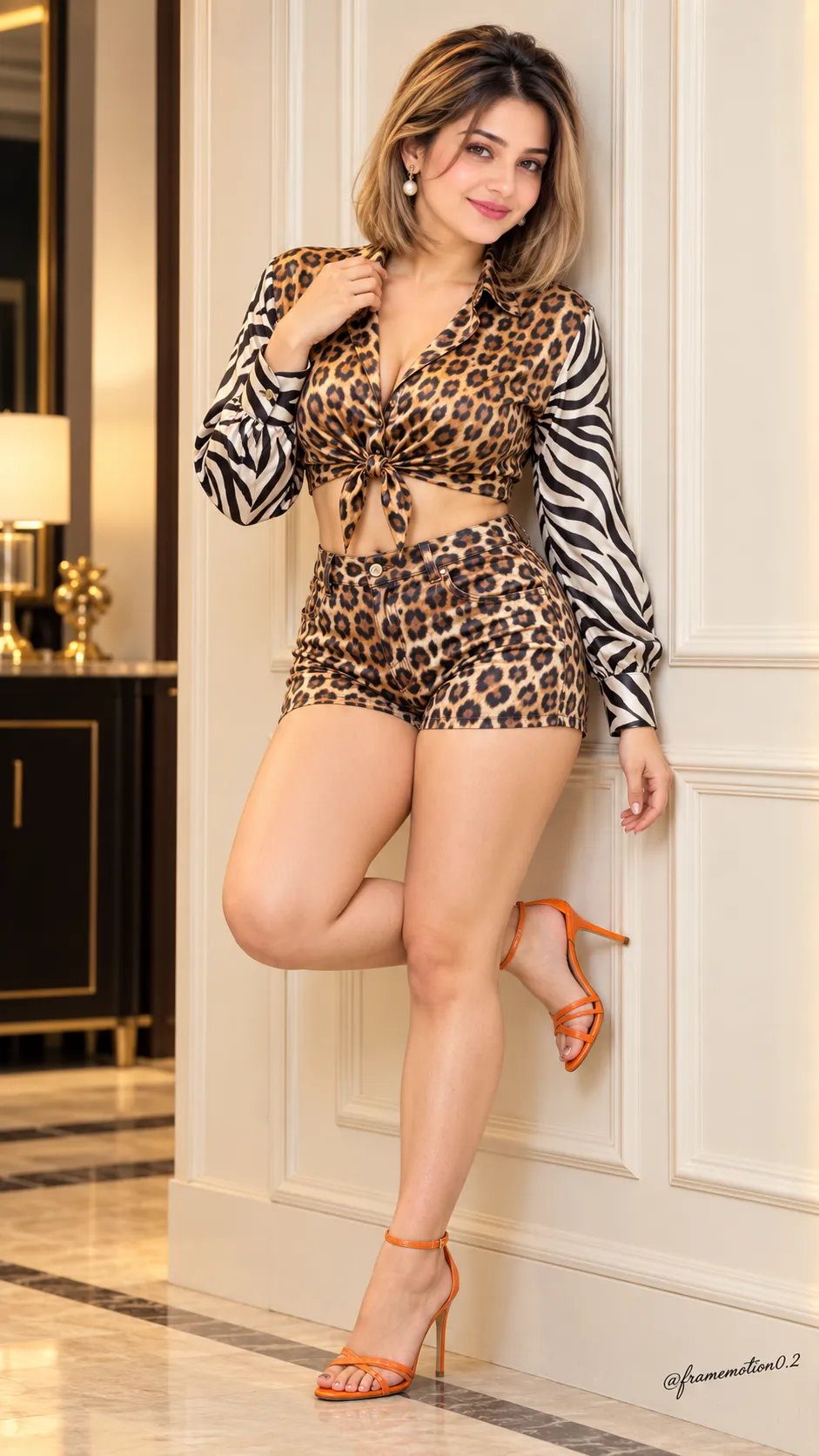
Create a cinematic full-body fashion portrait using a face reference for facial identity while following the specified outfit, pose, and warm indoor setting. The signature text is customizable
Example outputs
Prompt template
- Format
- Text Parameterized
- Inputs
- Face_reference (image) · Required signature_text (text) · Optional · Default: @framemotion0.2
- Outputs
- Fashion_portrait (image)
Create an ultra-realistic 8K full-body fashion portrait of a beautiful adult curvy woman with sleek shoulder-length blonde bob hair, soft natural makeup, pink lips, and delicate pearl drop earrings. She wears a leopard-print satin long-sleeve crop shirt tied at the waist with black-and-white zebra-print sleeves, matching high-waisted leopard-print fitted shorts, and orange strappy high heels.

She stands gracefully against a cream paneled wall, one leg bent backward and one hand touching her collar, looking directly at the camera with a soft, confident smile. Use an elegant indoor background, warm soft lighting, natural shadows, realistic skin texture, cinematic photography, and a vertical 9:16 composition. Use the uploaded face reference for facial identity only; keep everything else exactly the same as the original photo. Add the small stylish signature "${signature-text:@framemotion0.2}" in the bottom-right corner.
Replace the ${…} placeholders with your values
before using this prompt. See parameters
and defaults below
Parameters
Replace each placeholder with your own value, or use its default when one is provided
${signature-text:@framemotion0.2}
signature-text
Default: @framemotion0.2
What you'll create
Create a full-body cinematic fashion portrait of a woman wearing a leopard-print and zebra-print outfit with orange heels. She poses against a cream paneled wall in warm, soft lighting, with a small signature at the lower-right corner
Usage instructions
Frequently asked questions
Can I change the signature text?
Yes. Replace the default signature text while keeping the requested placement in the lower-right corner




Comments
Tried this prompt? Share what you made, compare results, or ask a question