Cinematic Portrait with “ANGEL” Typography
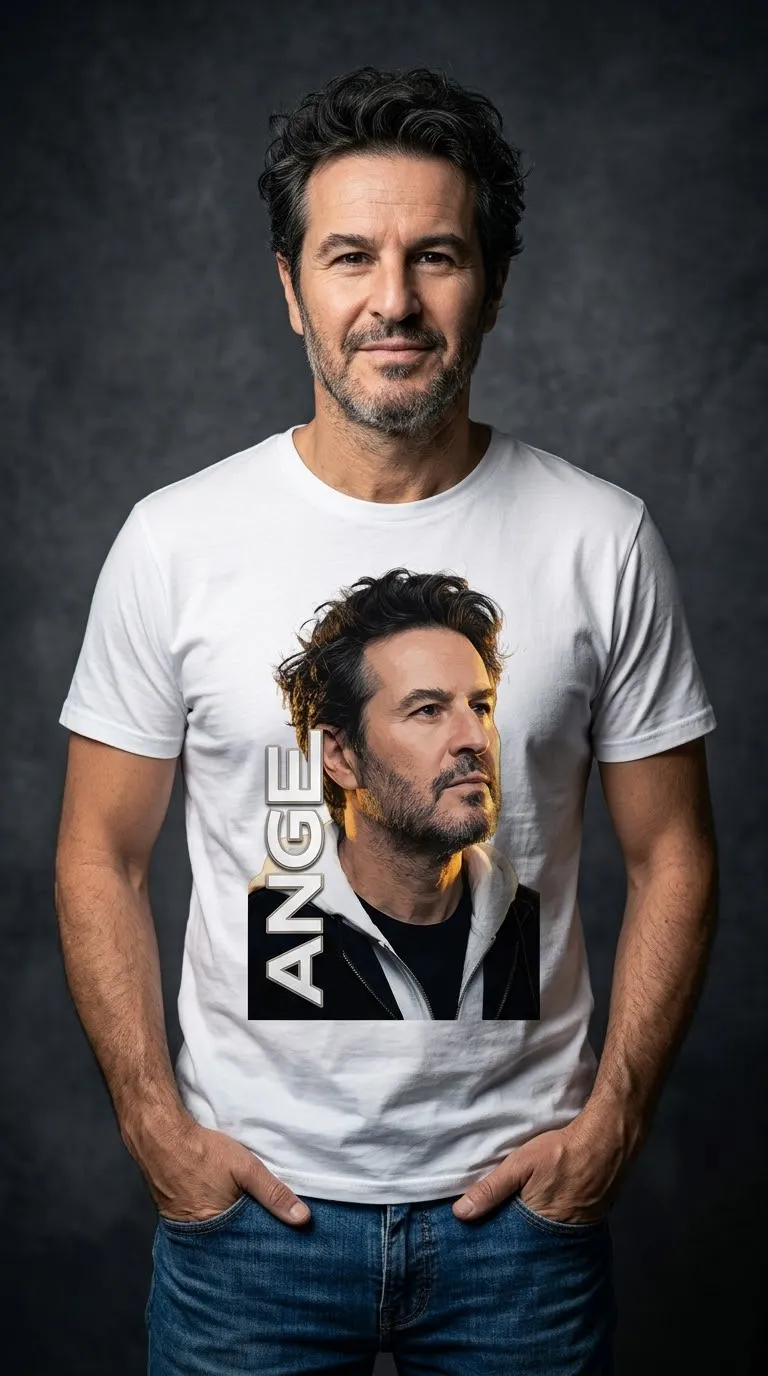
Create a dramatic, photorealistic vertical portrait of the uploaded person, accented by metallic “ANGEL” lettering.
Example outputs
Prompt template
- Format
- Text
- Inputs
- Reference_person_image (image) · Required
- Outputs
- Portrait_image (image)
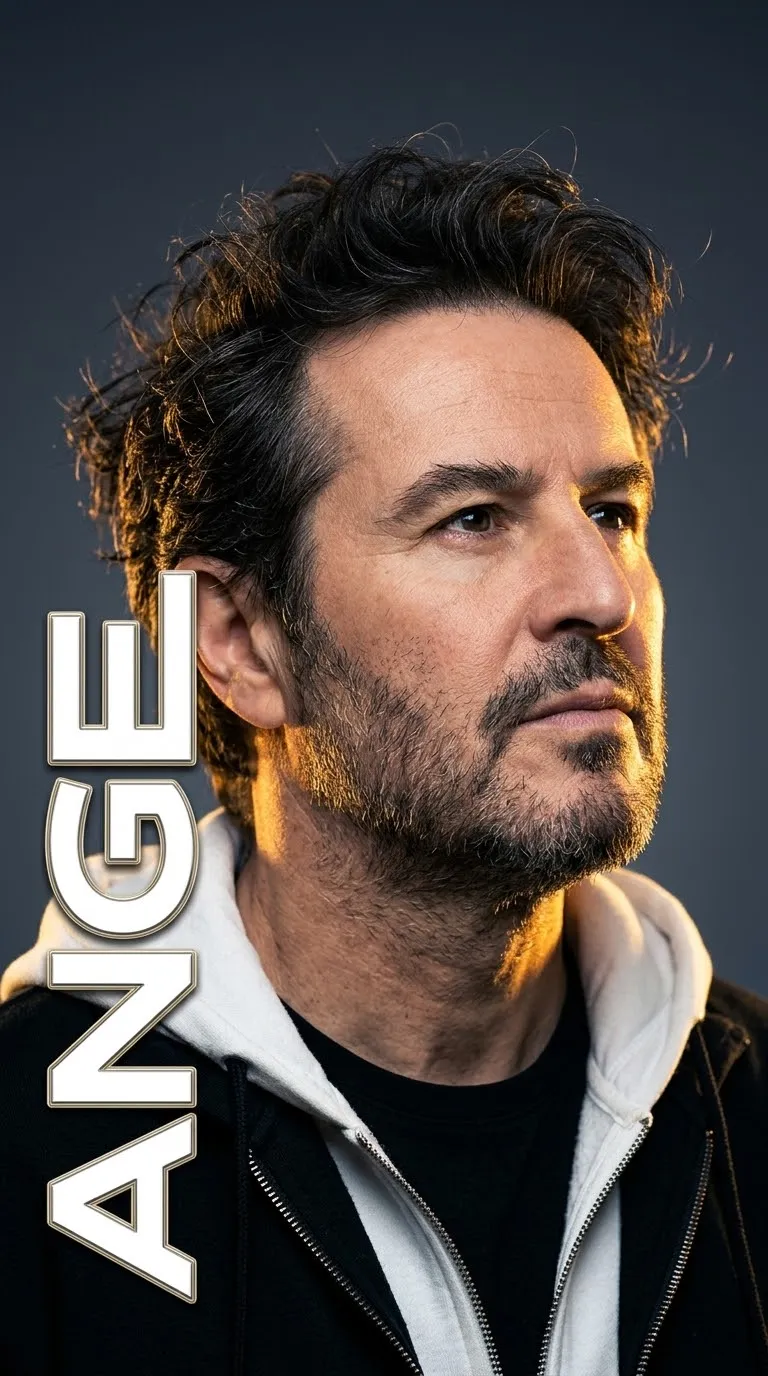
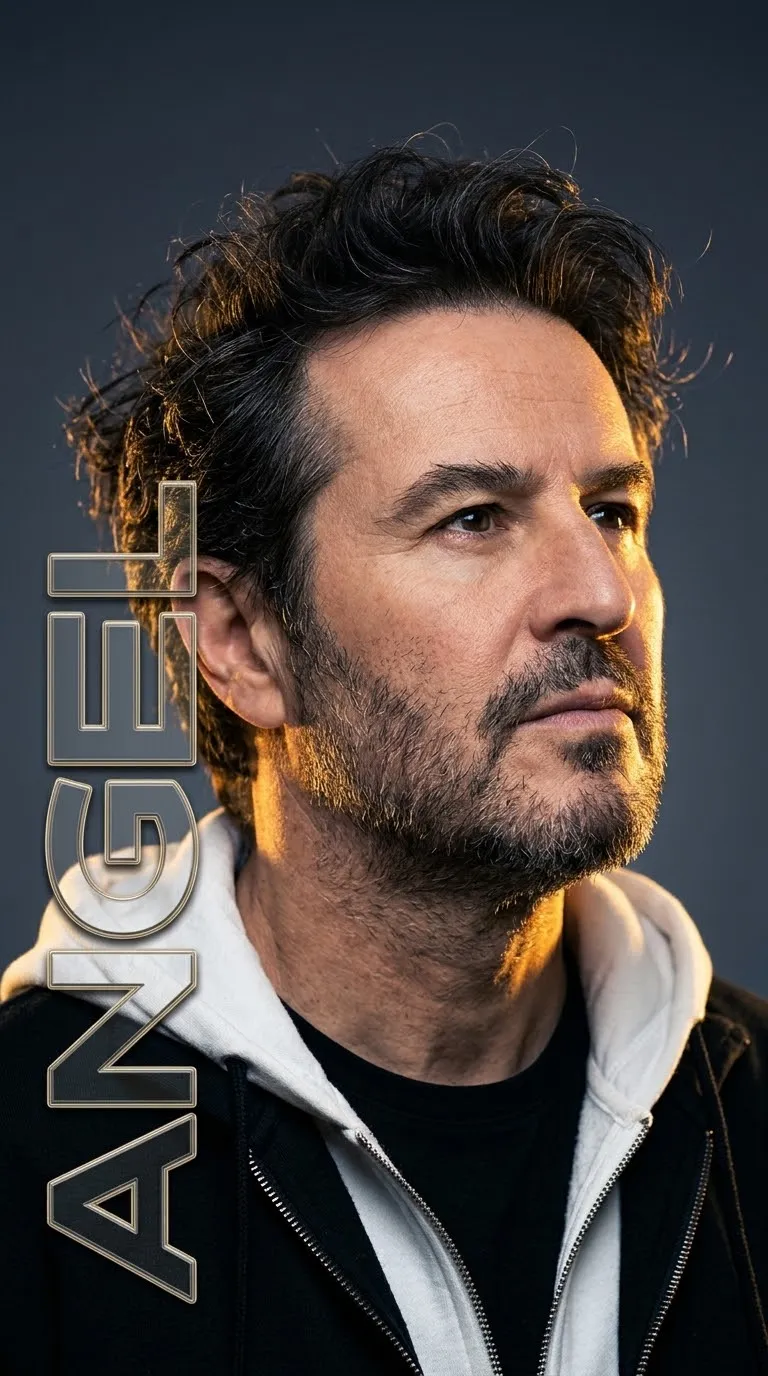
Create a cinematic vertical portrait of the person in the uploaded reference image. Show them in three-quarter view, looking upward to the right with a calm, intense expression. Give them thick, dark, wavy, messy hair with volume and flyaways, but keep it short—do not depict long hair. Include light stubble, a short beard, a sharp jawline, and thick eyebrows.

Use warm golden rim lighting from the right to highlight the face, neck, and edges of the hair. Set the portrait against a smooth dark gray-blue gradient background. Dress the person in a black zip-up hoodie layered over a white hoodie and a black T-shirt.

Place large, vertical, stylized metallic white text reading “ANGEL” on the left side. Give the text an outline and a slight 3D bevel effect, and let it overlap the hair and shoulder. Create a photorealistic, highly detailed image with dramatic studio lighting, shallow depth of field, an 8K finish, and a professional photography look.
What you'll create
A short-haired bearded subject turns three-quarters toward warm right-side rim light. Messy waves and a calm intense expression emerge against dark gray-blue gradient while outlined beveled letters partly overlap the shoulder and hair.
Frequently asked questions
Should the typography be placed below the face?
No; it runs vertically along the left side.



Comments
Tried this prompt? Share what you made, compare results, or ask a question