Cinematic Park Portrait with Jim Carrey Characters
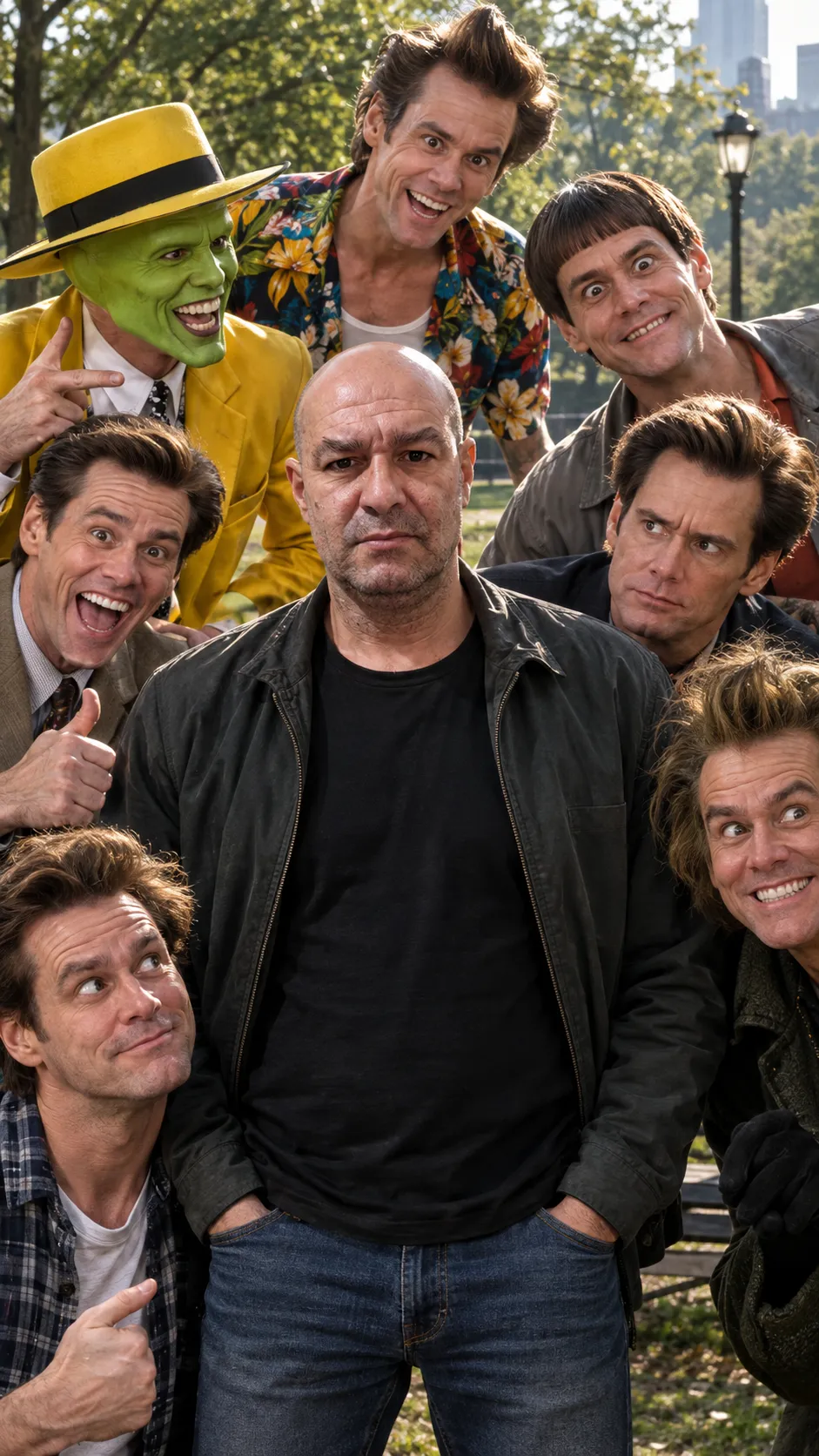
Create an ultra-realistic 8K portrait of a reference man surrounded by characters played by Jim Carrey, preserving facial identity with natural cinematic lighting and color grading.
Example outputs
Prompt template
- Format
- Text Parameterized
- Inputs
- reference_photo (image) · Required setting (text) · Optional · Default: park
- Outputs
- cinematic_group_portrait (image)
Extremely realistic, cinematic RAW photography.

Use the reference photo ${reference-photo} as the absolute basis, preserving 100% of the person's facial identity, bone proportions, expression, features, natural skin microtexture, pores, small imperfections, and unique characteristics. No changes to identity.

Scene: A man in casual clothing standing in a ${setting:park}, surrounded by several characters played by Jim Carrey—multiple distinct figures with the actor's characteristic expressions and mannerisms, as though different versions of him were scattered throughout the scene.

Feature-film-level cinematic lighting: soft, directional key light, subtle fill light, delicate rim light to separate the subject, natural graduated shadows, high dynamic range (natural HDR), physically correct specular reflections, and subtle atmospheric volumetrics (light haze or dust in the air). Light interacts realistically with the skin, with visible subsurface scattering.

Native 8K quality, extreme sharpness and microdetail: individual pores, natural skin oil texture, individually resolved strands of hair, beard, and eyebrows with realistic reflections, fabric fibers, seams, surface irregularities, and fine digital cinema sensor grain.

Live-action blockbuster composition: classic cinematic framing, sophisticated visual balance, and natural, restrained colors. High-quality cinematic color grading (ARRI or Kodak Vision3 style), but extremely natural and restrained—biologically accurate skin tones, balanced contrast, deep blacks with residual detail, soft highlights, and organic rolloff.

Avoid any exaggerated saturation, artificial colors, an "excessive HDR" look, or a processed appearance. Aspect ratio: 9:16.
Replace the ${…} placeholders with your values
before using this prompt. See parameters
and defaults below
Parameters
Replace each placeholder with your own value, or use its default when one is provided
${reference-photo}
reference-photo
Required
${setting:park}
setting
Default: park
What you'll create
A casually dressed central man stands in a park among several figures representing different Jim Carrey roles. Soft directional light, subtle rim illumination and natural skin detail give the scene a polished cinematic finish.
Generation settings
Frequently asked questions
Should the surrounding figures all look identical in behavior?
No. Their characteristic expressions and mannerisms should distinguish the different roles.
Can the setting change?
The setting input defaults to a park and can be customized.




Comments
Tried this prompt? Share what you made, compare results, or ask a question