Resident Evil Urban Survival Scene
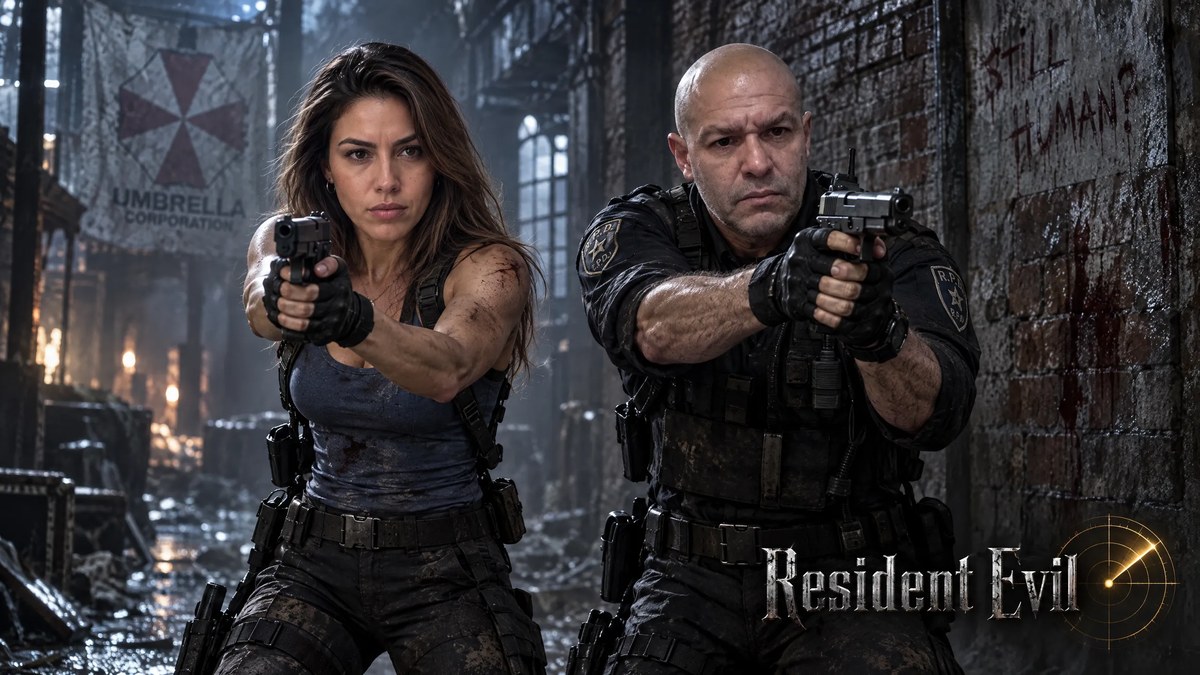
Create a photorealistic, cinematic Resident Evil survival scene with two armed characters in a dark, decaying urban setting.
Example outputs
Prompt template
- Format
- Text
- Inputs
- Image1 (image) · Required Image2 (image) · Required
- Outputs
- Cinematic_scene (image)
Create an ultra-cinematic scene at a maximum resolution of 16K, with ultra-detailed quality and absolute photorealism. Set it in a dark, decaying urban environment with an atmosphere of tension and classic horror.

**Character on the left — Image 2; keep her face 100% intact and faithful to the reference:**
A woman with natural hair and realistic loose strands, wearing a fitted blue tank top and dark pants. She grips a pistol with both hands and aims forward, with a serious, focused, determined expression. Give her a realistic combat stance with visible muscle tension.

**Character on the right — Image 1; keep his face 100% intact and faithful to the reference:**
A man in a black tactical uniform with a police emblem on the shoulder. He holds his weapon with both hands and aims in the same direction, showing absolute focus and operational readiness.

**Setting and lighting:**
Place a worn brick wall in the background. Use dramatic, high-contrast lighting to create strong, deep shadows and reinforce the atmosphere of tension and survival. Use lighting that highlights the realistic texture of the clothing, the metallic sheen of the weapons, and the characters’ skin.

**Graphic elements:**
Integrate a metallic-design logo reading "Resident Evil" in the lower-right corner, with a golden radar beside it.

**Art direction:**
Use a composition that conveys intense action, survival, and the characteristic horror atmosphere of the Resident Evil franchise. Add cinematic depth of field, keep the characters sharply focused, and use dark color grading with cool tones and amber highlights.

**Technical specifications:**
Ultra-epic · Ultra-realistic · Ultra-cinematic · Ultra-detailed · 16K · Maximum quality · Absolute photorealism · Volumetric lighting · Skin rendering with subsurface scattering · Maximum-resolution textures
What you'll create
A woman in a blue tank stands left of a man in black tactical clothing, both focused on the same direction. Cool shadows, amber highlights and decaying architecture establish the tense cinematic setting.
Usage instructions
Provide both reference images, keeping Image 2 for the woman on the left and Image 1 for the man on the right. The two reference faces determine the characters’ identities; the left/right placement, cool tones, and amber highlights are useful controls for adjusting the composition and mood.
Frequently asked questions
Which reference supplies the woman?
Image 2 supplies her, while image 1 supplies the man.
Do the characters aim in opposite directions?
No. Their weapons point in the same direction.


Comments
Tried this prompt? Share what you made, compare results, or ask a question