English-Learning 3D Motion Graphic Reel
Turn English-learning narration or footage into a polished vertical motion-graphic reel. The animation, text, illustrations, and examples should follow the supplied content.
Example outputs
AI-generated video of a vertical English-learning motion graphic with large animated phrases, colorful 3D stickers, a white grid background, and a closing recap.
Download video result 1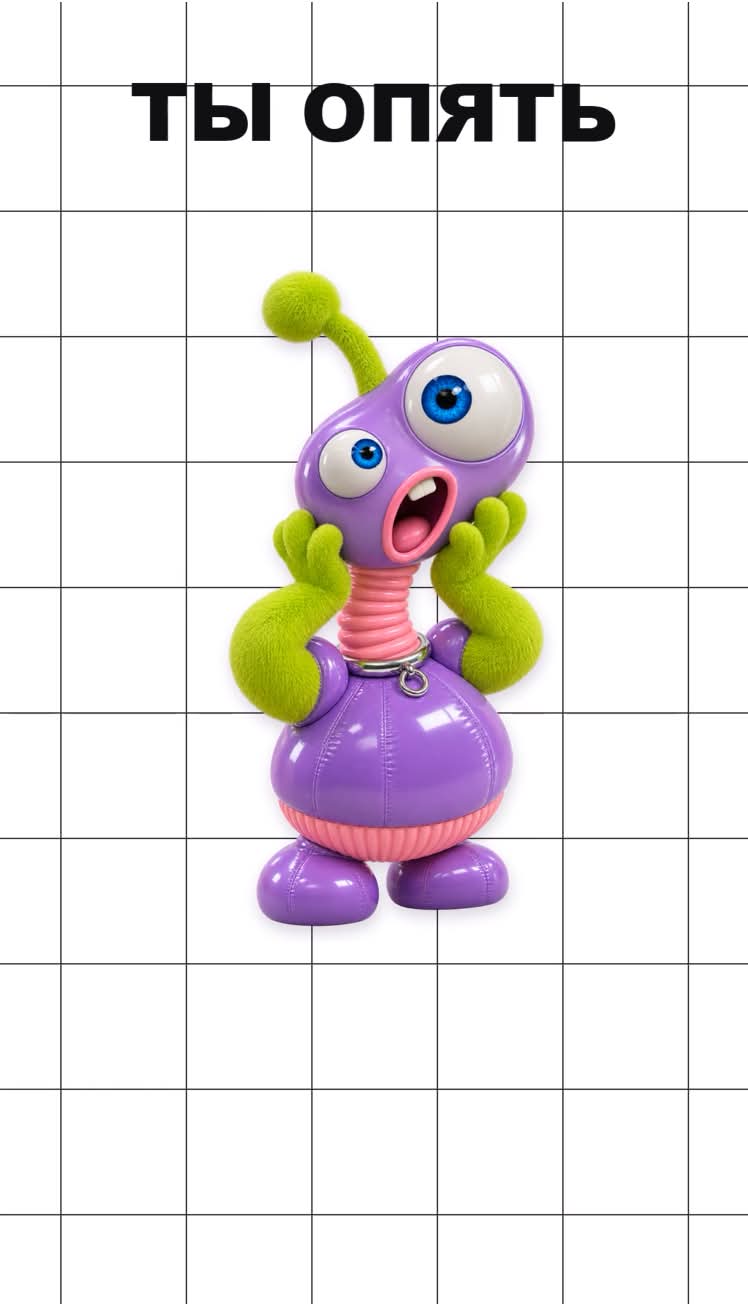
Prompt template
- Format
- Text
- Inputs
- Source (video, audio) · Required CharacterImages (image) · Optional
- Outputs
- PlayableMP4 (video)
Create a creative reel about learning English.

Edit the supplied video or voiceover into a vertical 1080×1920, 60 fps motion graphic. Let the narration set the duration and timing. Use a pure white #FFFFFF background with a fixed 180 px square grid drawn in 2 px charcoal #353135 lines. Center one large transparent 3D sticker per scene, around 760–940 px wide, with glossy toy materials, expressive poses, lime #C4E706, lilac #E0CFFB and pink #EE97DD accents, and a soft contact shadow. Use supplied characters or subject cutouts when they fit the topic. If only narration is supplied, create consistent illustrations that explain the script.
Set main text in uppercase Arial Black, 110–240 px, using near-black #0F0E11. Highlight contrasting keywords in olive #5C7800 and violet #672AC0, and use magenta #C1236D for punchlines. Add short translations or notes in Comic Sans MS Bold. Reveal words on their exact spoken cues, reserving space for the full line so earlier words stay fixed. Animate each word from 90% scale and +26 px vertical offset with a damped spring. Slide character stickers in from alternating sides with slight rotation and a 0.3-second settle, then keep a gentle floating motion. Draw lime or violet underlines over 0.125 seconds and add small hand-drawn rays, sparkles or hearts on relevant beats.
Open with a question or mistake, illustrate the contrast with two examples, then finish with a stacked recap pairing each key phrase with its meaning and a small sticker. Adapt the examples to the supplied content and preserve its language. Keep the original voice in front and add quiet, short pops on major entrances. Render, verify word timing and readability, then export final_lime_3d.mp4 as H.264 CRF 17, yuv420p, AAC 48 kHz. Return a link to the playable MP4.
What you'll create
Create a vertical English-learning reel that uses animated text and 3D sticker illustrations to explain phrases and examples from the supplied content. It opens with a question or mistake and ends with a stacked recap pairing key phrases with their meanings.
Usage instructions
Frequently asked questions
Do I need to provide character images?
No. Use supplied characters or subject cutouts when they fit the topic; when only narration is provided, create consistent illustrations that explain the script.


Comments
Tried this prompt? Share what you made, compare results, or ask a question