Retro Supermarket Poster Video Edit
Turn a narrated source video into a fast-paced retro supermarket poster edit with synchronized item reveals, bold typography, and a running total.
Example outputs
AI-generated video of Featured product cutouts assemble into a retro supermarket poster, with spoken item names and figures, a running total, and a closing grid.
Download video result 1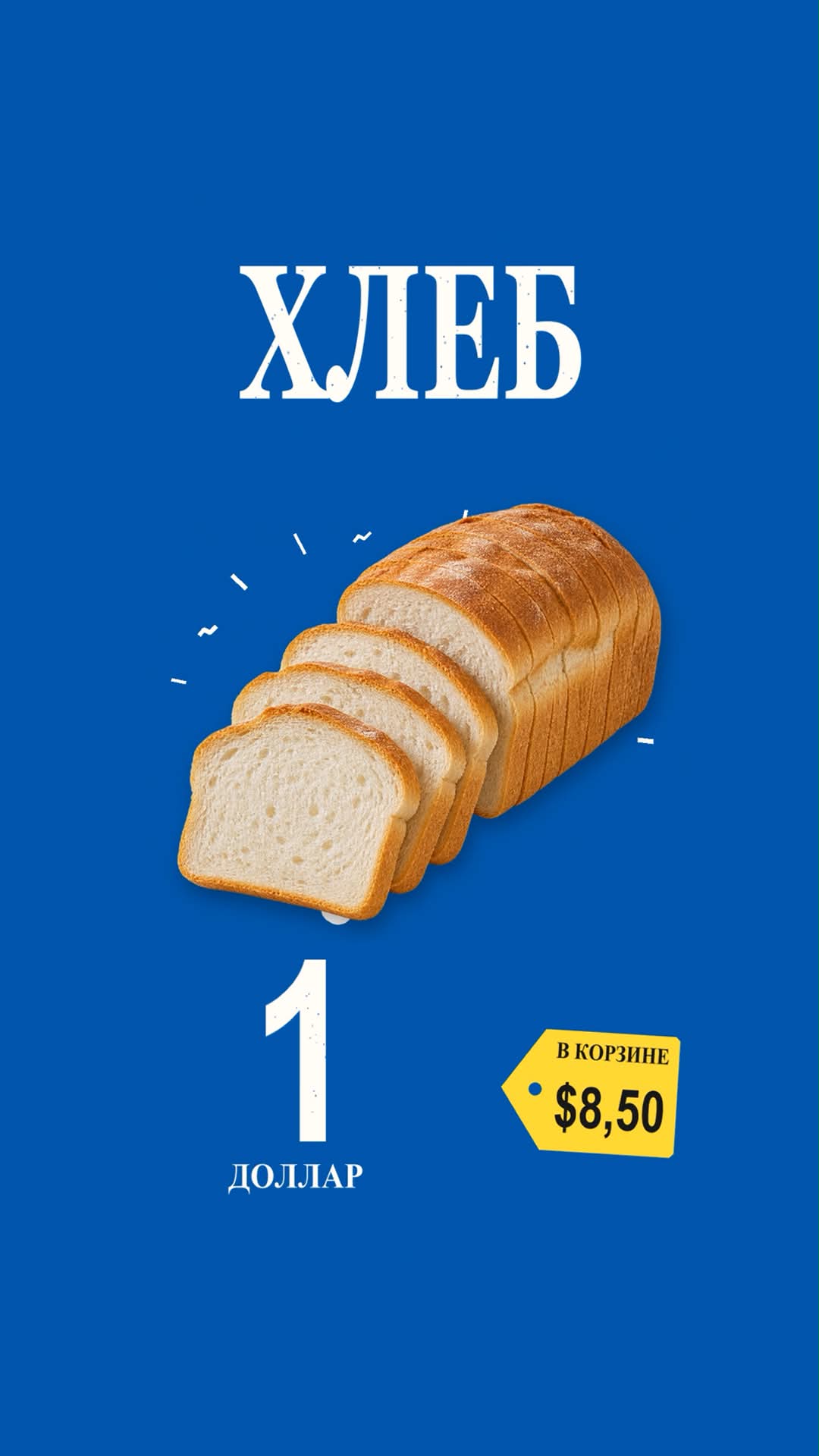
Prompt template
- Format
- Text
- Inputs
- Source_video (video) · Required
- Outputs
- Finished_poster_edit (video)
Edit the attached source video and export a finished MP4 in a retro supermarket poster style. Use a vertical 1080×1920 canvas at 60 fps, with a 38 px ivory border #FFFFFA around a flat color field. Switch between blue #0058A5, red #E52C3B and green #4FAC39 at meaningful speech or action beats. Use tall, slightly condensed uppercase Georgia Bold for centered ivory headlines, Arial Narrow Bold for oversized figures, and a light speckled print texture. Place the headline in the top quarter, a large photographic cutout in the center, and the key figure in the lower left. Put the running total in a yellow #FEDD37 price tag at lower right, with black text, an angled left edge and a small round hole. Keep natural colors and proportions in the cutouts. Add soft contact shadows and short ivory accent strokes around the main object.
Open with a short hook revealed phrase by phrase as the cutouts assemble. For each item, reveal its name on the spoken cue, slide the previous cutout left and the next in from the right over roughly 0.2 seconds, then reveal its figure exactly when spoken. Update the running total on that same beat. Hold each item long enough to read, typically 1.1–1.8 seconds. Finish with a grid of the featured items, a large yellow total tag and the closing line. For non-shopping topics, keep the poster layouts and reveal rhythm, using verified keywords or figures in place of prices. Use a basket and cumulative total only when the content calls for them. Keep the original narration synchronized and use typography to emphasize key phrases.
Render and inspect the complete edit for timing, readability and cropping. Export final_poster_edit.mp4 as H.264, yuv420p, AAC 48 kHz and return a link to the playable file.
What you'll create
The finished vertical edit combines ivory borders, flat blue-red-green fields and speckled print texture. Timed headlines, photo cutouts and a yellow price tag follow the original narration and action beats.
Usage instructions
Provide a source video containing the narration and item cues; the edit uses those cues to time the cutouts, figures, and running total. For a non-shopping topic, use verified keywords or figures instead of prices, and include a basket or cumulative total only when the content calls for them.
Frequently asked questions
Must non-shopping videos use prices?
No. Verified keywords or figures may replace prices.
Is a running shopping total always appropriate?
No. It appears only when the content calls for it.





Comments
Tried this prompt? Share what you made, compare results, or ask a question