Backlit Romantic Wedding Portrait
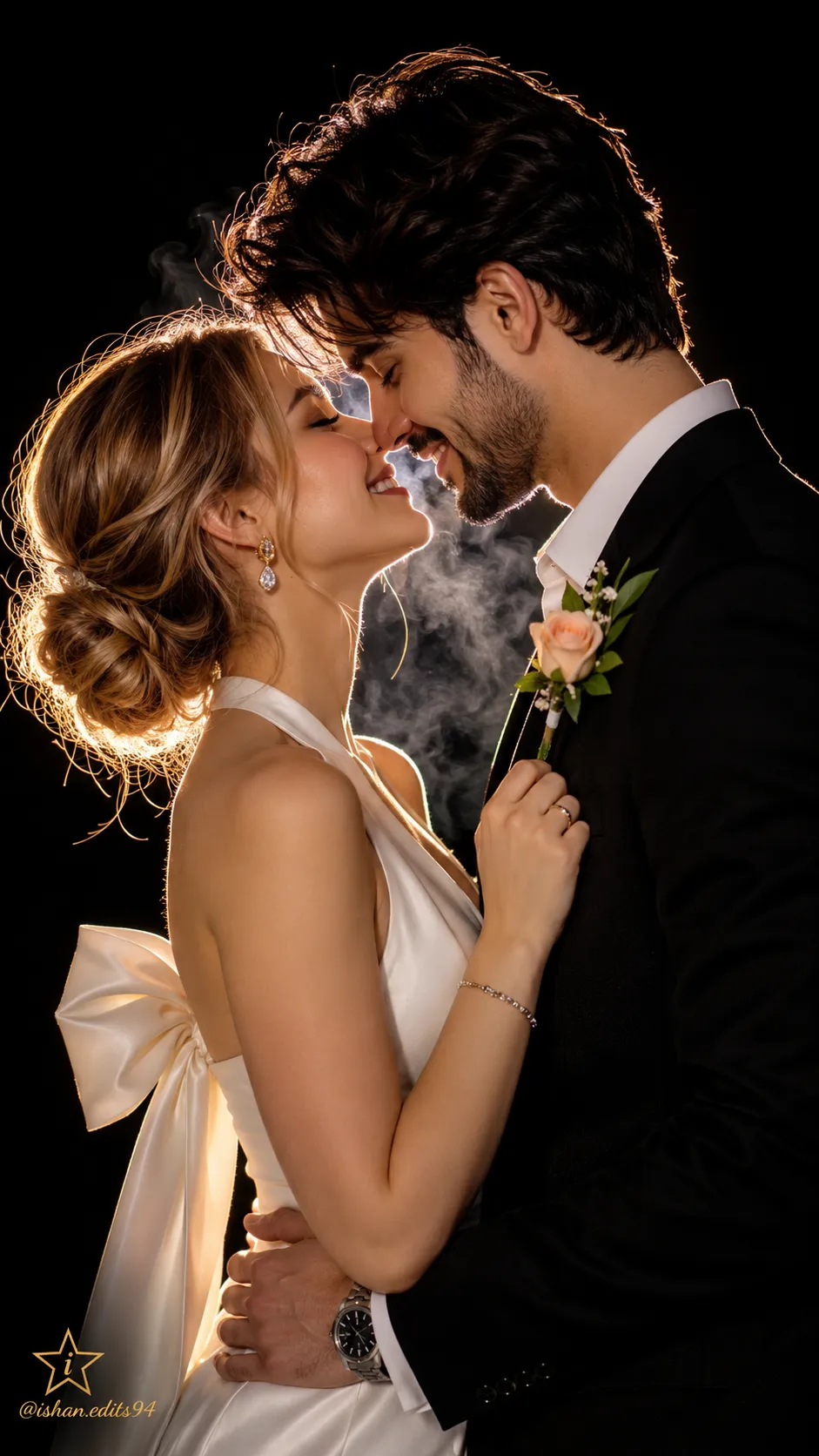
Create a photorealistic, vertical wedding portrait of a bride and groom in a dark, cinematic scene, using an uploaded image as a face reference and adding a small star-and-letter mark with a cursive handle.
Example outputs
Prompt template
- Format
- Text Parameterized
- Inputs
- Face_reference_image (image) · Required watermark_text (text) · Optional · Default: @ishan.edits94
- Outputs
- Wedding_portrait (image)
Use the uploaded image as a face reference to create a romantic wedding portrait in complete darkness. Show the bride and groom as backlit silhouettes touching noses and smiling with their eyes closed, with strong rim light outlining their hair and faces. The bride has blonde hair in a low bun, gold drop earrings, and a white halter-neck dress with a large bow. The groom wears a black suit with a white shirt and a green-leaf boutonniere with a peach rose. Add faint smoke between their faces. Make the image cinematic, emotional, photorealistic, with shallow depth of field and vertical portrait framing. In the bottom left, add a small star with a stylish "i" inside it, and place the small cursive text "${watermark-text:@ishan.edits94}" beneath it.Replace the ${…} placeholders with your values
before using this prompt. See parameters
and defaults below
Parameters
Replace each placeholder with your own value, or use its default when one is provided
${watermark-text:@ishan.edits94}
watermark-text
Default: @ishan.edits94
What you'll create
A bride and groom close their eyes in a dark intimate frame. A low blonde bun, white bow-detailed dress and black suit catch strong rim light through faint smoke.
Usage instructions
Provide the image you want used as the facial reference. The main composition controls are the complete darkness, strong rim lighting, and vertical framing; the handle text is customizable and defaults to the supplied credit.
Frequently asked questions
Are the faces evenly front-lit?
No. Rim lighting defines them against darkness.
What decorates the groom’s boutonniere?
Green leaves and a peach rose.


Comments
Tried this prompt? Share what you made, compare results, or ask a question