Rainy New York Double-Exposure Portrait
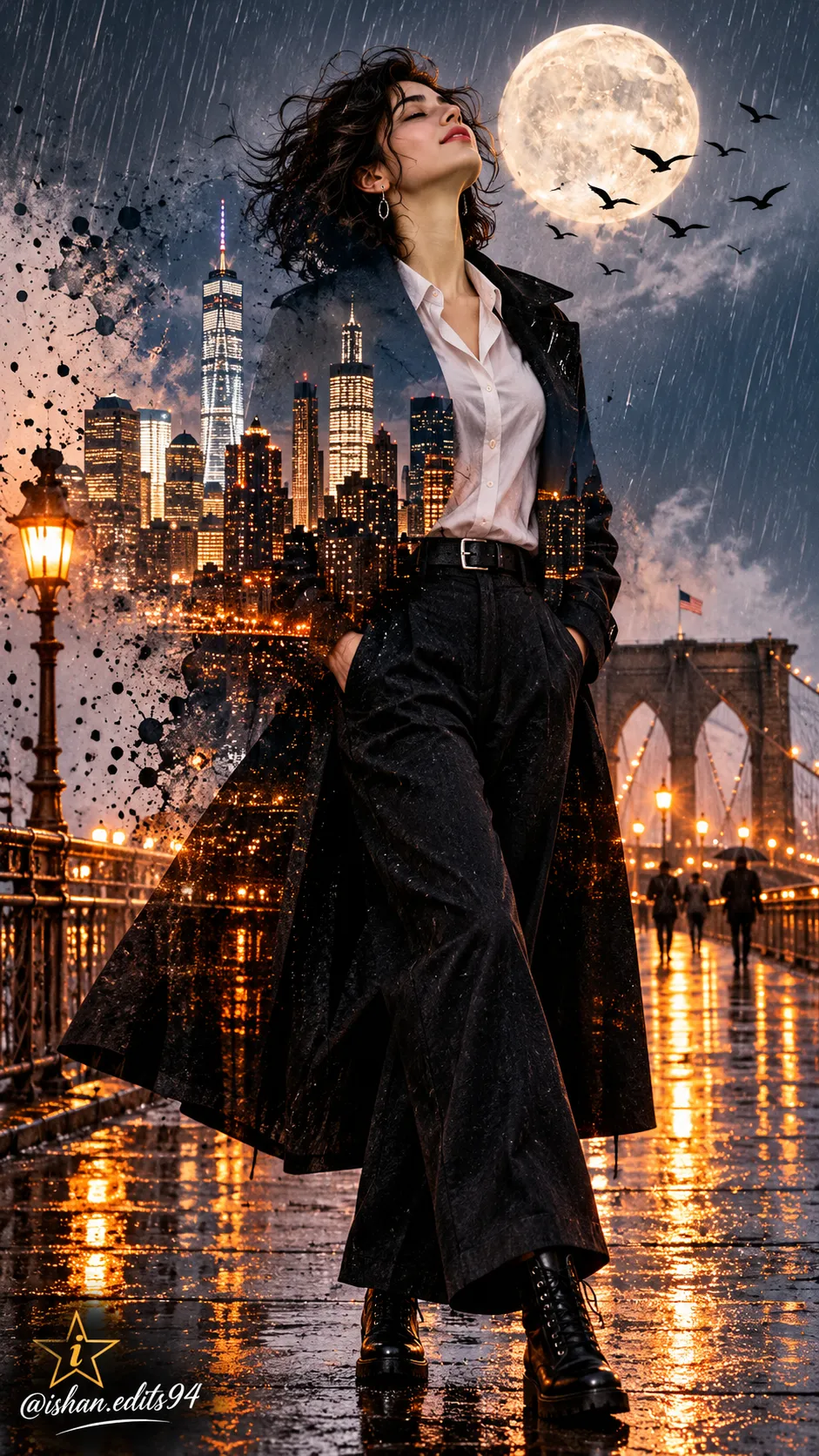
Create a moody, cinematic double-exposure artwork of a woman on a rain-soaked New York bridge at night. Use an uploaded image as a face reference, and customize the small cursive attribution text if desired.
Example outputs
Prompt template
- Format
- Text Parameterized
- Inputs
- FaceReferenceImage (image) · Required attribution_text (text) · Optional · Default: @ishan.edits94
- Outputs
- Artwork (image)
Create a cinematic double-exposure artwork in a vertical 9:16 composition. Show a woman with short dark curly hair standing on a wet bridge in New York at night. She wears a white shirt, dark wide-leg trousers, a long black coat, and black boots. Her hands are in her pockets, her head is tilted back, and her eyes are closed. Blend her silhouette with a glowing New York skyline, a full moon, rain, and birds flying. Include wet-pavement reflections, orange city lights, an ink-splatter effect, and a moody, artistic atmosphere.

Use the uploaded image as a face reference. In the bottom left, add a small star with a stylish lowercase “i” inside it. Beneath the star, add the small cursive text “${attribution-text:@ishan.edits94}”.
Replace the ${…} placeholders with your values
before using this prompt. See parameters
and defaults below
Parameters
Replace each placeholder with your own value, or use its default when one is provided
${attribution-text:@ishan.edits94}
attribution-text
Default: @ishan.edits94
What you'll create
Create a vertical, moody double-exposure artwork of a woman standing on a wet New York bridge at night. Her silhouette blends with the glowing New York skyline, a full moon, rain, and flying birds; orange city lights reflect on the pavement, with an ink-splatter effect and a small star-and-letter attribution mark.
Usage instructions
Frequently asked questions
What should the reference image guide?
Use the uploaded image as a face reference for the woman.
Can I change the attribution text?
Yes. Replace the default text in the attribution parameter while keeping the requested small cursive placement beneath the star.



Comments
Tried this prompt? Share what you made, compare results, or ask a question