Dramatic Cinematic Mirror Selfie Portrait
Create a realistic, grainy mirror-selfie portrait that preserves the reference subject’s facial features, with dramatic warm-and-cool lighting, deep shadows, and soft-glam makeup.
Example outputs
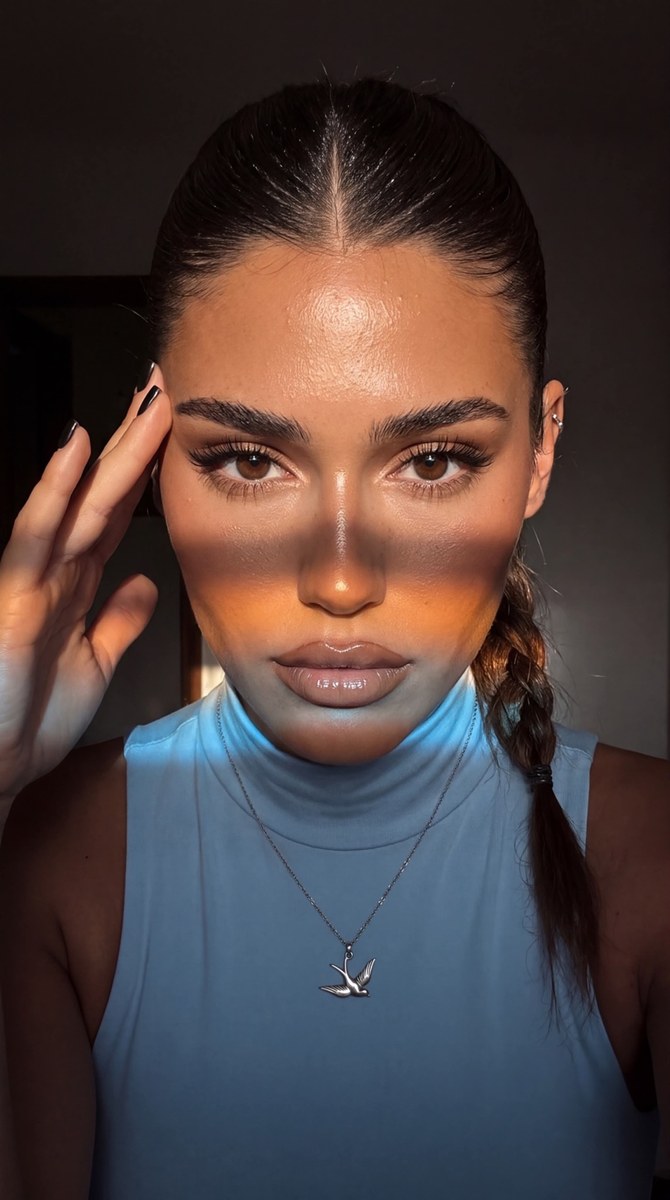
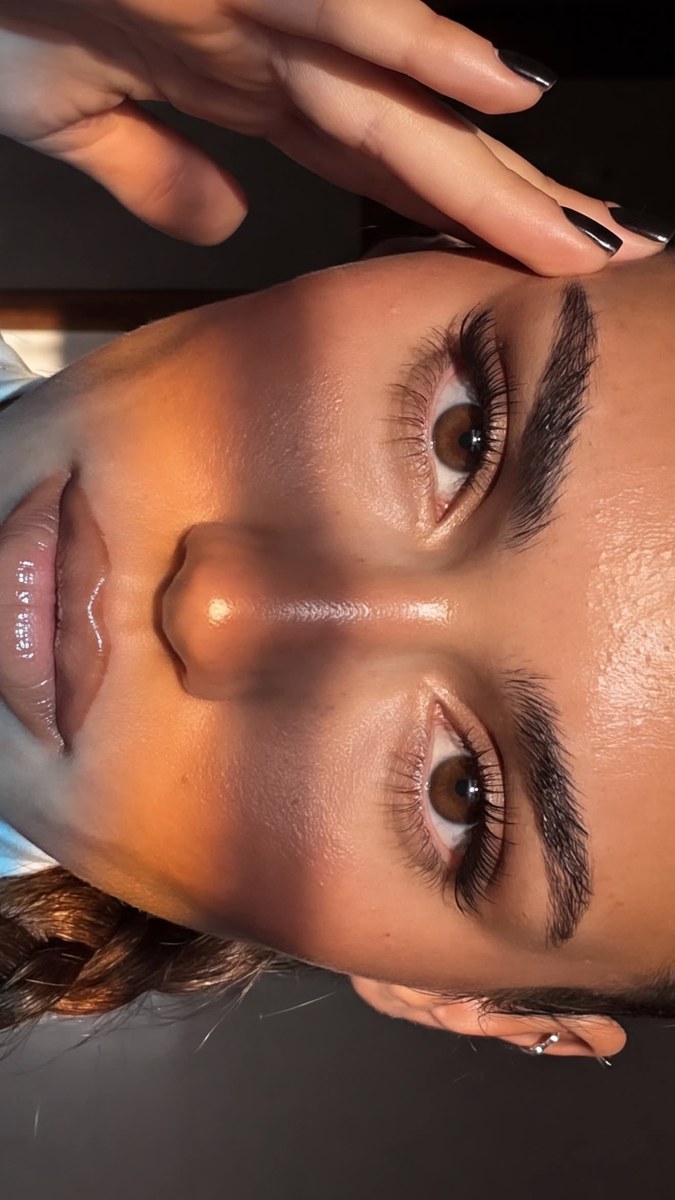
Prompt template
- Format
- Text
- Inputs
- Reference_photo (image) · Required
- Outputs
- Portrait (image)
Create a photograph without changing the reference subject’s facial features.

Make it look like a spontaneous, realistic phone-camera mirror selfie, as if shot on an iPhone 17 Pro Max. Use an extreme close-up of the face, emphasizing expressive eyes with a clear, clean iris. Give the photograph a cinematic effect with noticeable film grain and very detailed textures. Avoid plastic-looking skin and excessive smoothing. Use high image quality: 4K and 8K, with ultra-realism.

Color grade the image with rich, refined dark tones—brown, espresso, black, olive, and other warm shades—in contrast with warm, slightly tanned, glowing skin. Make the clothing, atmosphere, location, and other elements harmonize in a sophisticated monochrome palette. Keep the image lively and candid, without a posed appearance. Intentionally underexpose the overall image and use very dramatic shadows.

Hair: a sleek high ponytail with a center part, with the ponytail braided.

Makeup:
- Brush the brows upward and define individual hairs.
- Use matte foundation while keeping natural pores and realistic skin texture visible.
- Add dense lashes with clearly separated individual hairs and a fox-eye effect. Make the eyes lifted, large, expressive, and almond-shaped, with a clear, clean iris.
- Use soft, glossy soft-glam makeup.
- Give the full, plump lips a sharply defined outline and glossy matte beige lipstick.

Accessories: a minimalist cartilage piercing on one ear and a silver necklace with a bird-shaped pendant.

Clothing: a very pale, light sky-blue sleeveless spandex turtleneck.

Pose and details: the subject takes a mirror selfie in three-quarter profile and looks sensually toward the camera. Use short, black, square-shaped nails; one hand touches the temple.

Lighting—follow precisely: Use complex cinematic lighting in a dark room. The main source is a narrow, hard, directional beam of warm daylight from the side and slightly in front. It brightly illuminates the upper face—the forehead, bridge of the nose, cheekbones, and eye area—and emphasizes natural skin relief with highlights on the forehead, nose, and cheekbones.

Across the lower face, add a broad horizontal band of colored light, like a sunbeam passing through a color filter or reflecting from a surface. It crosses the cheeks, nasolabial area, and lips. Make its center a saturated warm amber-orange, transitioning smoothly to cool bluish-white light at the edges. Keep the boundary soft and slightly blurred while the band’s geometry remains distinct. The light should look like a physically natural projection, not a painted effect.

Keep the lower face, neck, and chest mostly in deep cool shadow, with a few fine warm reflections on the neck and shoulders. Maintain strong contrast between lit areas and shadows. Make the lighting dramatic and localized, with deep black shadows and pinpoint highlights; do not light the entire face evenly.

Exposure and color grading: intentionally underexpose the image. Use deep graphite, black, and cool gray tones. Contrast warm golden-bronze skin with cool blue light accents. Apply cinematic color grading with saturated yet refined colors and soft film grain.
What you'll create
An extreme close-up emphasizes clear eyes and natural facial texture within an intentionally underexposed phone-style mirror selfie. Warm skin, deep graphite and espresso tones, a side beam and a colored horizontal light band form a layered cinematic portrait.
Usage instructions
Use a clear, well-lit selfie or waist-up photo as the required reference; the prompt depends on it both to preserve facial features and to create the extreme close-up. It combines an intentionally dark exposure with a warm side beam and a colored horizontal band across the face. The source requests both 4K and 8K quality, so select the supported output setting if they cannot both be applied.
Frequently asked questions
Should the whole face be evenly lit?
No; selective beams and deep shadows create the requested contrast.
Does the grain replace skin detail?
No; noticeable film grain accompanies detailed skin and clean iris definition rather than smoothing them away.



Comments
Tried this prompt? Share what you made, compare results, or ask a question