Photo-to-Abstract Split Poster
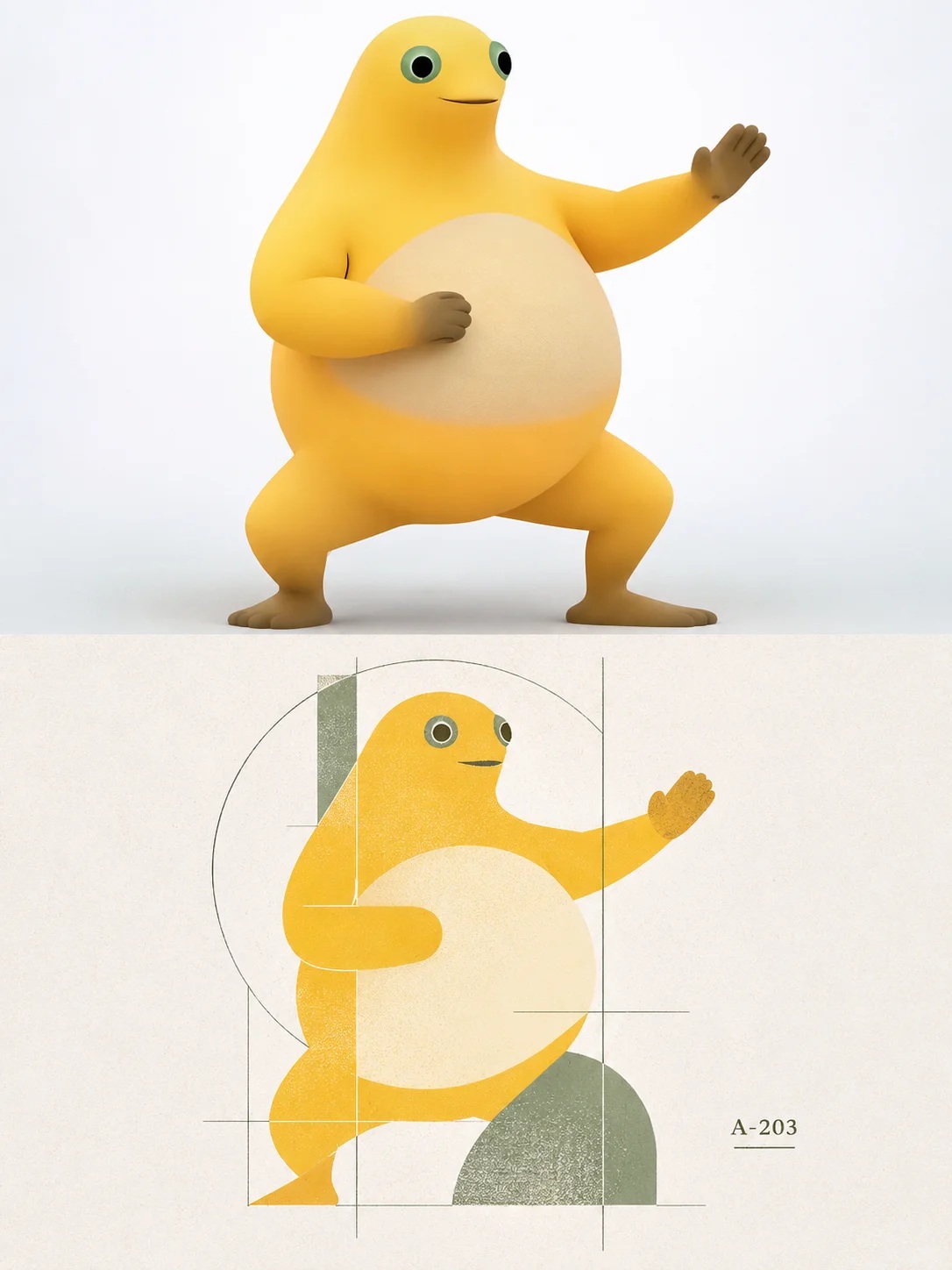
Create a vertical poster that pairs the original photo with a custom abstract symbol derived from its distinctive features.
Example outputs
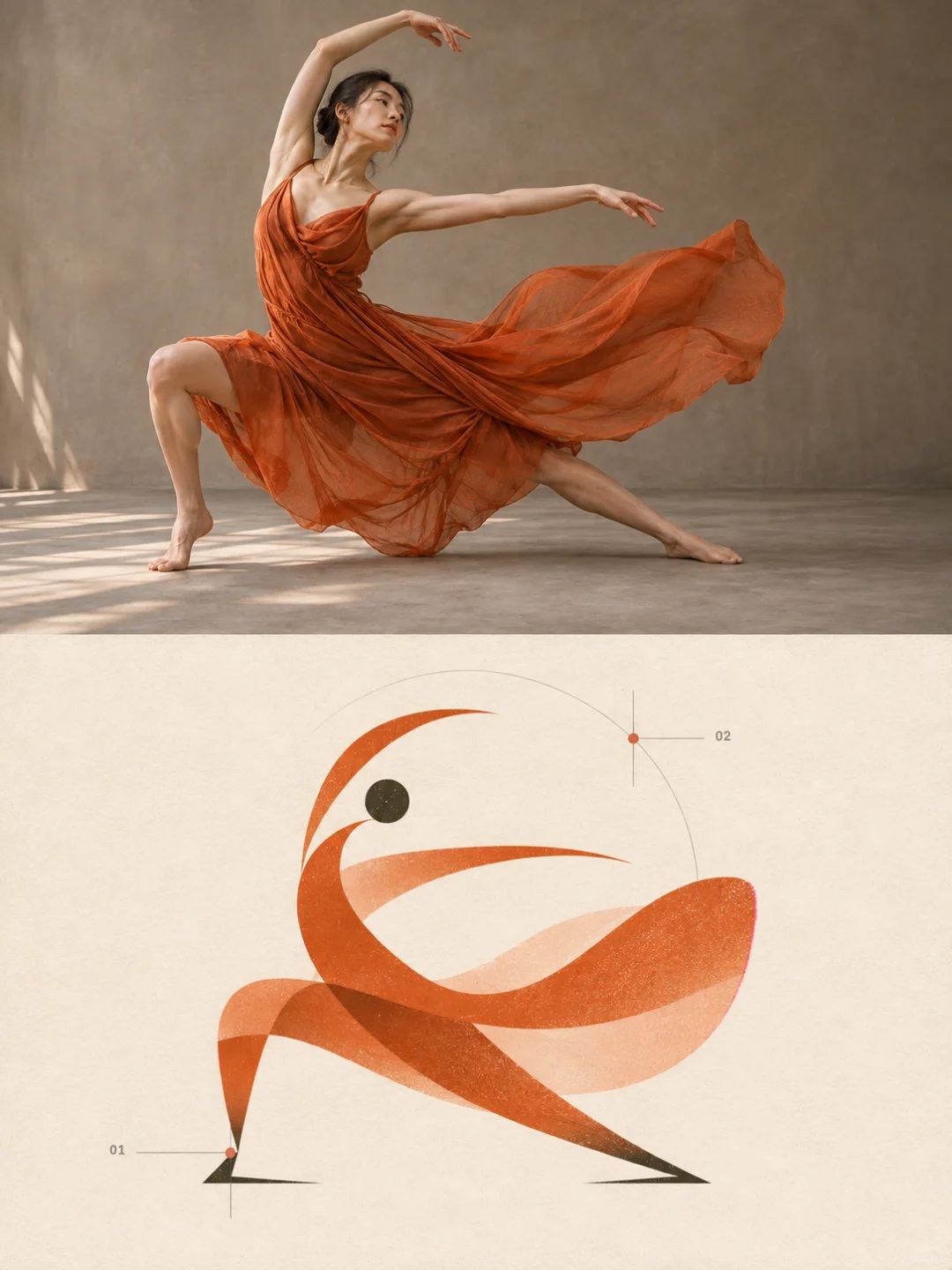
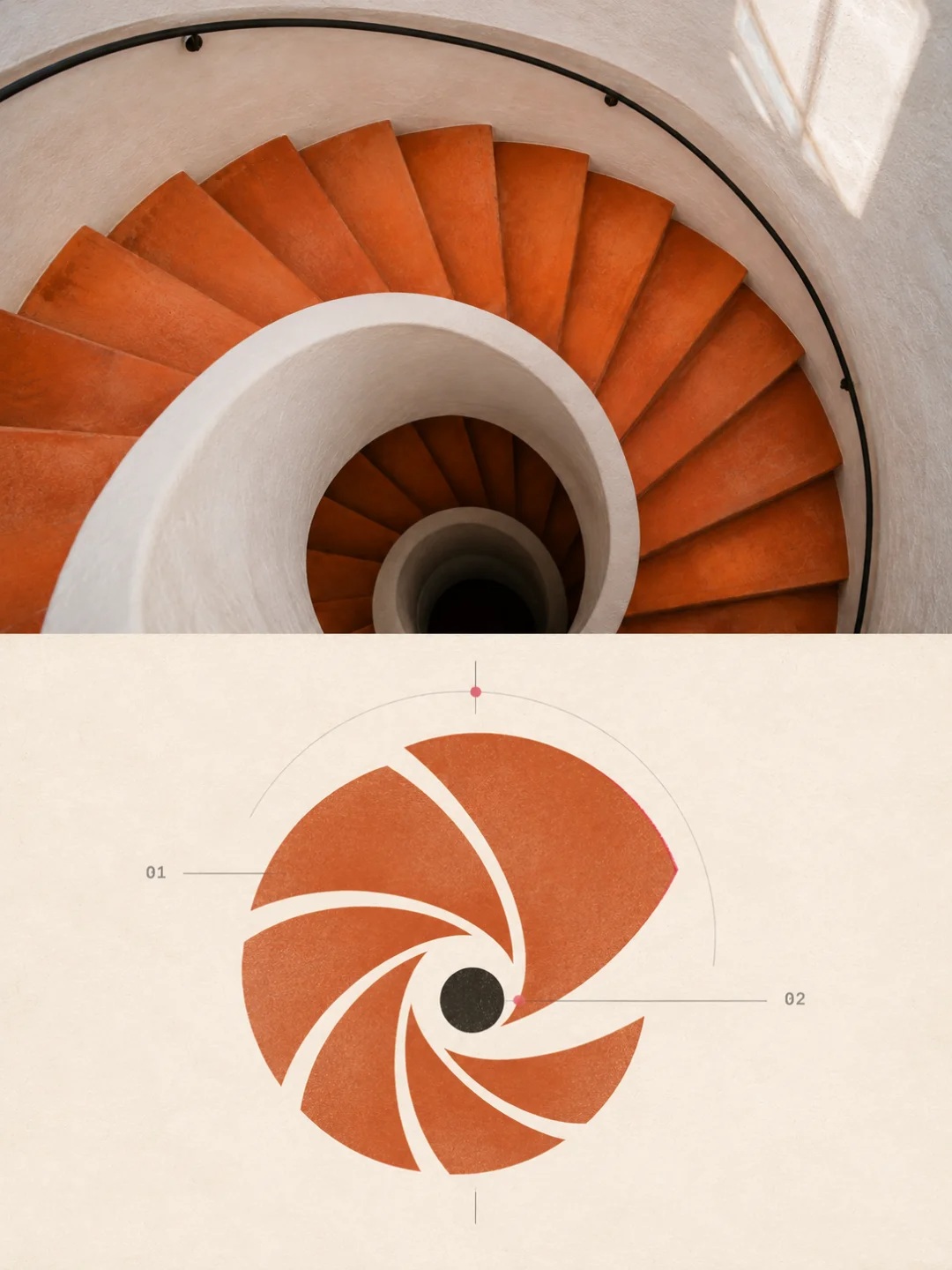
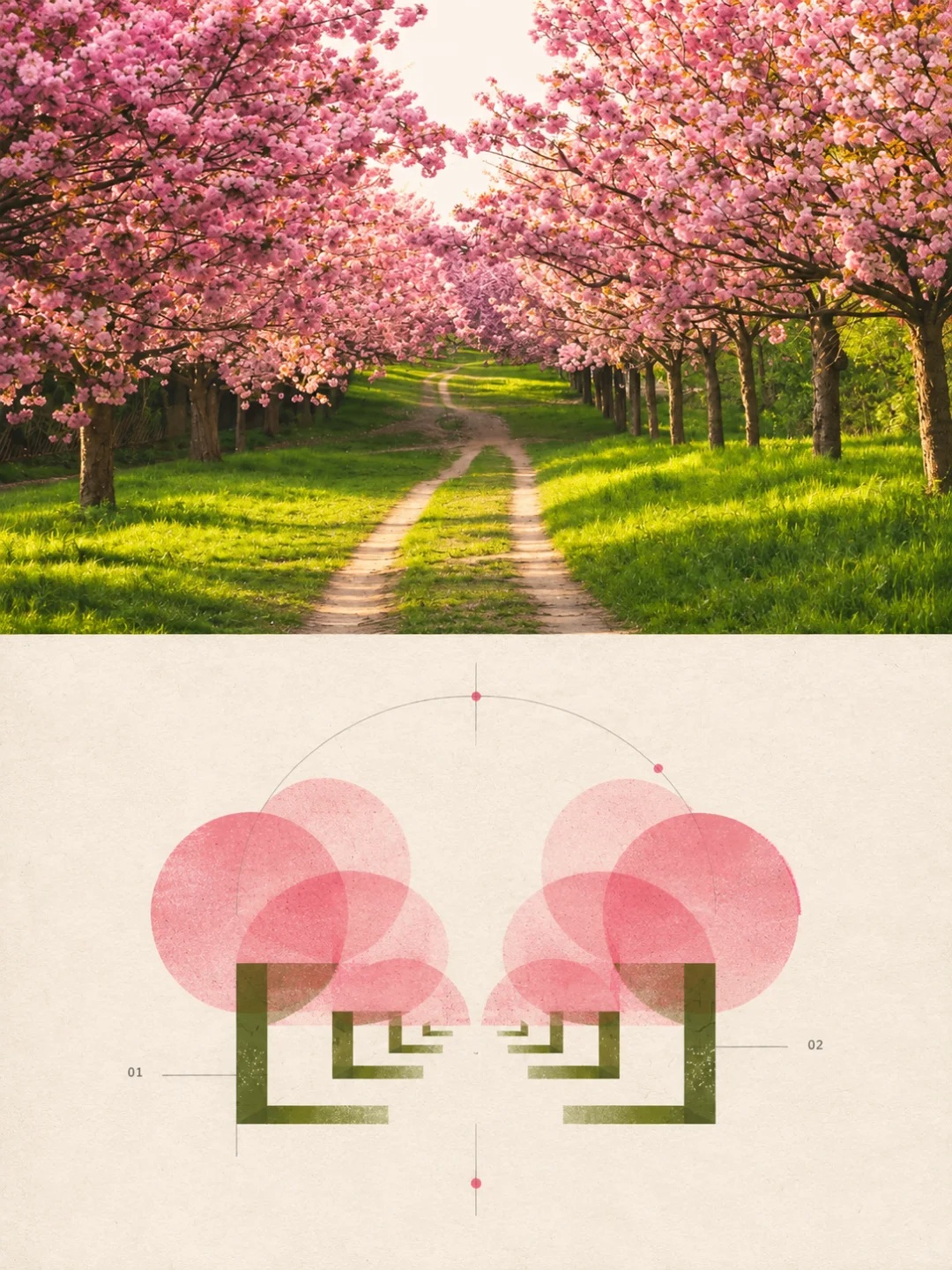
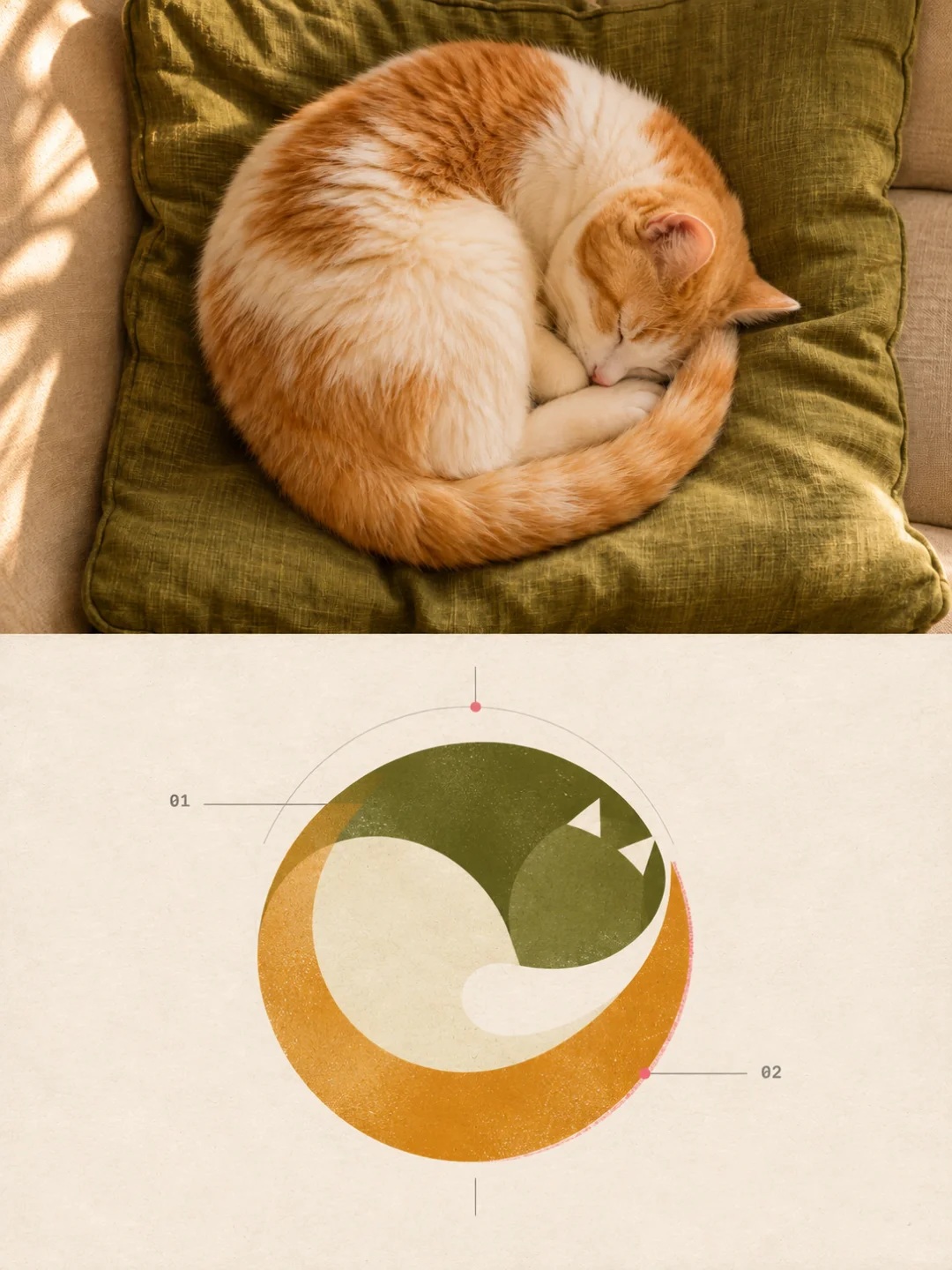
Prompt template
- Format
- Text
- Inputs
- Source_photo (image) · Required
- Outputs
- Split_photo_and_abstract_symbol_poster (image)
Create a separate vertical 3:4 design poster from each uploaded photo. Do not combine different photos.

Divide the image into two strictly equal halves, top and bottom, joined directly at the exact center by a straight horizontal boundary. Do not add a gap, frame, or overlap. If an input is a screenshot of an artwork, extract only the artwork and remove the interface, watermark, and page text.

Fill the upper half with the original photo. Preserve the subject's identity, outline, structure, pose, proportions, spatial relationships, realistic materials, natural lighting, and original colors. Make only very light photographic color adjustments, necessary proportional cropping, and natural background extension. Do not stretch, distort, replace, or alter the subject.

In the lower half, distill the same photo into a self-contained abstract visual symbol. First identify two or three of its most distinctive features, such as its outline, structure, action, repeating rhythm, or narrative relationships. Then compress those features into a small number of geometric modules, lines, cuts, overlaps, and areas of negative space. Capture the character and relationships of the subject without reproducing the complete object, drawing a complete landscape or illustration, or applying the same graphic treatment to unrelated subjects.

Use post-digital graphic design, deconstructivist Swiss design, generative symbol systems, and diagrammatic abstraction. Make the main symbol the sole visual focus, centered or slightly offset, with generous empty space. Add only a very small number of circular arc trajectories, partial construction grids, fine lines, abstract nodes, or miniature symbols when they have structural meaning. Do not pile up icons or arrange them as an infographic.

Extract one or two signature colors and one supporting color from the original photo, paired with a warm-white or gray-white background. Use color to distinguish modules and relationships. Use separate flat ink colors and restrained overprinting. Avoid chaotic palettes, cheap neon, and commercial gradients. Add extremely subtle stencil-print grain, photocopy or scan noise, paper fibers, and slight local print misregistration, with subtly imperfect ink edges. Do not use heavy stains, cracks, or uniform aging effects.

Use text only for small, legible numbers, letters, or brief indexes that correspond to specific modules. Do not use a main title, meaningless copy, or garbled text. Keep the overall result restrained and concise, combining precise order, slight handmade irregularity, and a sense of cultural memory. Avoid template-like logos, commercial UI, cyberpunk, excessive futuristic styling, random piles of geometry, decorative patterns, dense explanations, and watermarks.
What you'll create
A clean midpoint divides two equal sections without gap or overlap. The upper photo keeps its recognizable forms while the lower panel reinterprets those structures as abstract design.
Usage instructions
Provide each source photo as a separate input; the prompt creates one poster per photo and keeps them separate. The lower panel relies on recognizable features in the source, so choose photos with clear forms, structures, actions, or relationships.
Frequently asked questions
Can several input photos be blended?
No. Each input becomes its own poster.
Should the split use frames or cards?
No. There is no frame or overlap.


Comments
Tried this prompt? Share what you made, compare results, or ask a question