Generate a Realistic Professional Resume Portrait
Create a photorealistic business portrait from a clear face photo and an outfit reference.
Example outputs
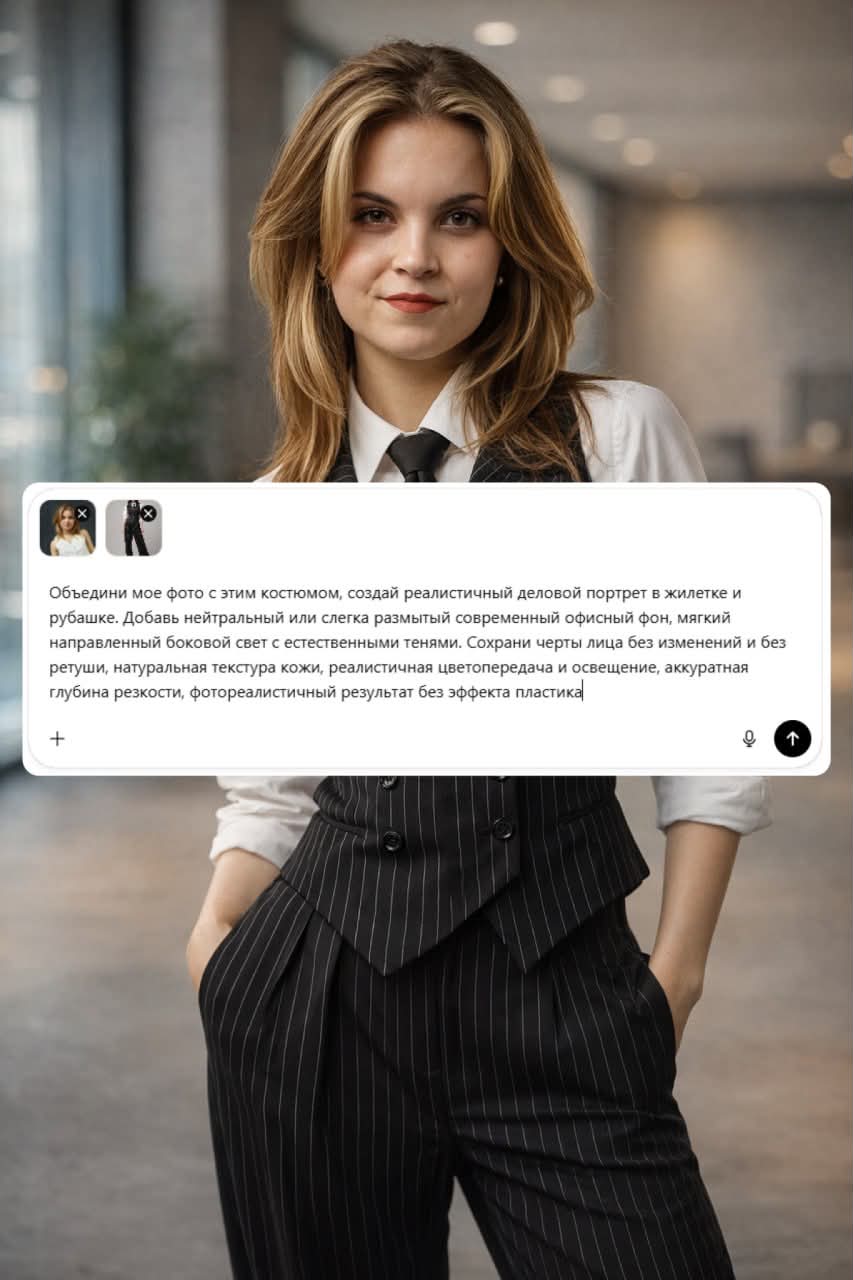
Prompt template
- Format
- Text Parameterized
- Inputs
- Face_photo (image) · Required Outfit_reference (image) · Required Background (text) · Optional · Default: neutral or slightly blurred modern office
- Outputs
- Professional_portrait (image)
Using my face photo and outfit reference, create a realistic professional business portrait of me wearing a jacket and shirt matching the reference. Use a ${background:neutral or slightly blurred modern office} background. Add soft, directional side lighting with natural shadows, realistic color and lighting, and subtle depth of field. Preserve my facial features without changes or retouching, and keep natural skin texture. Make the result photorealistic, without a plastic-looking effect.Replace the ${…} placeholders with your values
before using this prompt. See parameters
and defaults below
Parameters
Replace each placeholder with your own value, or use its default when one is provided
${background:neutral or slightly blurred modern office}
background
Default: neutral or slightly blurred modern office
What you'll create
A jacket-and-shirt portrait places the reference subject against a neutral or softly blurred office backdrop with directional side light and natural shadows.
Frequently asked questions
Should the portrait retouch facial features?
No, the source preserves facial features and natural skin texture without retouching.
Comments
Tried this prompt? Share what you made, compare results, or ask a question