Hyper-Realistic Black-and-White Portrait
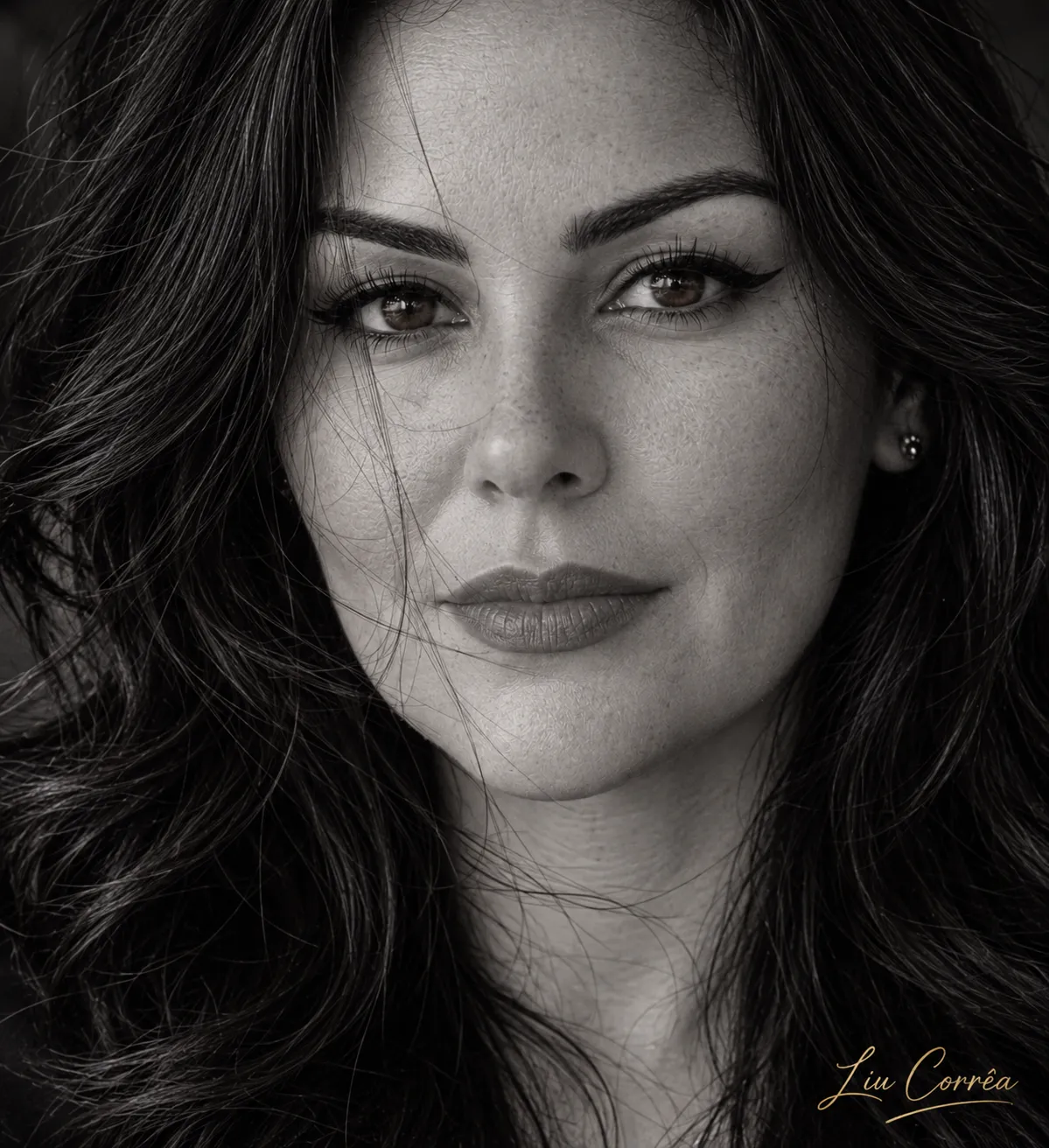
Create a tightly framed, cinematic black-and-white photographic portrait from a reference photo, preserving the subject’s facial features and adding an elegant digital signature.
Example outputs
Prompt template
- Format
- Text Parameterized
- Inputs
- Reference_photo (image) · Required signature (text) · Optional · Default: Liu Corrêa
- Outputs
- Portrait (image)
Create a hyper-realistic black-and-white photographic portrait using my reference photo. Preserve 100% of the original facial appearance without changing any facial features. Frame the complete face closely, from the top of the head to the chin. The subject looks directly at the camera with an intense, deep, striking gaze.

Show extremely realistic skin texture, visible pores, natural freckles, fine expression lines, and authentic details. The subject has dark, slightly tousled hair, with delicate strands falling across the face for a spontaneous, artistic effect.

Use dramatic side lighting to emphasize the eyes, skin texture, and every detail of the expression. Use a blurred black background, sophisticated contrast, and a cinematic atmosphere.

Professional Canon EOS photography, 85mm lens, 8K quality, extremely sharp focus on the eyes, absolute realism, no filters.

MANDATORY DIGITAL SIGNATURE: ${signature:Liu Corrêa}, in elegant, delicate calligraphy.
Replace the ${…} placeholders with your values
before using this prompt. See parameters
and defaults below
Parameters
Replace each placeholder with your own value, or use its default when one is provided
${signature:Liu Corrêa}
signature
Default: Liu Corrêa
What you'll create
A reference face fills the frame from the top of the head to the chin. Tousled strands, visible expression lines and deep background shadow emphasize the intense gaze.
Frequently asked questions
Are fine lines removed?
No. Natural expression lines and pores remain visible.
Is the entire face cropped in half?
No. The complete face is framed closely.


Comments
Tried this prompt? Share what you made, compare results, or ask a question