Surreal Lace and Butterfly Beauty Portrait
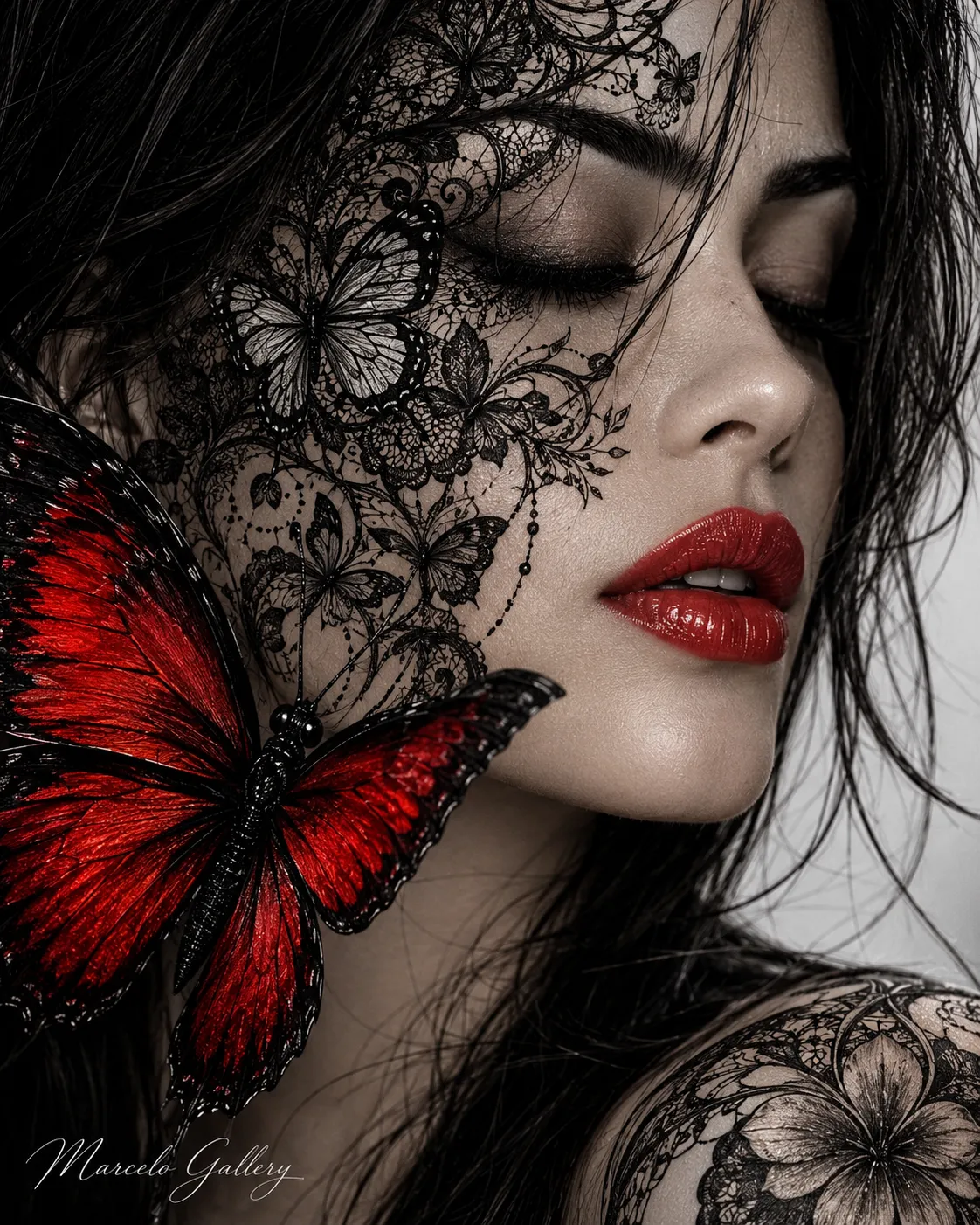
Create a surreal, highly detailed beauty portrait combining a woman’s profile, intricate black-and-white lace patterns, and a vivid red butterfly.
Example outputs
Prompt template
- Format
- Text Parameterized
- Inputs
- Reference_image (image) · Required signature (text) · Optional · Default: Marcelo Gallery
- Outputs
- Portrait (image)
Create a vertical, extreme close-up portrait in a 4:5 aspect ratio, framed from the shoulders up. Use the provided reference image as a visual reference. Show a woman in a right-facing three-quarter side profile, with the camera at nose height. Place her face on the right half of the frame: very pale porcelain skin, closed eyes, long dark eyelashes, a defined dark eyebrow, a delicate nose, slightly parted, glossy vibrant red lips, and a smooth, illuminated chin.

Cover the upper-left half of her face with an artistic black-and-white mask or painted design featuring detailed lace, filigree, and butterflies in a fine-line-art style, with delicate hatching and floral arabesques. Create a textural contrast between the smooth skin and the intricate drawing. In the lower-left corner, place a large foreground butterfly with a vivid, textured red wing and a detailed black body, partially covering her cheek. In the lower right, show part of a shoulder decorated with the same black-and-white lace pattern and a central flower.

Use a softly blurred light gray and white background. Apply soft, diffused lighting focused on the face; give the skin a matte yet luminous finish. Use strong contrast between black and white, with red as the only accent color on the lips and butterfly wing. The overall style is highly detailed surrealist digital art with a beauty-editorial feel. Add the elegant cursive signature ${signature:Marcelo Gallery} in the lower-left corner.
Replace the ${…} placeholders with your values
before using this prompt. See parameters
and defaults below
Parameters
Replace each placeholder with your own value, or use its default when one is provided
${signature:Marcelo Gallery}
signature
Default: Marcelo Gallery
What you'll create
A pale face occupies the right side of a shoulders-up composition in right-facing three-quarter profile. Black-and-white lace and filigree cover part of the face, contrasted by glossy red lips and a butterfly wing accent.
Usage instructions
Provide a reference image to guide the portrait. The design relies on contrast between monochrome lace details and the red lips and butterfly; change the signature text if you need different credit wording.
Frequently asked questions
Where is color concentrated?
The lips and butterfly wing provide color against the monochrome lace treatment.



Comments
Tried this prompt? Share what you made, compare results, or ask a question