Create a 10-Cut Yoga Video from Reference Images
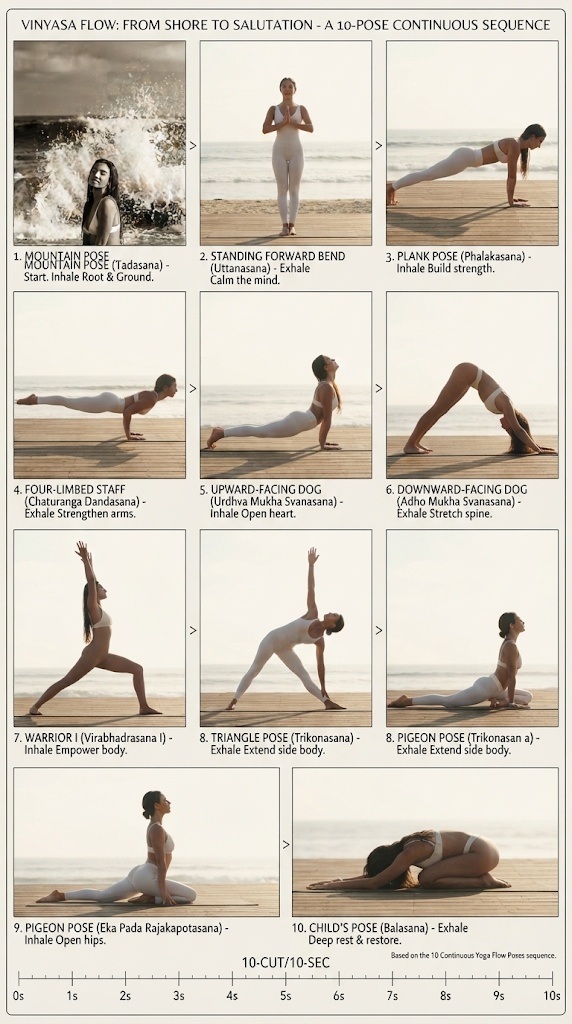
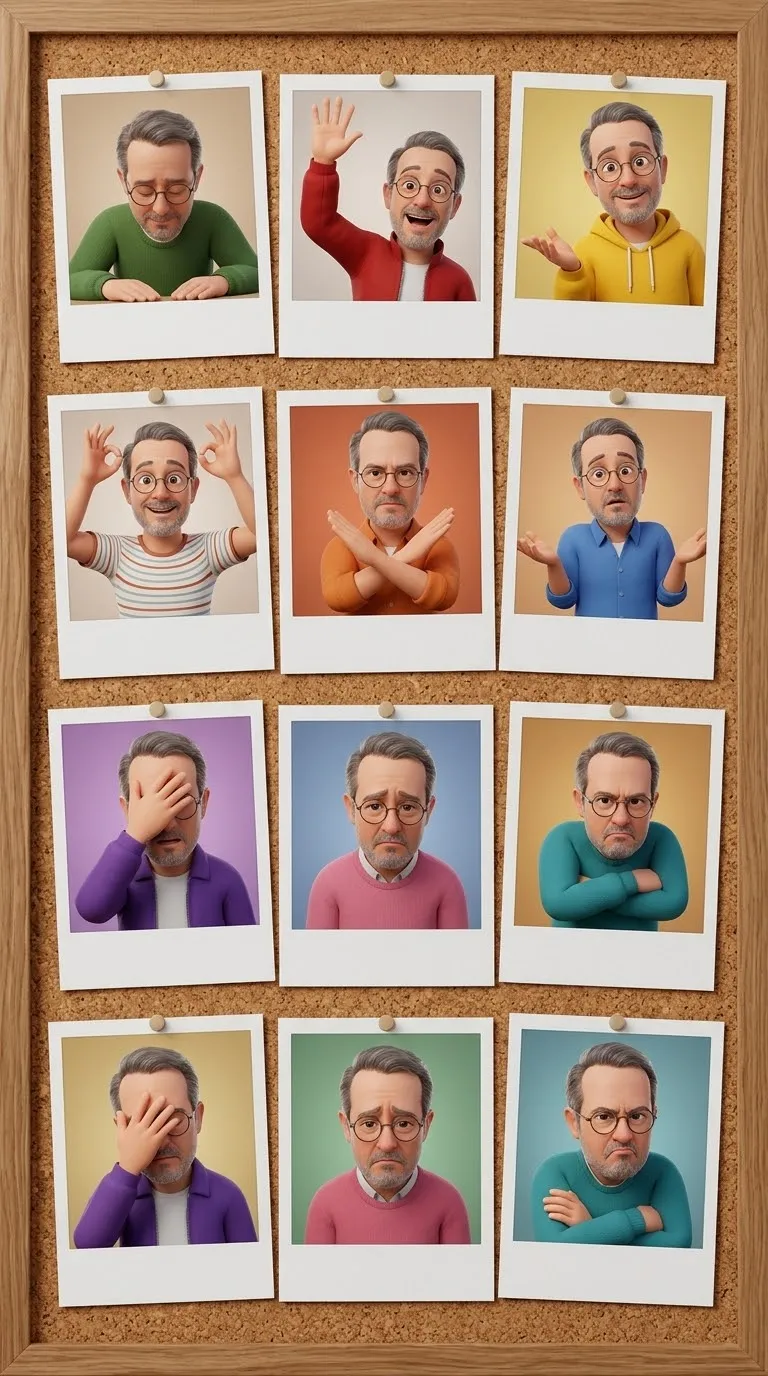
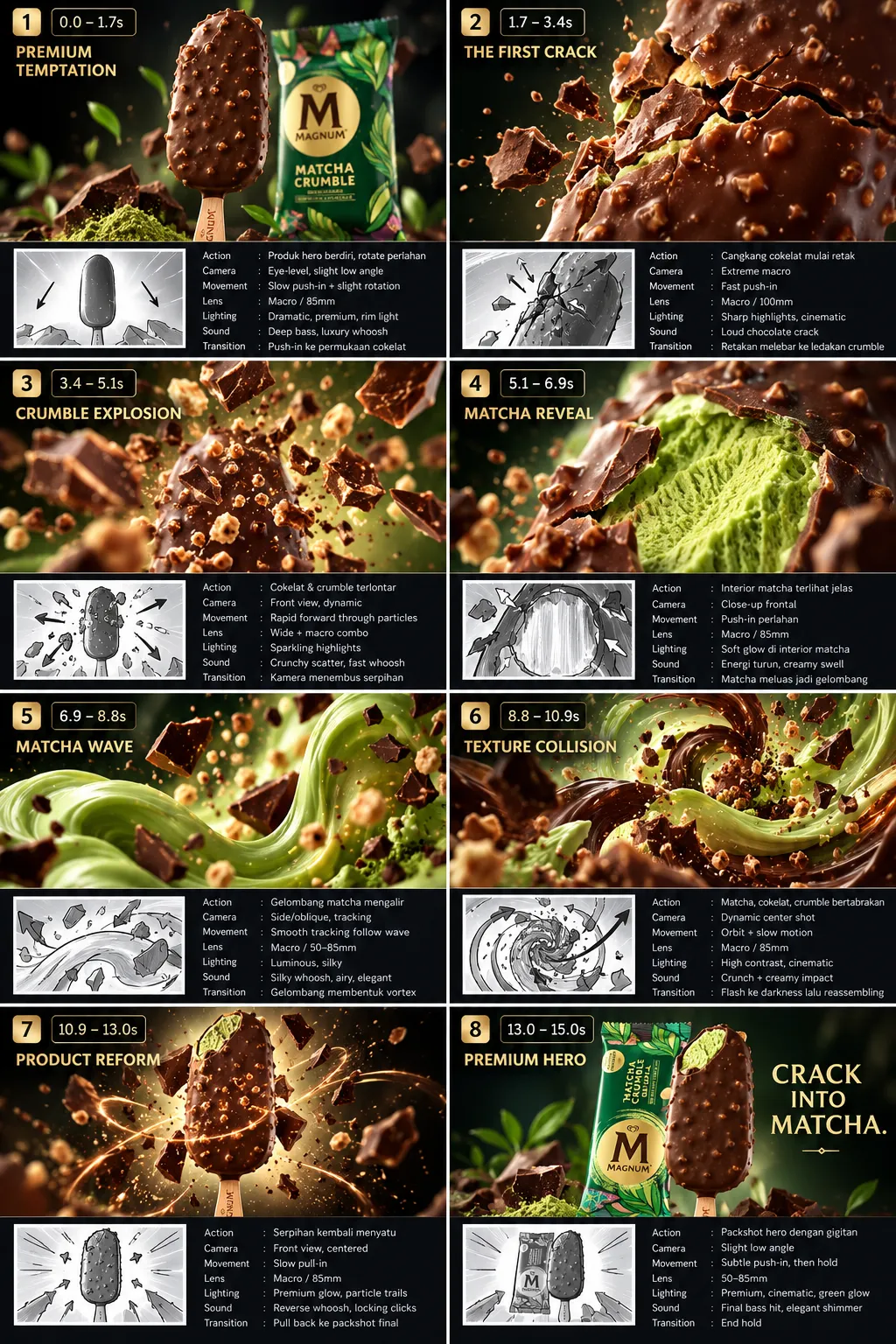
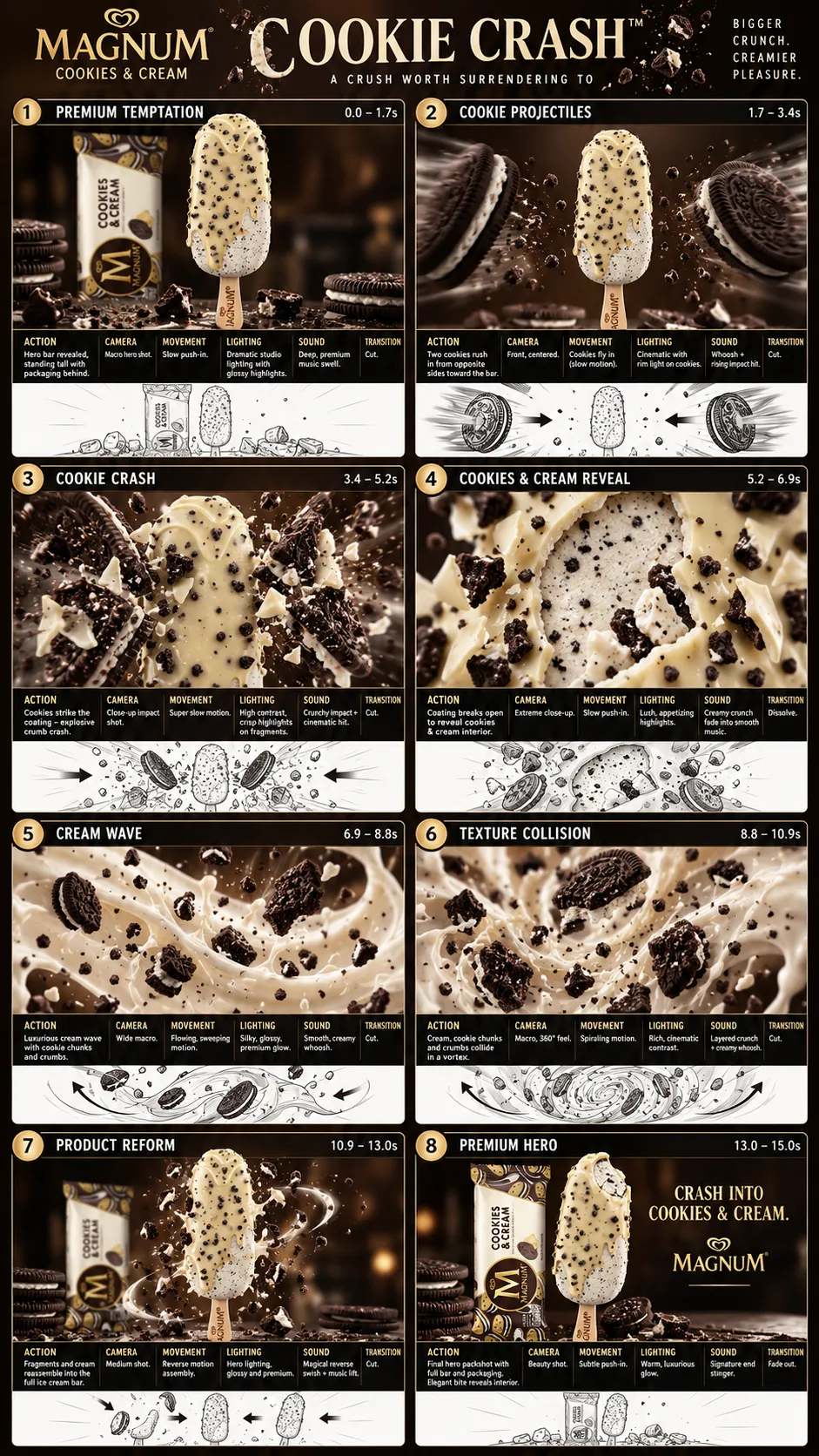
Generate a 10-second, 10-cut video using one image as the storyboard and another as the character reference, at 4K and 60 fps.
Example outputs
Prompt template
- Format
- Text Parameterized
- Inputs
- Storyboard (image) · Required Character (image) · Required Muse_credit (text) · Optional · Default: Muse : @hsiao_mei_229
- Outputs
- Generated_video (video)
Create a 10-cut, 10-second video in 4K at 60 fps. Use image 1 as the storyboard and image 2 as the character reference. Include this credit or watermark exactly: ${muse-credit:Muse : @hsiao_mei_229}Replace the ${…} placeholders with your values
before using this prompt. See parameters
and defaults below
Parameters
Replace each placeholder with your own value, or use its default when one is provided
${muse-credit:Muse : @hsiao_mei_229}
muse-credit
Default: Muse : @hsiao_mei_229
What you'll create
A ten-second 4K video follows ten cuts using the first image for storyboard direction and the second for character appearance. The specified muse credit remains included.
Frequently asked questions
Which image defines the character?
Image 2.
What motion rate is requested?
60 frames per second.





Comments
Tried this prompt? Share what you made, compare results, or ask a question