Photorealistic Age-Progressed Portrait from a Reference Photo
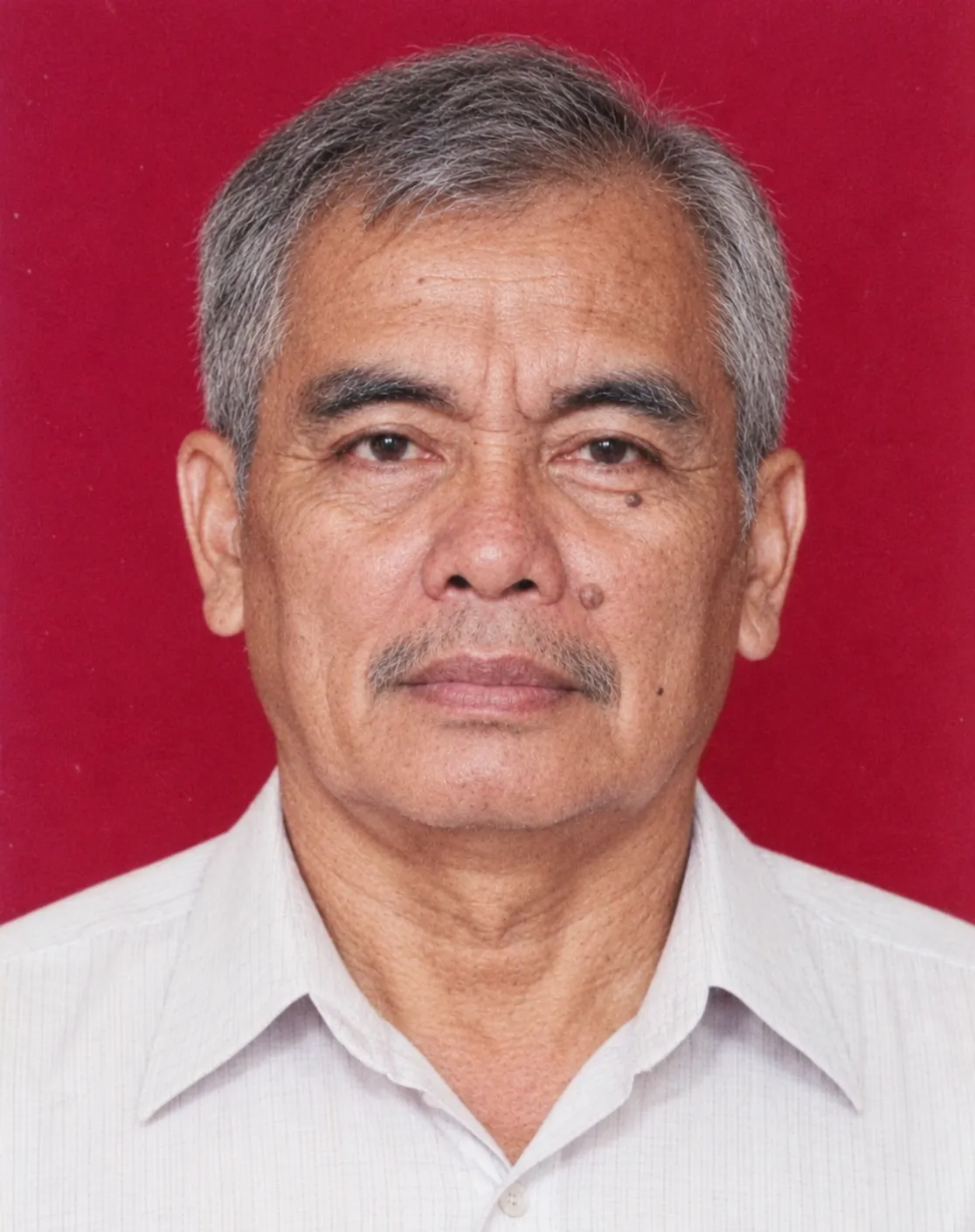
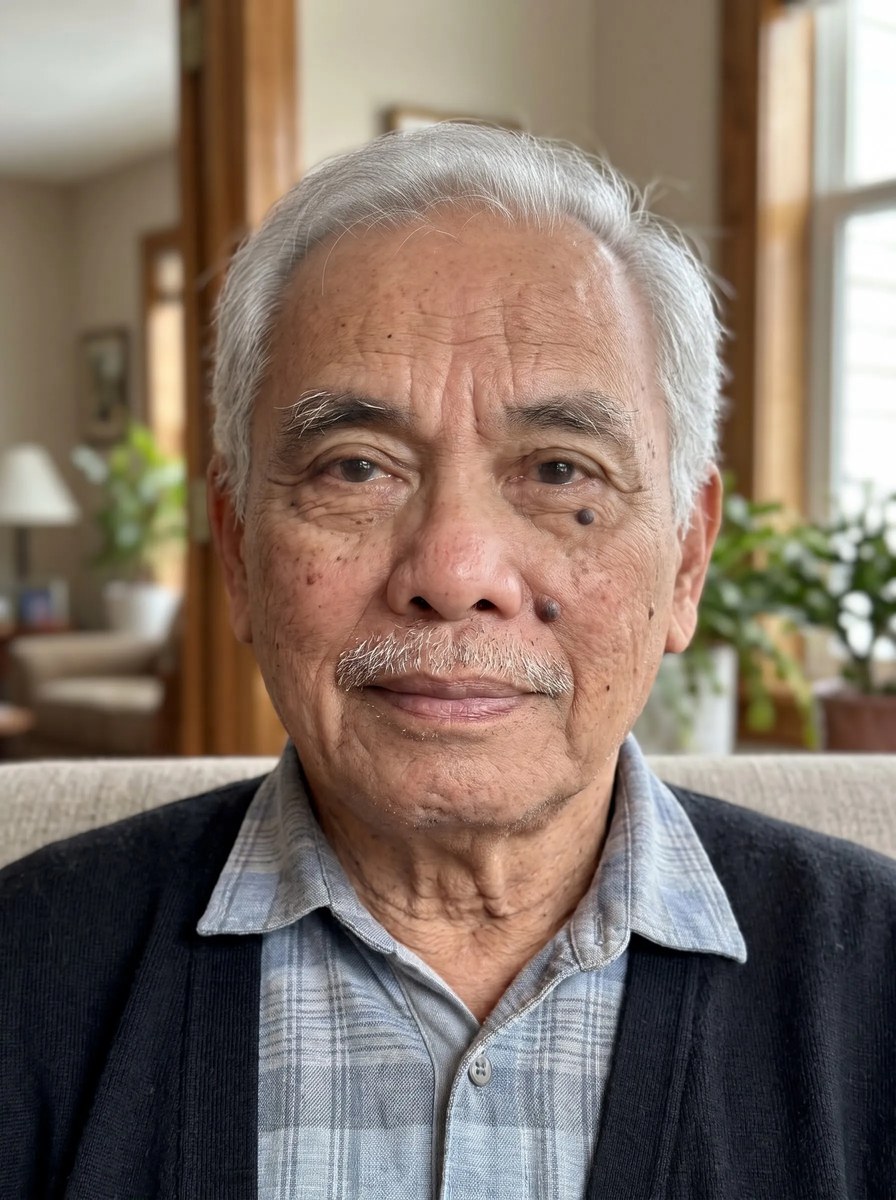
Create a contemporary photographic portrait imagining how the person in a reference photo might look in a specified target year, while preserving their identity and applying plausible natural aging.
Example outputs
Prompt template
- Format
- Text Parameterized
- Inputs
- Reference_photo (image) · Required birth_year (text) · Required age_at_photo (text) · Required target_year (text) · Optional · Default: 2026
- Outputs
- Age_progressed_portrait (image)
Using the uploaded reference photo, create a highly realistic age-progressed portrait imagining what this exact person would look like in ${target-year:2026} if they were still alive.

PERSON'S INFORMATION:
- Year of birth: ${birth-year}
- Age when this photo was taken: ${age-at-photo}
- Target year: ${target-year:2026}

AGE CALCULATION:
Calculate the person's hypothetical age in ${target-year:2026} using their birth year.

The age provided refers to their age when the reference photograph was taken, NOT their age at death.
The uploaded photograph may show them at any stage of life, including childhood, teenage years, adulthood, or old age.
Use the birth year to determine their target age in ${target-year:2026}, then naturally progress their appearance from the reference photo to that age.

IDENTITY PRESERVATION:
Preserve their original facial identity, bone structure, eyes, nose, lips, smile, skin tone, and distinctive features.
Apply realistic age progression, including natural wrinkles, skin texture, facial maturity, and age-appropriate hair color and hairstyle.
Do not change their identity or artificially beautify their face.

PHOTOGRAPHY STYLE:
Create a photorealistic contemporary portrait as if taken by a professional photographer in ${target-year:2026}.
Use natural lighting, realistic skin texture, modern camera quality, authentic facial expression, and age-appropriate contemporary clothing.

FINAL RESULT:
One realistic portrait showing how the same person might look in ${target-year:2026} if they had continued living.
No illustration, painting, CGI, beauty filters, artificial facial features, or text.
Prioritize accurate age progression and preservation of the person's identity.

CRITICAL IDENTITY CONSISTENCY:
Do not invent a new face based on generic age progression. Treat the uploaded photograph as a facial identity reference, not merely an inspiration.
Age the existing facial structure rather than redesigning it. Preserve the person's unique facial proportions and recognizable characteristics throughout the transformation.
Any changes must represent plausible natural aging, not random facial reconstruction.
When facial details are uncertain, prioritize preserving the original identity over adding speculative age-related features.
Replace the ${…} placeholders with your values
before using this prompt. See parameters
and defaults below
Parameters
Replace each placeholder with your own value, or use its default when one is provided
${target-year:2026}
target-year
Default: 2026
${birth-year}
birth-year
Required
${age-at-photo}
age-at-photo
Required
What you'll create
The portrait imagines the subject at the age calculated from birth year and target year. Plausible natural aging develops the existing facial structure while retaining distinctive proportions.
Usage instructions
Frequently asked questions
Does the supplied photo age mean age at death?
No. It means the person’s age when the reference photograph was taken.
Should uncertain aging details override identity?
No. Preserving the original identity takes priority.



Comments
Tried this prompt? Share what you made, compare results, or ask a question