Handmade Plush Keychain from a Reference Photo
Transform a person in an uploaded image into a recognizable, handmade plush keychain in a macro product-photo style. The prompt specifies the composition, materials, warm studio setting, and lighting
Example outputs
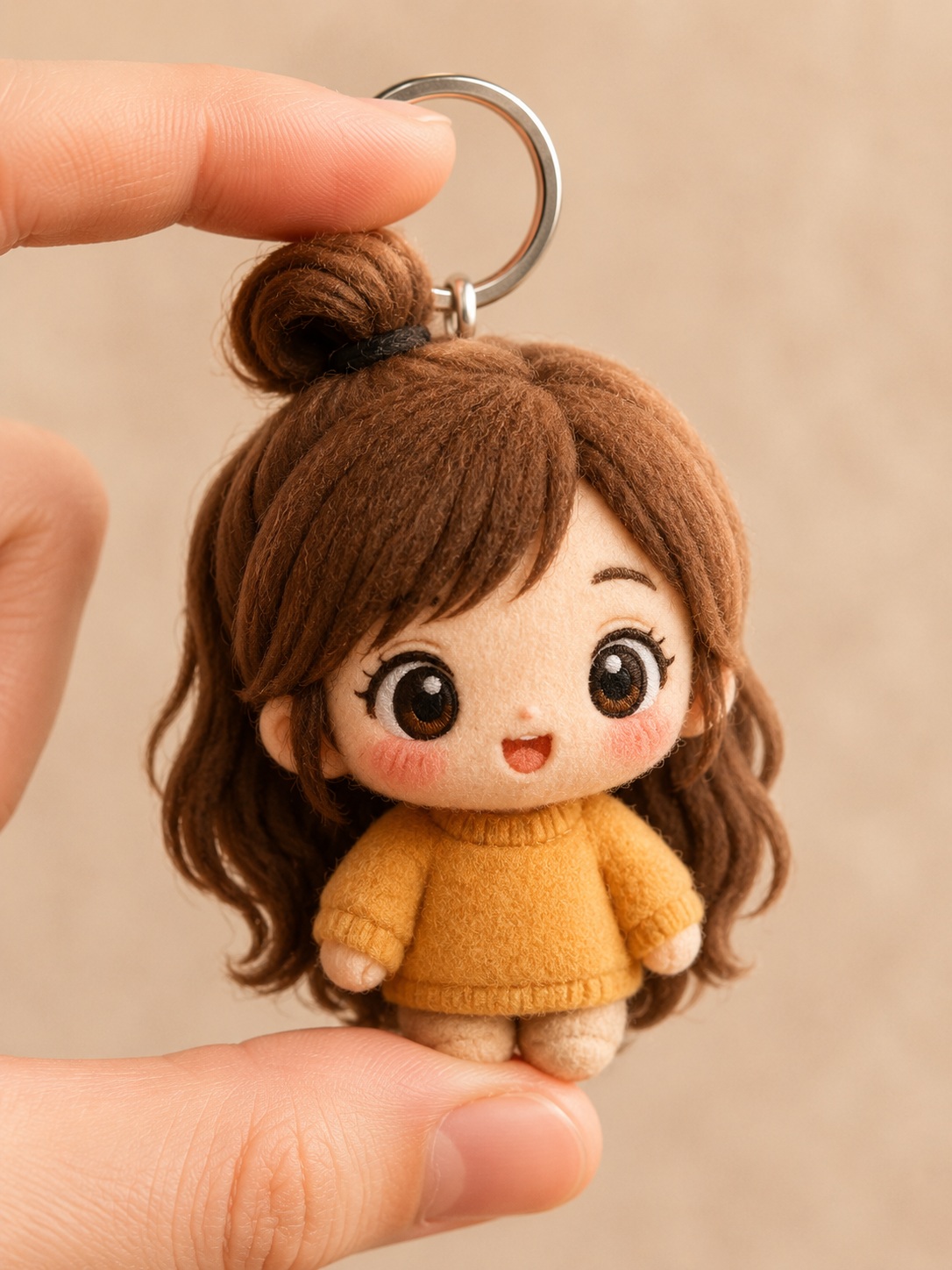
Prompt template
- Format
- Markdown
- Inputs
- ReferenceImage (image) · Required
- Outputs
- PlushKeychainImage (image)
Transform the person in the uploaded image into a cute, high-quality plush keychain character.

Preserve the person’s facial features, hairstyle, skin tone, and distinctive appearance as much as possible while translating them into a simple, cute plush design with a handmade feel.

## Composition and format
Use a vertical 3:4 composition.
Create a close-up in the style of a macro product photograph.
Make the small plush keychain the main subject, gently held between two realistic human fingers.

## Character likeness
Use the uploaded image as the sole person or character reference.
Reflect the following features of the original image as faithfully as possible:
- Facial features
- Hairstyle
- Bangs
- Hair color
- Skin tone
- Expression
- Overall impression
- Distinctive traits of the person

Keep the character recognizable as the person in the original image while naturally simplifying their features for a plush toy.
Do not place a realistic human face directly onto the plush. Create a cute, simple face using embroidery and fabric materials.

## Plush design
Depict a small, handmade plush keychain.

Give it the texture of materials such as:
- Soft felt
- Fleece
- Fluffy fabric
- Brushed fabric

Use cute, rounded proportions.
Focus on embroidered facial features, including:
- Simple, expressive eyes
- An embroidered mouth and eyebrows
- Stitching
- Soft fabric seams
- Fine fibers
- Subtle handmade variation

Securely attach a shiny silver metal keyring to the top of the head.

## Hand and grip
Show the plush character held gently between two realistic human fingers.
Make the finger placement and scale natural so that the plush clearly reads as a small keychain.
Light the hand and fingers softly and keep them slightly out of focus so the plush remains the main focus.

## Background
Use a warm, neutral beige studio background.
Keep the background simple, with plenty of negative space.
Add creamy, soft bokeh to create natural depth between the subject and background.

## Lighting and photographic style
Use soft studio lighting that resembles natural light.
Add warm, gentle highlights.
Use a shallow depth of field.
Create the look of a macro lens photograph.
Render the textures of the fabric, felt, embroidery, and pile in fine detail.
Aim for a premium handmade product photograph with the feel of a cute collectible item.
Use realistic material rendering, ultra-high definition, and 8K quality.

## Avoid
Avoid:
- A face that looks like a different person from the person in the original image
- Losing the person’s likeness
- Plastic-like materials
- A harsh CGI look
- Giving the plush a realistic human face
- Unnatural fingers
- An incorrect number of fingers
- Extra fingers
- Extra limbs
- Duplicate keyrings
- A blurred plush figure
- Excessive decoration
- A cluttered background
- Text
- Logos
- Watermarks
- Low-quality rendering
What you'll create
Create a small, recognizable plush keychain based on the person in a reference image, with embroidered features and soft handmade fabric textures. Show it held between two fingers in a warm, softly lit macro product photograph
Usage instructions
Provide one reference image containing the person to depict; it is the sole identity reference for their appearance. The prompt translates that person into an embroidered plush keychain while retaining recognizable features. You can adjust the beige background or warm lighting description while keeping the keychain concept
Frequently asked questions
What should the reference image determine?
Use it as the sole reference for the person’s facial features, hair, skin tone, expression, and overall appearance
How should the plush face be rendered?
Use simple embroidered fabric features rather than placing a realistic human face on the plush

Comments
Tried this prompt? Share what you made, compare results, or ask a question