Cinematic Streetwear Portrait with Passing Motion Blur
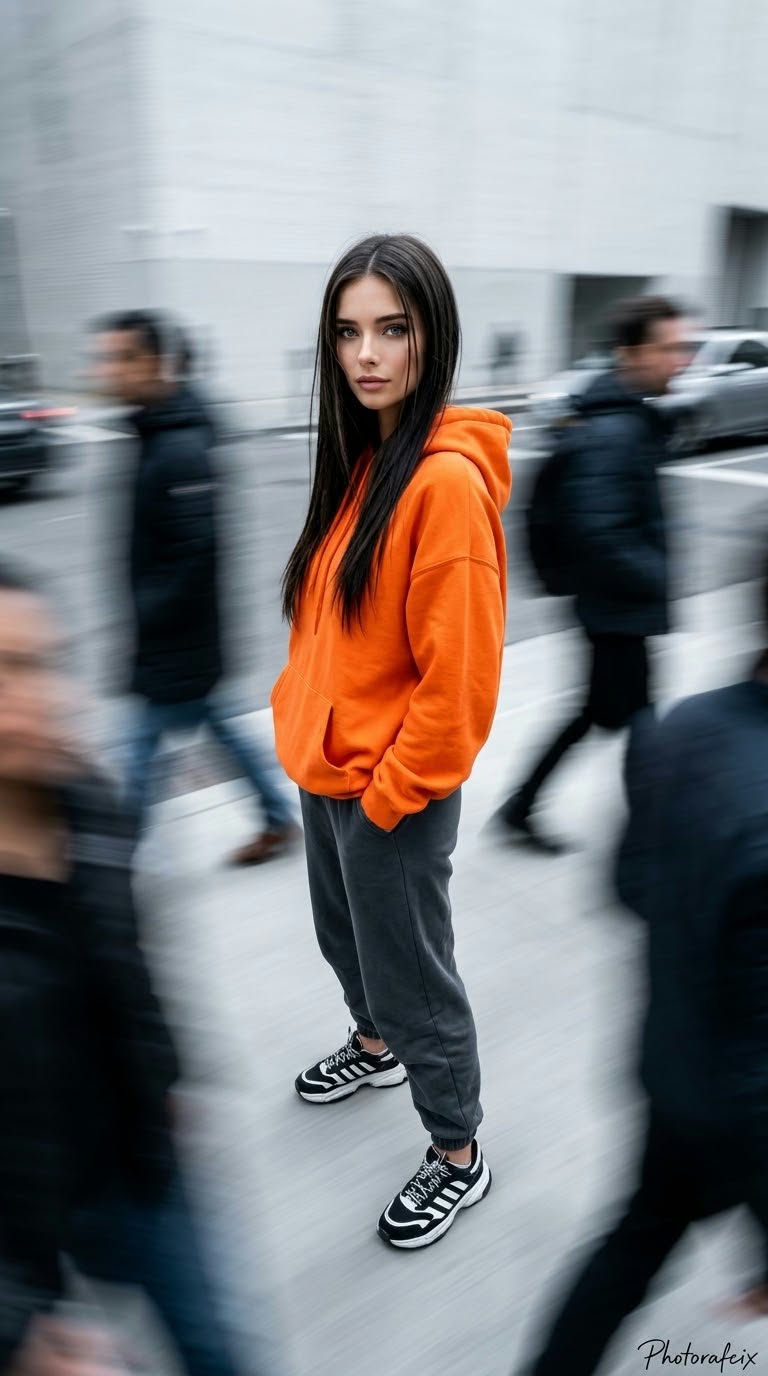
Create a cinematic, realistic 3D streetwear portrait of a woman in a bright orange hoodie, surrounded by motion-blurred passersby.
Example outputs
Prompt template
- Format
- Text Parameterized
- Inputs
- Reference_image (image) · Required signature (text) · Optional · Default: Photorafcix
- Outputs
- Streetwear_portrait (image)
Use the face from the supplied reference image and do not change it. Create a modern, dynamic, cinematic street-fashion image of a feminine woman. She has long, straight black hair with a few loose strands across her face and small hoop earrings. She looks directly at the camera with a calm, distant, composed expression. She is standing with her body turned slightly to the side and her head turned toward the camera, both hands in the pockets of her hoodie, and her legs slightly apart.

Use an ultra-wide-angle 14 mm lens for a dramatic overhead shot with strong perspective and a full-length view. Also use a slightly side-on, eye-level shot framed above the knees. Render as cinematic 3D, ultra-realistic 8K RAW, HDR, with vivid colors and a vertical 9:16 composition. Use soft, even, slightly cool-toned studio lighting and a minimalist light-gray/white background. Add dense motion blur from people passing around the subject. Use contrasting colors: vivid orange and cool gray. Dress her in a bright orange, oversized hoodie, dark gray/black baggy jogger pants, and black-and-white striped chunky sneakers. Keep the subject sharp and the background blurred. Render ultra-realistic towel/cotton fabric texture and individual strands of hair.

Add the handwritten signature "${signature:Photorafcix}" in the bottom-right corner. Technical settings: 50 mm lens, f/2.8 aperture, ISO 100, 1/60 shutter speed for the motion-blur effect, and cool studio white balance.
Replace the ${…} placeholders with your values
before using this prompt. See parameters
and defaults below
Parameters
Replace each placeholder with your own value, or use its default when one is provided
${signature:Photorafcix}
signature
Default: Photorafcix
What you'll create
A reference-guided woman stands with both hands in hoodie pockets and a calm direct gaze. Straight black hair, realistic cotton texture and cool photographic treatment separate her from surrounding movement.
Usage instructions
Provide the reference image whose face should be preserved. The prompt combines a sharp, realistically textured subject with motion-blurred passersby; it also specifies conflicting camera and framing directions, so choose either the 14 mm overhead setup or the 50 mm eye-level, knee-up setup if you need a more consistent composition.
Frequently asked questions
Should the main subject share the passing blur?
No. She remains sharp.
Is the camera description consistent?
No. It combines overhead 14 mm and eye-level 50 mm views.


Comments
Tried this prompt? Share what you made, compare results, or ask a question