Four-Panel Fashion Portrait of a Man
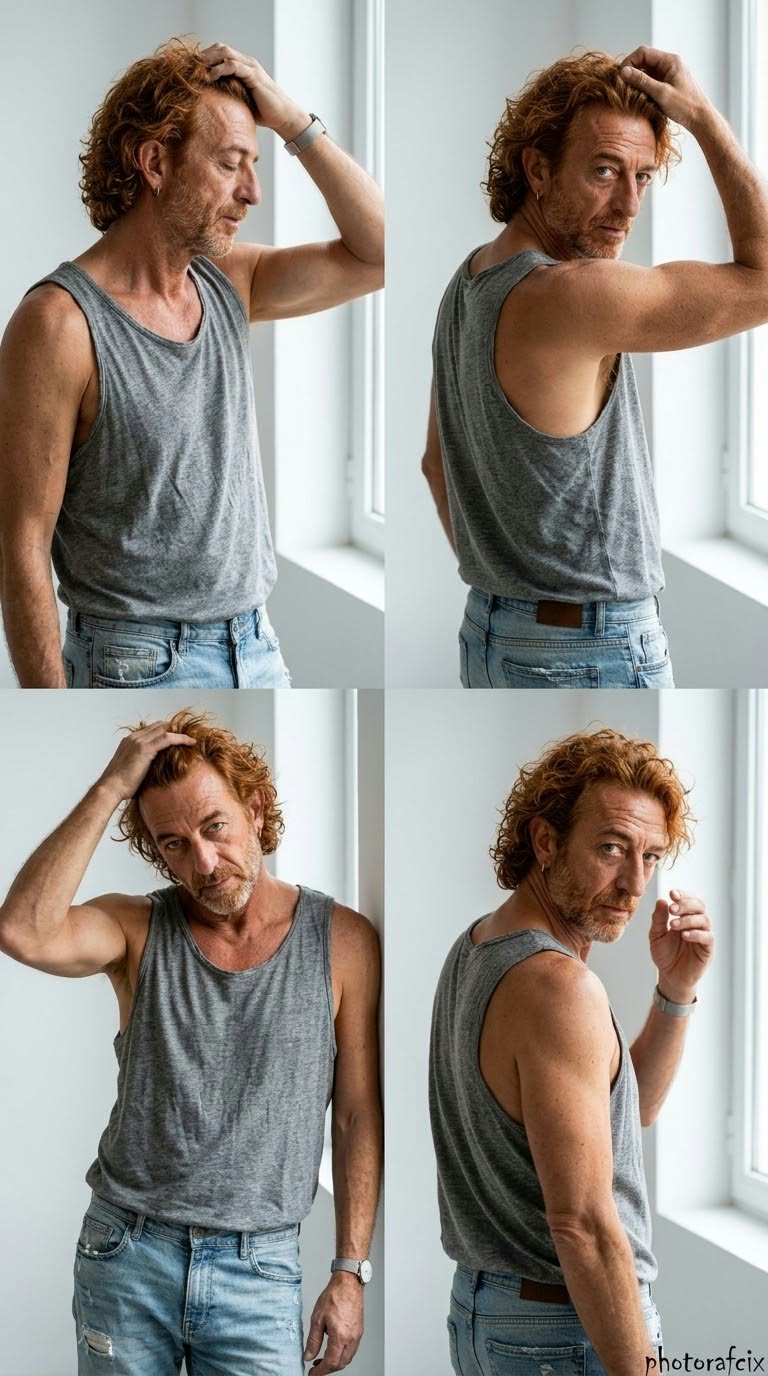
Create a realistic, vertical four-panel studio fashion portrait using a reference face, with specified poses, warm natural tones, and a handwritten signature.
Example outputs
Prompt template
- Format
- Text Parameterized
- Inputs
- Reference_image (image) · Required signature (text) · Optional · Default: Photorafcix
- Outputs
- Fashion_portrait_collage (image)
Use the face from the reference image provided, and do not change it. Create a strong-perspective, cinematic, ultra-realistic 8K RAW, HDR image with vivid colors in a vertical 9:16 format.

Subject: A natural, stylish four-panel fashion portrait collage photographed in a studio, featuring a handsome man. The composition has four different poses:
1. Top left: Chest-up, adjusting his hair, looking in profile with his eyes closed.
2. Top right: Chest-up, adjusting his hair and looking at the camera over his shoulder.
3. Bottom left: Chest-up, leaning against something, with one hand in his hair and looking at the camera.
4. Bottom right: Chest-up, looking at the camera over his shoulder, with one hand near his face. His posture is masculine, natural, and charismatic.

Clothing: A gray, fine, cotton-look tank top, either open-backed or loose-fitting, with distressed-looking light-blue jeans. Add a minimalist watch or earring.

Lighting and shadows: Soft, diffused, natural studio lighting. Make it appear as though light is coming from a window on the right, creating soft shadows on the face and body.

Background: A minimalist interior with white walls and a window frame. No distracting elements.

Color palette: Natural, warm earth tones, with reddish-orange, gray, light blue, and white.

Lens and depth of field: Shallow depth of field with bokeh. Keep the subject sharp and clear, with the background slightly blurred. Use the effect of an 85 mm portrait lens.

Texture and technical quality: Ultra-realistic. Render the skin texture, curls of individual hair strands, fabric texture, and distressed denim in very clear detail. High-resolution, natural, professional photography quality. Add the handwritten signature "${signature:Photorafcix}" in the extreme bottom-right corner.

Each time, let the AI randomly determine the reference image's movements, poses, camera angles, and artistic effects.
Replace the ${…} placeholders with your values
before using this prompt. See parameters
and defaults below
Parameters
Replace each placeholder with your own value, or use its default when one is provided
${signature:Photorafcix}
signature
Default: Photorafcix
What you'll create
A reference-guided man appears in chest-up studio views, looking in profile, over his shoulder and toward the camera. A gray tank, distressed denim and realistic material detail unify the panels.
Usage instructions
Supply the required reference image; the prompt preserves its face while requesting a four-panel portrait and randomized movement, poses, camera angles, and effects, despite also specifying poses for each panel. To change the styling, revise the gray tank-top or warm earth-tone palette wording while keeping the four-panel layout.
Frequently asked questions
Is the pose direction entirely fixed?
No. Listed poses coexist with a final request to randomize movements and angles.
Is the layout six panels?
No. It has four panels.


Comments
Tried this prompt? Share what you made, compare results, or ask a question