Iridescent Desert Fashion Portrait
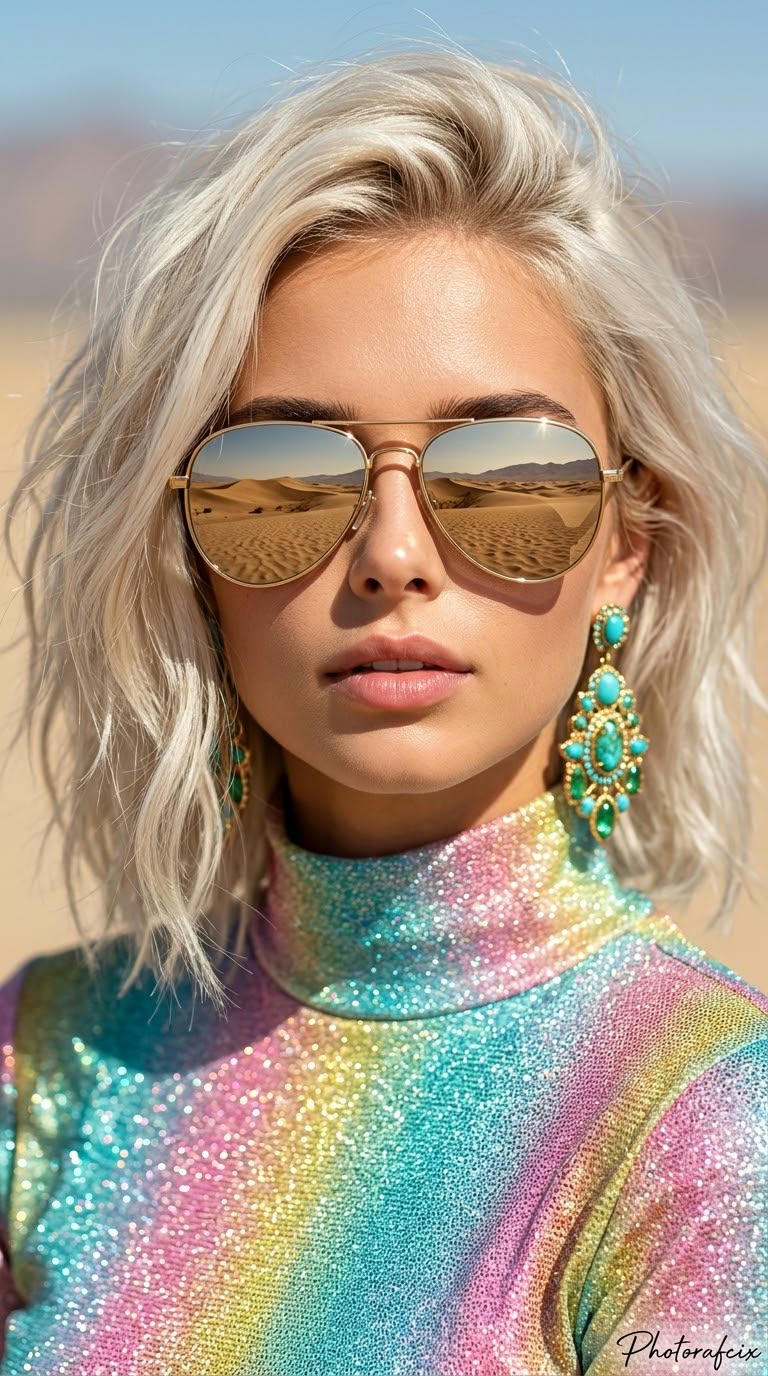
Create a cinematic close-up fashion portrait using a reference face, with platinum-blonde hair, mirrored aviator sunglasses, and a vivid desert backdrop. Customize the aspect ratio and handwritten signature while keeping the reference face unchanged
Example outputs
Prompt template
- Format
- Text Parameterized
- Inputs
- Reference_image (image) · Required Aspect_ratio (text) · Optional · Default: 9:16 Signature (text) · Optional · Default: Photorafcix
- Outputs
- Fashion_portrait (image)
Use the face from the provided reference image, and do not change it. Create a cinematic image with strong perspective in a vertical ${aspect-ratio:9:16} composition. Show a woman with shoulder-length, slightly wavy, tousled platinum-blonde hair in an eye-level close-up portrait. Her head is tilted slightly forward, her lips are slightly parted, and she looks directly at the camera with a calm, confident, alluring expression. She wears an iridescent, glittery rainbow-colored turtleneck in turquoise, pink, and yellow. Add reflective, mirrored aviator sunglasses with gold frames; the lenses reflect a desert and mountain landscape. She wears large, ornate dangling earrings with turquoise-green stones and gold details. Use harsh, bright sunlight with distinct highlights on her face and soft shadows beneath the glasses. The blurred background shows a pale blue sky and sand dunes in a desert landscape. Use shallow depth of field with bokeh, an 85 mm portrait lens, and an f/2.0 aperture. Make the image high-resolution and sharp, with smooth skin texture and clearly visible iridescent fabric and glitter. Use a modern summer-fashion style with high saturation and contrast. Add a handwritten signature reading "${signature:Photorafcix}" in the bottom-right corner of the image.Replace the ${…} placeholders with your values
before using this prompt. See parameters
and defaults below
Parameters
Replace each placeholder with your own value, or use its default when one is provided
${aspect-ratio:9:16}
aspect-ratio
Default: 9:16
${signature:Photorafcix}
signature
Default: Photorafcix
What you'll create
This prompt creates a close-up, cinematic fashion portrait of a woman with platinum-blonde hair, mirrored aviator sunglasses, and ornate turquoise-and-gold earrings. Harsh sunlight, vivid iridescent clothing, and a blurred desert backdrop establish the summer-fashion look
Usage instructions
Frequently asked questions
What should the reference image control?
Use its face as the portrait's face and do not change it
Can I change the signature?
Yes. Replace the default text while keeping the handwritten signature in the lower-right corner




Comments
Tried this prompt? Share what you made, compare results, or ask a question