Person Embracing an AI-Selected Fluffy Animal
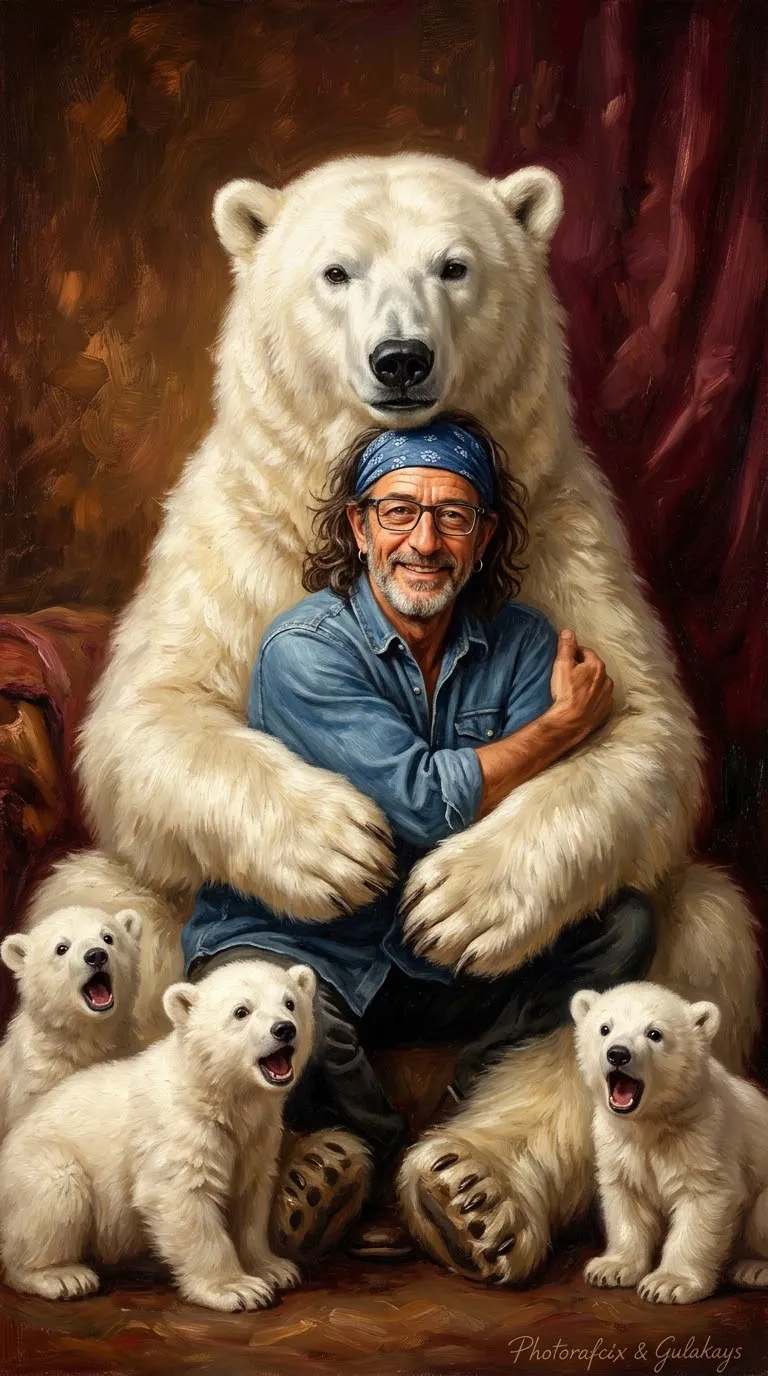
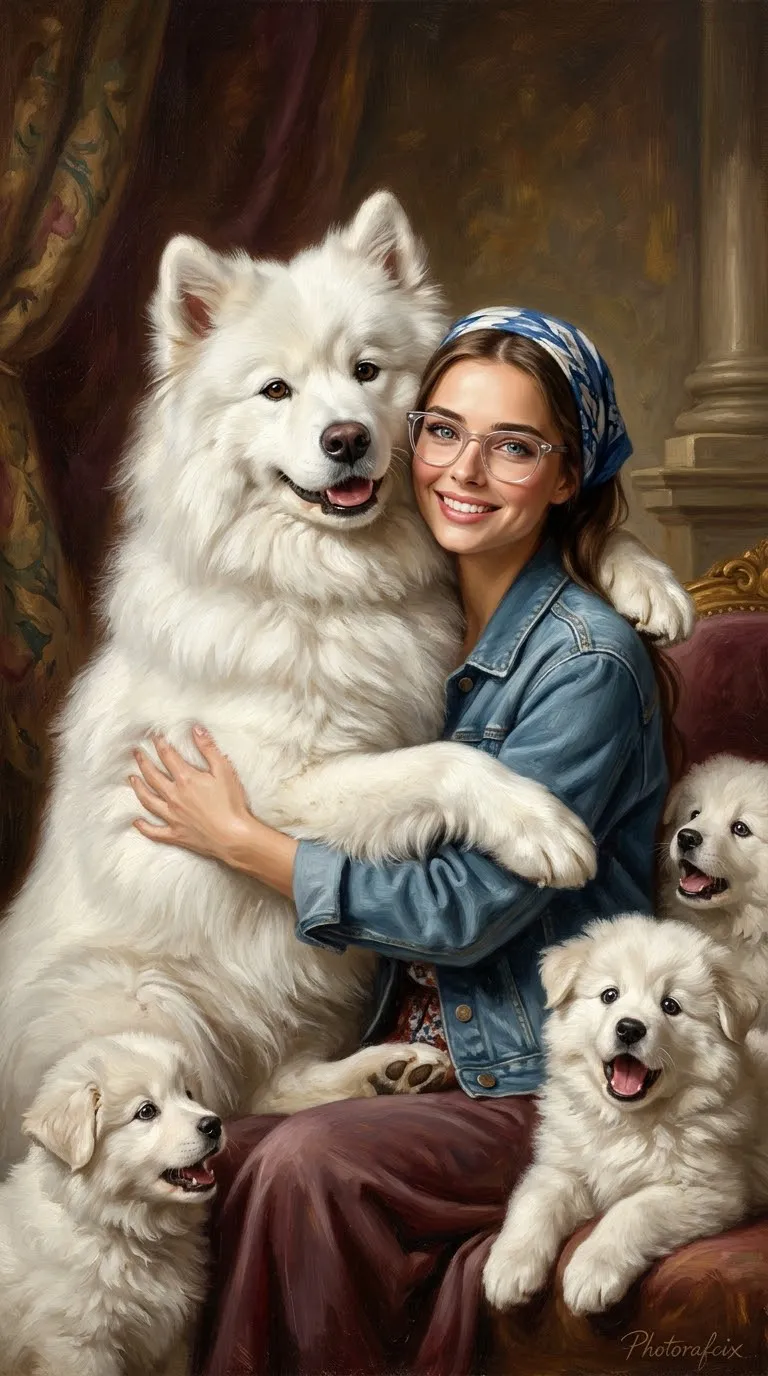
Create a playful, romantic scene of a person embracing a giant fluffy animal chosen by the AI, in a classic oil-painting aesthetic with cinematic 3D styling.
Example outputs
Prompt template
- Format
- Text Parameterized
- Inputs
- Reference_photo (image) · Required signature (text) · Optional · Default: Photorafcix & Gulakays
- Outputs
- Generated_image (image)
Keep the face and identity of the person in the uploaded reference photo exactly unchanged.

Place the person from the reference photo in the arms of a gigantic, pure-white, fluffy, adorable animal randomly selected by the AI. The selected animal should lovingly embrace the person with both arms. The person should look happily at the camera and hug the animal.

Surround them with 3–4 small white babies of the animal selected by the AI. The young animals should watch them in surprise, with their mouths open.

Dress the person in blue denim clothing, a blue patterned bandana, and clear glasses.

Use a warm brown and burgundy background, prominent brushstrokes, and the aesthetic of a romantic, playful classic oil painting.

Ultra-realistic, cinematic 3D, 8K, HDR, vertical 9:16.

Do not distort the reference person’s face, anatomy, or natural appearance.

Add the handwritten signature "${signature:Photorafcix & Gulakays}" in the bottom-right corner.
Replace the ${…} placeholders with your values
before using this prompt. See parameters
and defaults below
Parameters
Replace each placeholder with your own value, or use its default when one is provided
${signature:Photorafcix & Gulakays}
signature
Default: Photorafcix & Gulakays
What you'll create
A reference-based person hugs a huge white fluffy creature that lovingly wraps both arms around them. Three or four surprised small young animals gather nearby, with blue denim, a patterned bandana and warm burgundy-brown brushwork.
Usage instructions
Provide the reference photo, which supplies the person’s face and identity; the prompt asks the AI to choose the animal. The requested oil-painting look and cinematic 3D styling are both retained, so adjust those style phrases if you want to emphasize one over the other.
Frequently asked questions
Must the giant animal be a specific species?
No; its species is chosen by the image-generation interpretation.


Comments
Tried this prompt? Share what you made, compare results, or ask a question