Woman Emerging from Icy Water
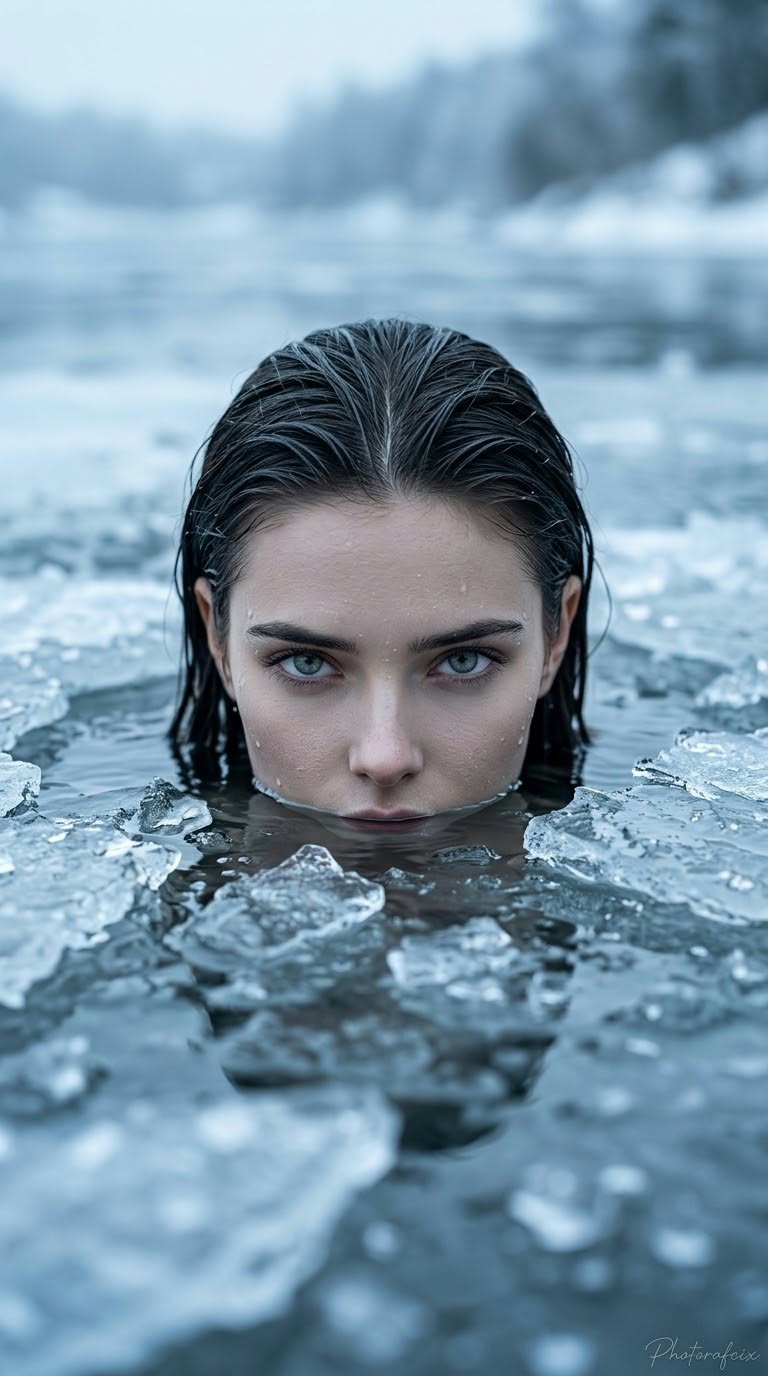
Create a cinematic, ultra-realistic close-up portrait of a woman looking out from icy water, using a reference image to preserve her face.
Example outputs
Prompt template
- Format
- Text Parameterized
- Inputs
- Reference_image (image) · Required aspect_ratio (text) · Optional · Default: 9:16 signature (text) · Optional · Default: Photorafcix
- Outputs
- Portrait (image)
Use the face in the supplied reference image and never change it. Create a cold, mysterious conceptual portrait of an elegant woman looking out from icy water, with strong perspective, cinematic ultra-realism, 8K RAW quality, HDR, vivid colors, and a vertical ${aspect-ratio:9:16} composition.

Her hair is parted in the middle, wet, and neatly slicked back. She has light-colored (gray/blue) eyes and looks directly into the camera with a piercing, calm, cold, expressionless, slightly threatening gaze. Only her head and the upper part of her face are above the water. Her mouth and chin are partly visible among large, fragmented chunks of ice. Use a centered close-up; convey a feminine, cold, powerful presence. No clothing is visible because she is underwater.

Use soft, diffused, cold natural light, like an overcast winter day. Avoid harsh facial shadows, but include reflections from the water and ice. Set the scene in an icy lake or river, with a completely blurred background in cold blue and gray tones and a distant, discernible snowy or misty shoreline.

Use a monochromatic, cold palette of ice blue, pale gray, white, and black. Create very shallow depth of field with a bokeh background: keep the face and foreground ice sharply focused while the lake and shoreline are completely blurred. Use the effect of an 85 mm or 105 mm portrait lens.

Render wet skin texture, individual hair strands, the surface tension of the water, and the sharp, brittle texture of the ice in extraordinary detail. Aim for high-resolution, cinematic, artistic quality. Add the handwritten signature "${signature:Photorafcix}" in the extreme lower-right corner.

Each time, let the AI randomly determine the reference image's movements, poses, camera angles, and artistic effects.
Replace the ${…} placeholders with your values
before using this prompt. See parameters
and defaults below
Parameters
Replace each placeholder with your own value, or use its default when one is provided
${aspect-ratio:9:16}
aspect-ratio
Default: 9:16
${signature:Photorafcix}
signature
Default: Photorafcix
What you'll create
A reference-guided woman looks from the surface among broken ice, with wet texture and soft winter reflections. A centered cold-toned crop leaves little beyond the head visible.
Usage instructions
Provide the reference image whose face should be preserved. The prompt combines a fixed icy-water portrait with randomized pose, camera angle, and artistic effects; its vivid-color request may pull against the otherwise monochromatic, cold palette.
Frequently asked questions
Is visible clothing part of the composition?
No. It stays underwater and outside the visible portrait.
Is the source’s color direction entirely consistent?
A vivid-color request appears alongside an otherwise cold, near-monochromatic palette.


Comments
Tried this prompt? Share what you made, compare results, or ask a question