South Asian Bride in Deep Maroon Bridal Attire
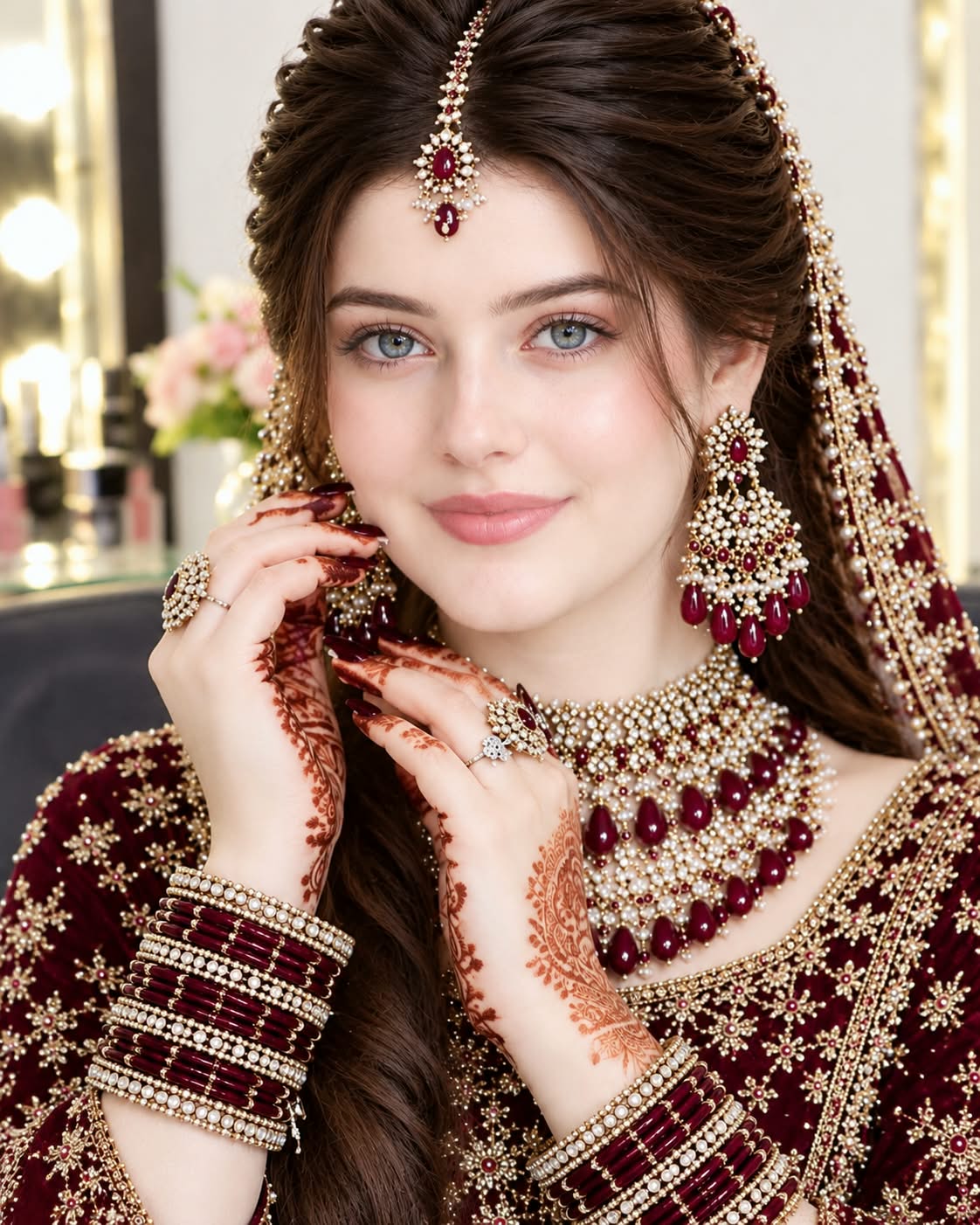
Create a high-definition, ultra-realistic bridal portrait with traditional jewelry, mehndi, and warm vanity lighting.
Example outputs
Prompt template
- Format
- Text Parameterized
- Inputs
- Reference_face (image) · Required dress_color (text) · Optional · Default: deep maroon
- Outputs
- Bridal_portrait (image)
Create a stunning, ultra-realistic South Asian bridal portrait using the exact facial features of the reference face. A beautiful bride wears a luxurious ${dress-color:deep maroon} bridal dress with intricate golden embroidery and sparkling embellishments. Her eyes are open and looking directly at the camera, with a soft, graceful smile. Give her elegant bridal makeup with pink eyeshadow, long lashes, winged eyeliner, rosy cheeks, and rose-pink lipstick.

Style her hair in a beautiful, voluminous bridal updo with a delicate maroon and golden maang tikka. Add luxurious pearl and maroon stone jewelry, heavy chandelier earrings, a layered bridal necklace, matching bangles, and rings. Both hands feature beautiful, detailed traditional mehndi designs.

Set the portrait against a warm luxury vanity background with glowing lights and soft floral decorations. Use high-definition photography, realistic skin texture, sharp facial details, an elegant bridal atmosphere, professional beauty photography, and 4K quality.
Replace the ${…} placeholders with your values
before using this prompt. See parameters
and defaults below
Parameters
Replace each placeholder with your own value, or use its default when one is provided
${dress-color:deep maroon}
dress-color
Default: deep maroon
What you'll create
A reference-guided bride looks directly forward with a gentle smile. An ornate updo, maang tikka and chandelier earrings catch warm vanity light amid soft flowers.
Usage instructions
Provide a reference-face image for the portrait’s facial features. The dress color is adjustable through the `dress_color` input; changing it will alter the main color of the bridal attire while the other specified details remain in place.
Frequently asked questions
Are the hands undecorated?
No. Both carry traditional mehndi designs.
Are the eyes closed?
No. They are open and looking at the camera.



Comments
Tried this prompt? Share what you made, compare results, or ask a question