Before-and-After Tilt-Shift Miniature Effect
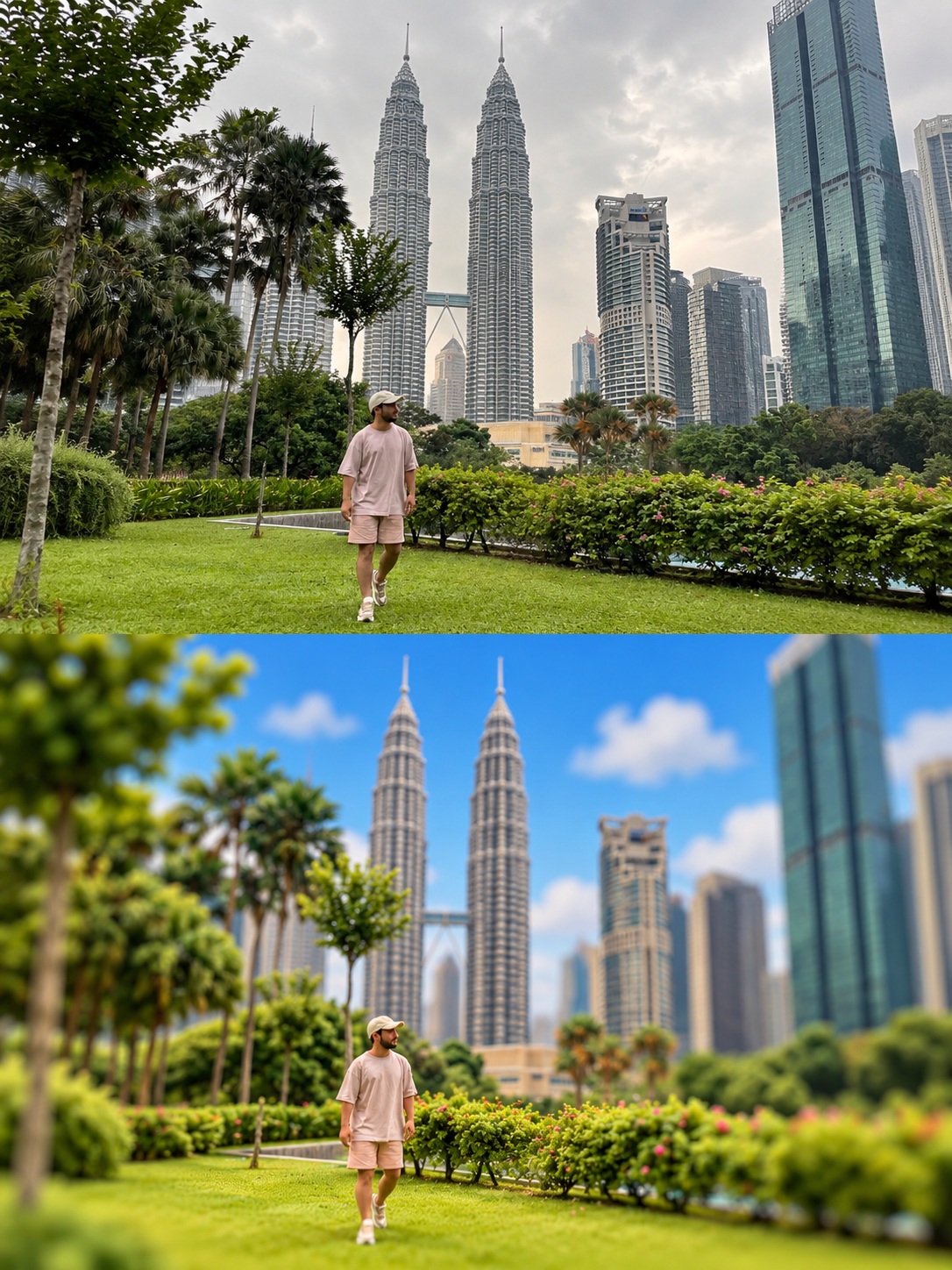
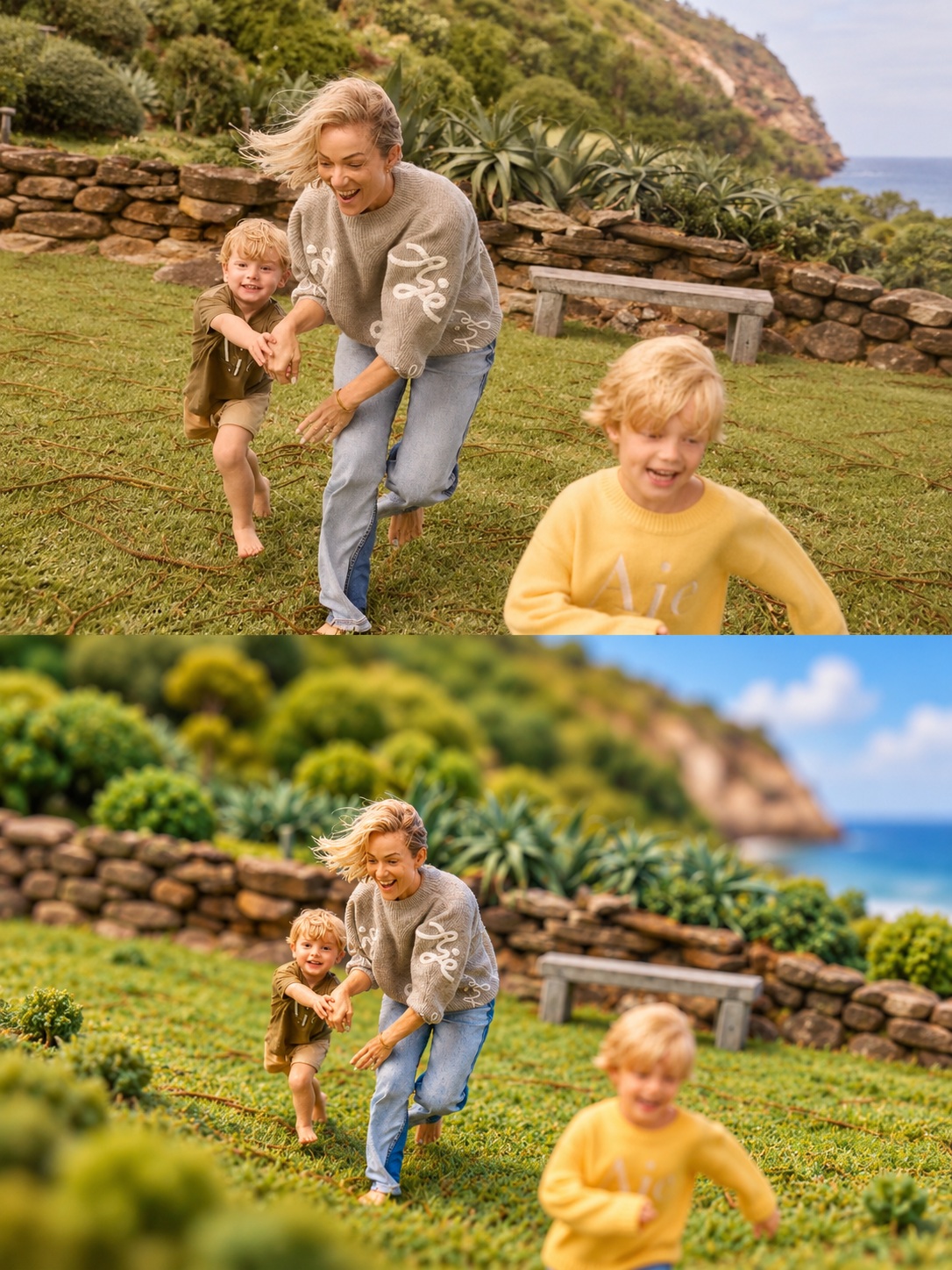
Create a 3:4 before-and-after comparison that preserves the original photograph above and recreates the same scene as a tilt-shift miniature below.
Example outputs
Prompt template
- Format
- Text
- Inputs
- Original_photo (image) · Required
- Outputs
- Comparison_image (image)
Create a vertical before-and-after comparison image in a 3:4 aspect ratio, divided horizontally into two exactly equal halves, with no borders, gaps, or dividing lines.

UPPER HALF — ORIGINAL PHOTOGRAPH
Keep the provided photograph exactly as it is, preserving its realistic appearance without modification. Respect the original composition, framing, perspective, colors, lighting, and every element of the scene.

LOWER HALF — TRANSFORMED INTO A MINIATURE MODEL
Recreate the exact same scene as a scale model with a tilt-shift photographic effect. Retain a composition, framing, and camera angle identical to those of the original photograph.

Apply these characteristics:
- Buildings become architectural scale models made of matte resin with smooth surfaces.
- Trees and vegetation become small artificial foliage elements, soft and fluffy, characteristic of scale models.
- Use vivid, intense, highly saturated colors for a cheerful, striking aesthetic.
- When water or sky appears in the original photograph, render it bright blue; include fluffy white clouds in the sky when present.
- Create a sharp band of focus across the middle plane of the scene, with intense blur in the foreground and background.
- Make the overall result an extremely detailed, professionally photographed, three-dimensional physical model that looks like a small miniature world.

MANDATORY RESTRICTIONS
The lower half must depict exactly the same place and elements as the upper photograph, without changing their arrangement or the viewing angle.

Do not add objects, buildings, characters, or other elements that are absent from the original scene, except for visual adjustments necessary to achieve the miniature effect.

Do not include additional text, titles, labels, watermarks, frames, or decorative elements.
What you'll create
The unchanged original occupies the upper half, while the lower half recreates the same scene as a scale model. Matte resin buildings and fluffy artificial foliage replace full-size textures.
Frequently asked questions
Should the lower view change the camera angle?
No, it retains the original composition, framing and viewpoint.



Comments
Tried this prompt? Share what you made, compare results, or ask a question